怎样用2010版excel求标准差
1、点击计算机左下角的总“菜单栏”中的“所有程序”,点击中的“excel 栏”打开excel软件

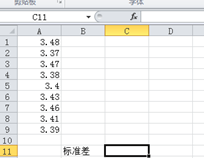
2、将要计算的数据输入到excel中
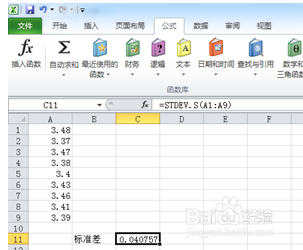
3、点击excel上部的“公式栏”

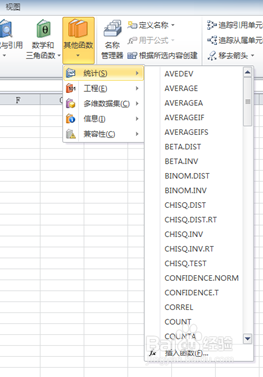
4、找出“其它公式栏”中的“统计栏”
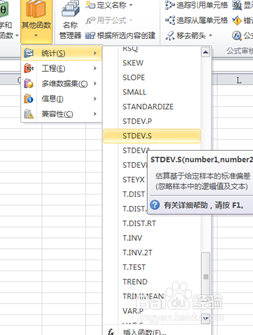
5、找出“统计栏”中的“差”
6、用鼠标下拉出所要计算的数据区域
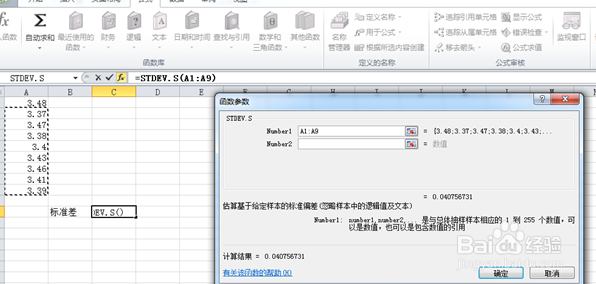
7、点击”确定“即可得出标准差
阅读量:40
阅读量:75
阅读量:45
阅读量:78
阅读量:186
1、点击计算机左下角的总“菜单栏”中的“所有程序”,点击中的“excel 栏”打开excel软件
2、将要计算的数据输入到excel中
3、点击excel上部的“公式栏”
4、找出“其它公式栏”中的“统计栏”
5、找出“统计栏”中的“差”
6、用鼠标下拉出所要计算的数据区域
7、点击”确定“即可得出标准差