spring tool suite怎么设置字体大小,STS字体大
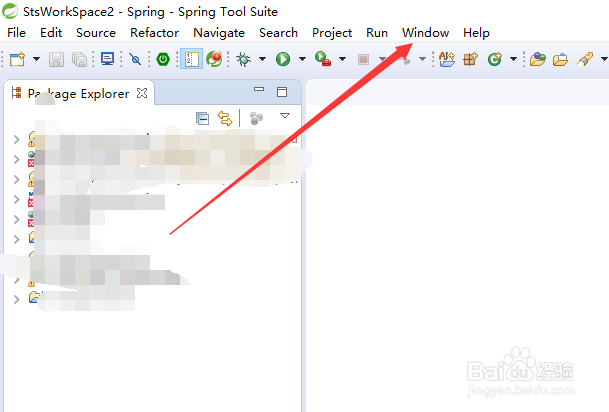
1、打开spring tool suite工具后,直接点击STS工具栏上的【Window】,如下图所示。
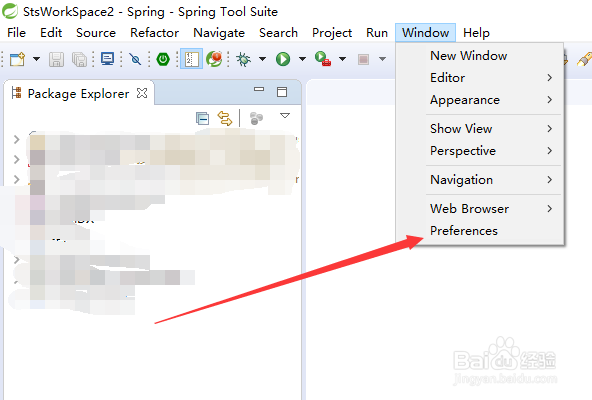
2、再点击弹出菜单里的【Preferences】选项,如下图所示。
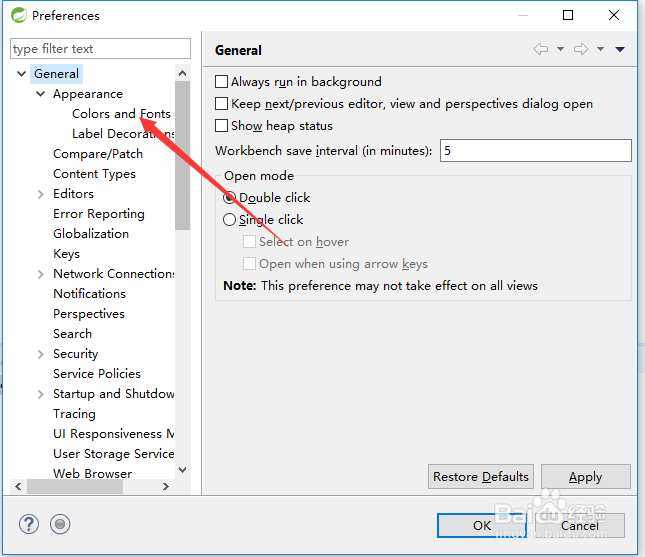
3、在preferences界面左边的菜单栏中,点击General下面的Appearance菜单将其展开,然后点击【Colors and Fonts】,如下图所示。
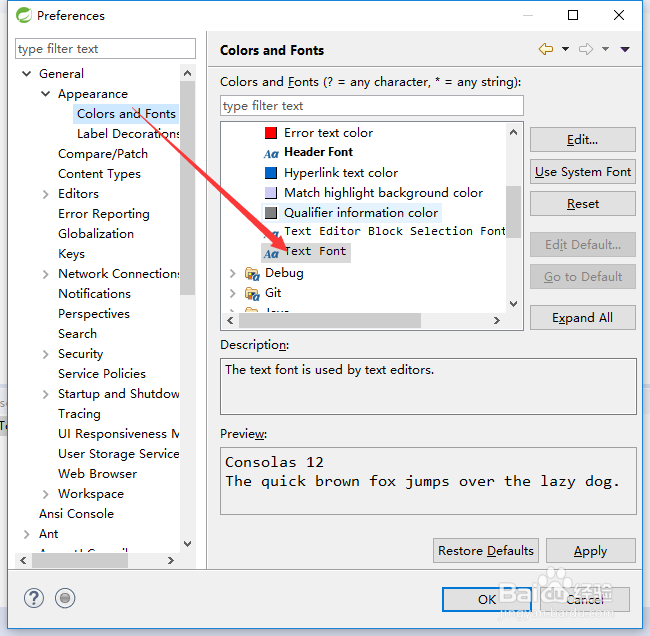
4、点击后,在右侧选中【Text Font】,然后点击【Edit】,如下图所示。
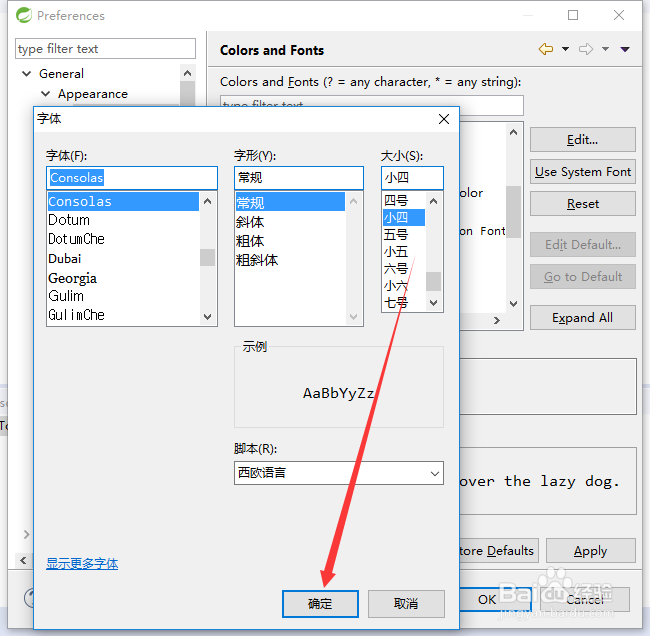
5、在打开的spring tool suite字体对话框里,选择要设置的字体大小,然后点击下面的确定,如下图所示。
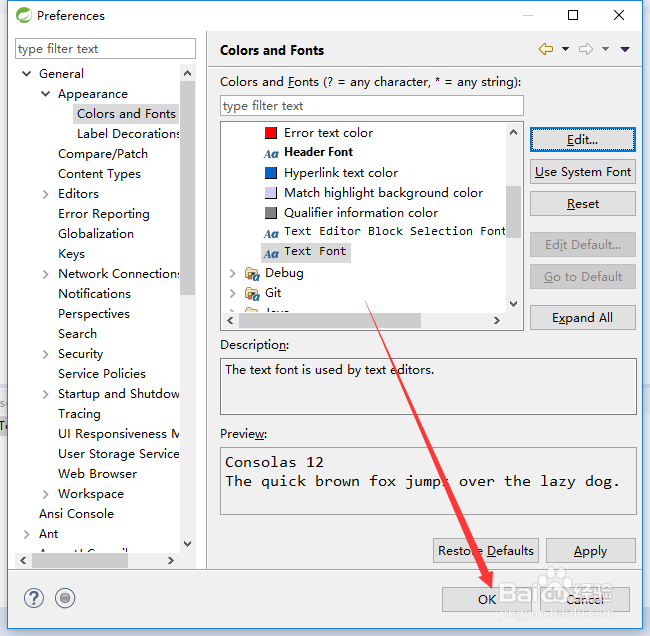
6、最后在点击preferences界面下面的【OK】,将设置好的字体大小就行保存,如下图所示。
阅读量:187
阅读量:72
阅读量:101
阅读量:193
阅读量:137