eclipse字符集改为utf-8教程
1、首先打开eclipse软件。

2、然后点击任务栏中的“window”再选择“preference”。
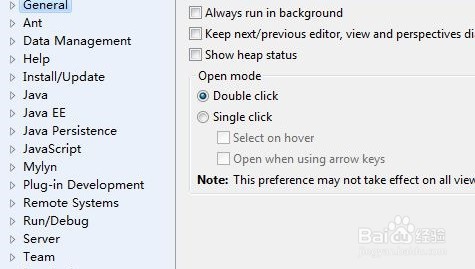
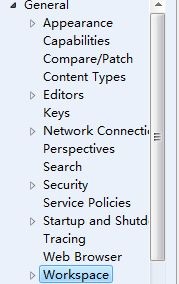
3、双击“general”再选择“workpace”。
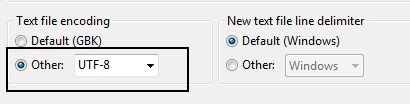
4、随后在右侧将“text file encoding”下面的“other”编码改成“utf-8”。
5、之后再去双击“web”。
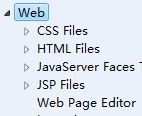
6、点击下面带“files”选项,再右侧将编码的方式改成“utf-8”即可。
阅读量:109
阅读量:139
阅读量:168
阅读量:193
阅读量:87
1、首先打开eclipse软件。
2、然后点击任务栏中的“window”再选择“preference”。
3、双击“general”再选择“workpace”。
4、随后在右侧将“text file encoding”下面的“other”编码改成“utf-8”。
5、之后再去双击“web”。
6、点击下面带“files”选项,再右侧将编码的方式改成“utf-8”即可。