如何设置IsoBuster启用IBP偏执模式
1、点击“IsoBuster”

2、在“IsoBuster”窗口中,点击“选项”
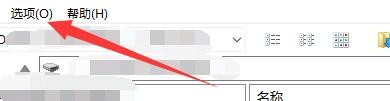
3、在弹出下拉栏中,点击“通讯”
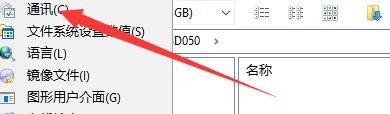
4、在“通讯”窗口中,点击“IBP”

5、在“IBP”窗口中,将“偏执模式”勾选上

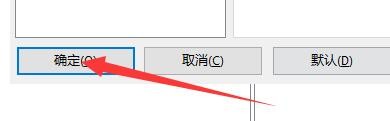
6、点击“确定”即可
阅读量:26
阅读量:40
阅读量:162
阅读量:181
阅读量:118
1、点击“IsoBuster”
2、在“IsoBuster”窗口中,点击“选项”
3、在弹出下拉栏中,点击“通讯”
4、在“通讯”窗口中,点击“IBP”
5、在“IBP”窗口中,将“偏执模式”勾选上
6、点击“确定”即可