oppo怎么开启录屏
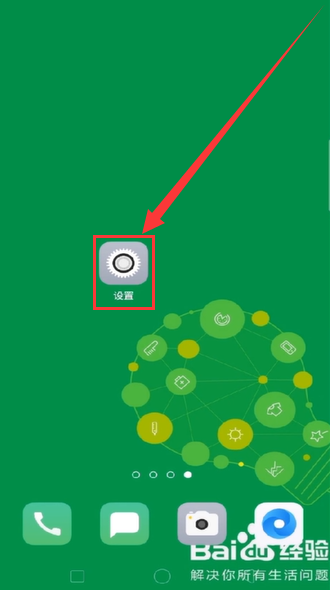
1、打开手机“设置”。
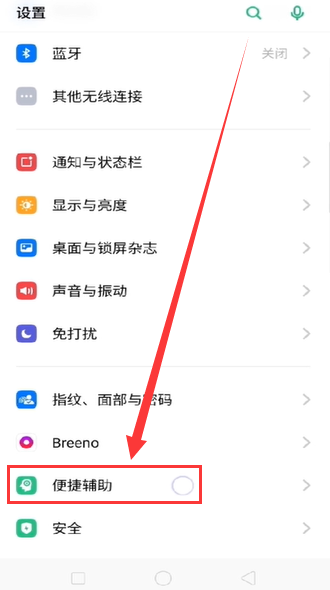
2、页面下滑,找到并点击“便捷辅助”。
3、点击“智能侧边栏”。

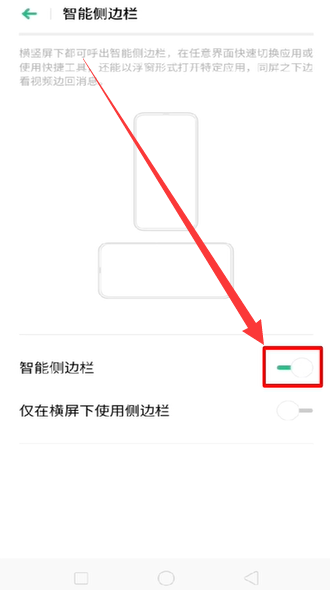
4、开启“智能侧边栏”。
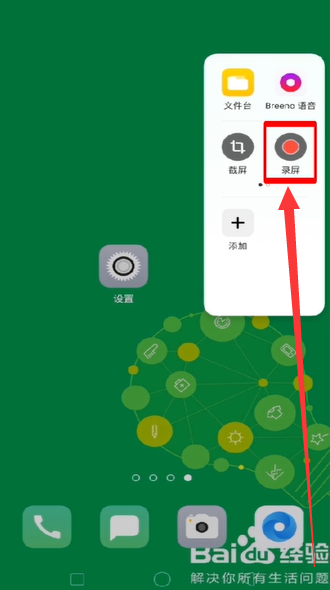
5、回到桌面,点击右侧的“智能侧边栏”。
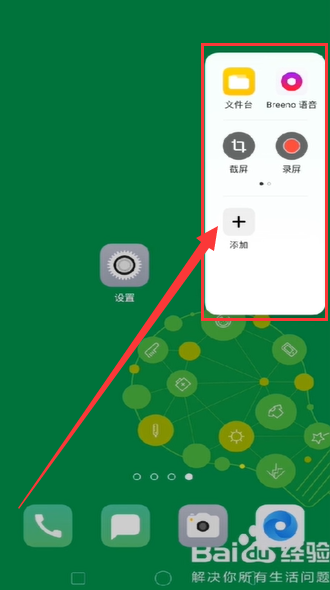
6、点击“录屏”后,开始录屏。
7、总结如下。

阅读量:51
阅读量:123
阅读量:118
阅读量:118
阅读量:44
1、打开手机“设置”。
2、页面下滑,找到并点击“便捷辅助”。
3、点击“智能侧边栏”。
4、开启“智能侧边栏”。
5、回到桌面,点击右侧的“智能侧边栏”。
6、点击“录屏”后,开始录屏。
7、总结如下。