Keil uVision4怎么关闭观看windows性能分析器
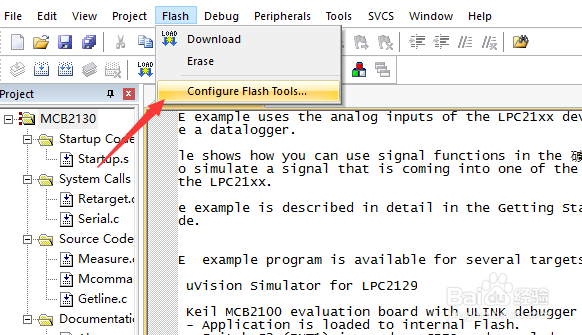
1、首先,点击菜单中的flash菜单,弹出了下拉菜单选中为configure flash tools选项
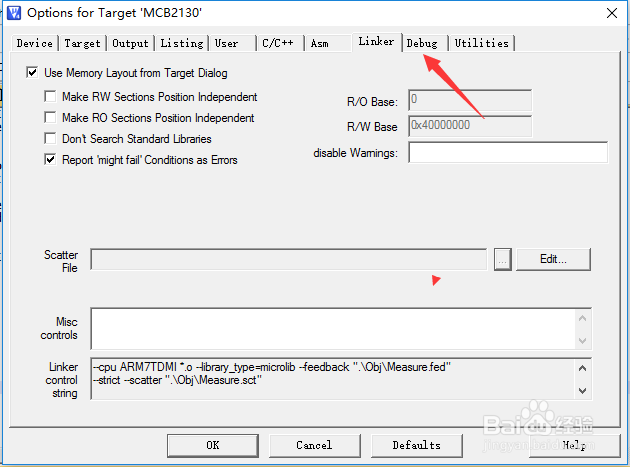
2、点击debug选项
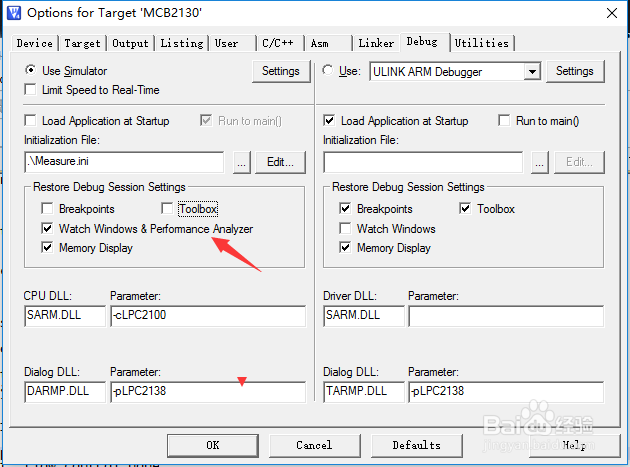
3、去掉勾选上watch windows performance analyzer选项
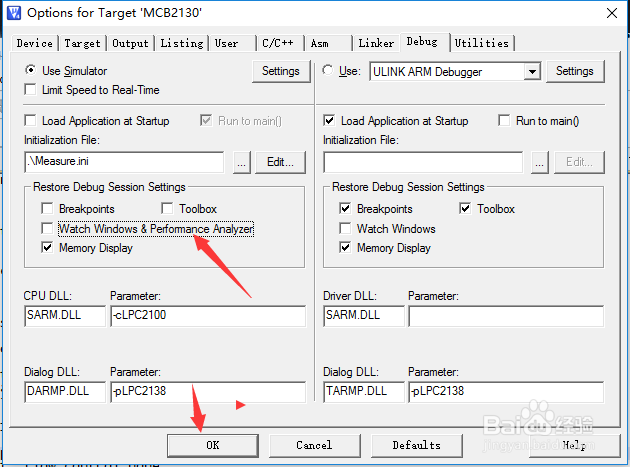
4、去掉勾选上watch windows performance analyzer选项之后,点击ok按钮
阅读量:123
阅读量:145
阅读量:162
阅读量:114
阅读量:58
1、首先,点击菜单中的flash菜单,弹出了下拉菜单选中为configure flash tools选项
2、点击debug选项
3、去掉勾选上watch windows performance analyzer选项
4、去掉勾选上watch windows performance analyzer选项之后,点击ok按钮