WebStorm怎么设置从工具架中删除成功应用的文件
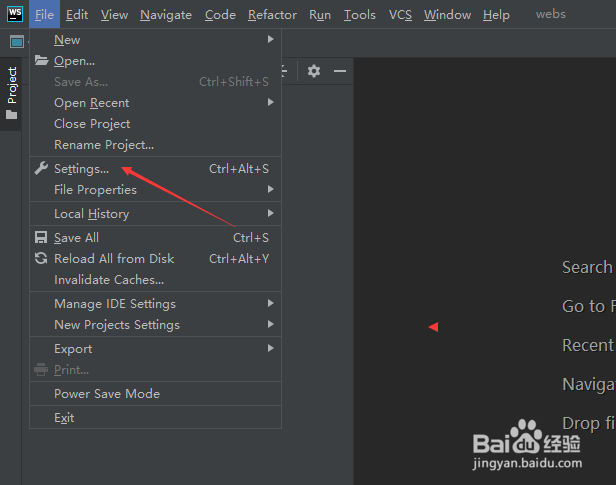
1、首先,点击菜单中的file菜单,弹出了下拉菜单选中为settings选项
2、点击shelf选项

3、勾选上remove successfully applied files from the shelf选项

4、勾选上remove successfully applied files from the shelf选项之后,点击ok

阅读量:145
阅读量:131
阅读量:117
阅读量:103
阅读量:102
1、首先,点击菜单中的file菜单,弹出了下拉菜单选中为settings选项
2、点击shelf选项
3、勾选上remove successfully applied files from the shelf选项
4、勾选上remove successfully applied files from the shelf选项之后,点击ok