GoodNotes怎么关闭使用iCloud
1、打开GoodNotes首页,在右上角点开设置

2、然后在页面上方点开设置

3、在设置页面里点开iCloud设置

4、打开后在页面上方看到使用iCloud开关
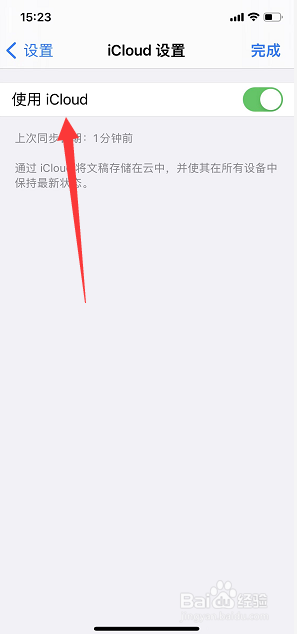
5、最后将使用iCloud关闭即可

阅读量:24
阅读量:174
阅读量:21
阅读量:64
阅读量:71
1、打开GoodNotes首页,在右上角点开设置
2、然后在页面上方点开设置
3、在设置页面里点开iCloud设置
4、打开后在页面上方看到使用iCloud开关
5、最后将使用iCloud关闭即可