电脑无法播图片提示FlashPlayer版本过低怎么办
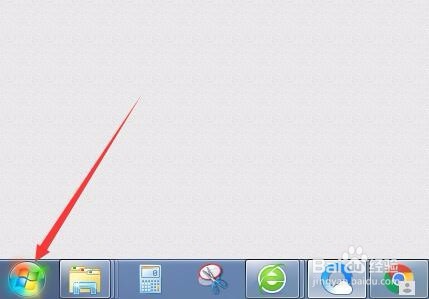
1、点击电脑桌面左下角的【开始菜单】图标。
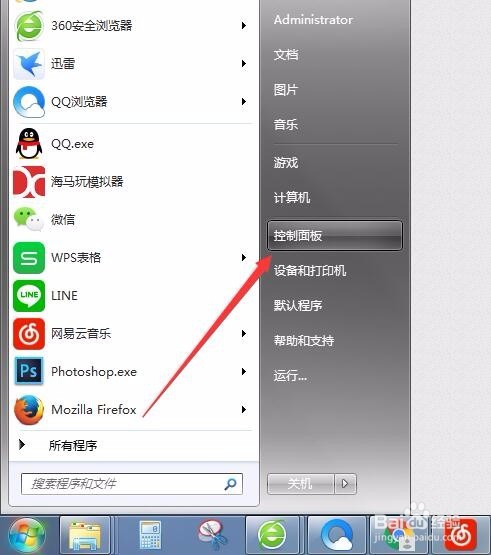
2、点击【控制面板】。
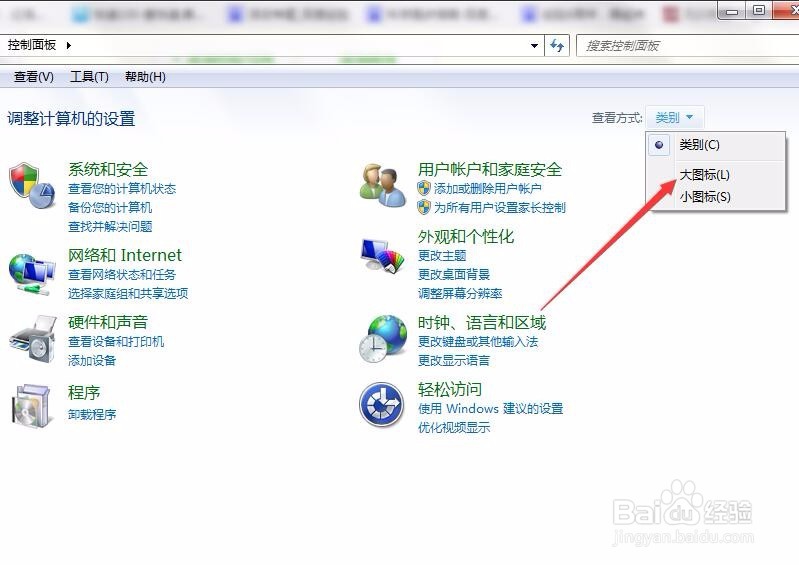
3、打开【控制面板】,将查看方式更改为【大图标】。
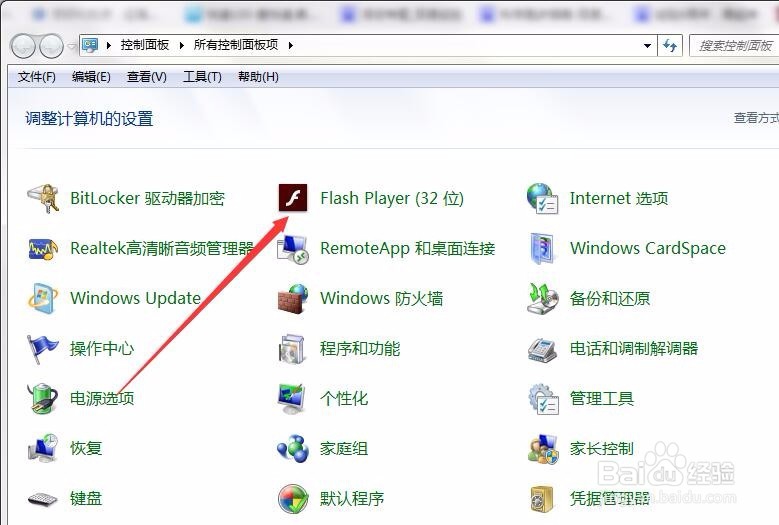
4、点击【Flash Player(32位)】。
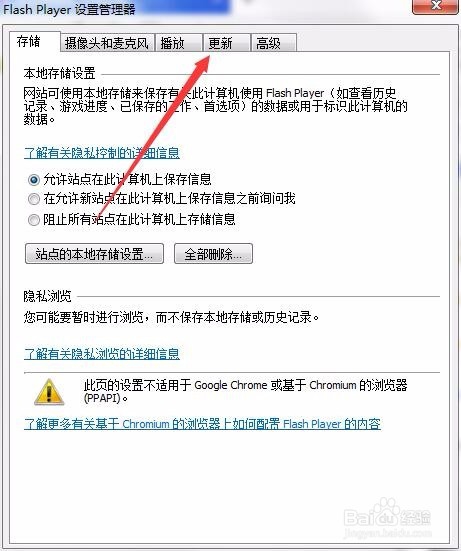
5、在打开的【Flash Player设置管理器】中,点击【更新】。
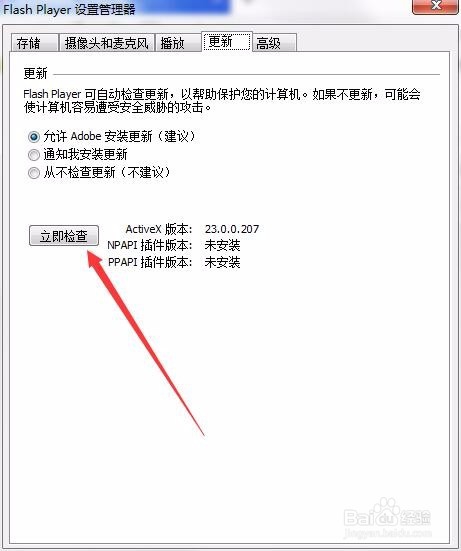
6、点击【更新】界面的【立即检查】。
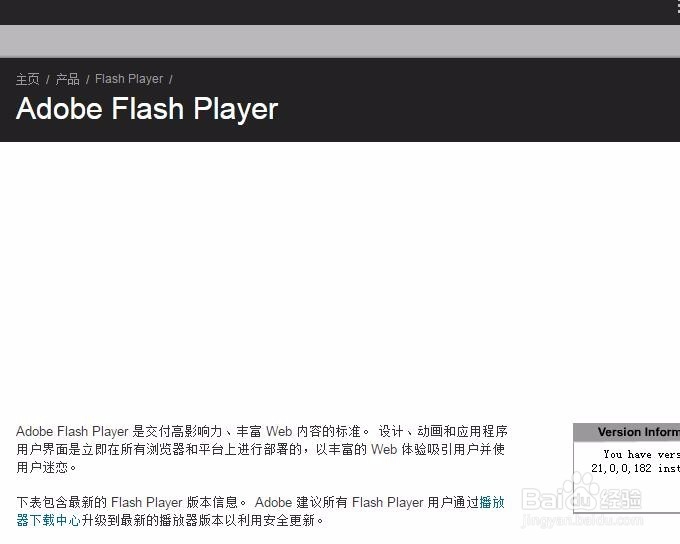
7、浏览器会打开Adobe - Flash Player的网页,按照网站上的提示进行更新即可。
1、点击电脑桌面左下角的【开始菜单】图标。
2、点击【控制面板】。
3、打开【控制面板】,将查看方式更改为【大图标】。
4、点击【Flash Player(32位)】。
5、在打开的【Flash Player设置管理器】中,点击【更新】。
6、点击【更新】界面的【立即检查】。
7、浏览器会打开Adobe - Flash Player的网页,按照网站上的提示进行更新即可。