指南经验网
首页
美食营养
生活百科
知识问答
生活知识
返回
指南经验网
首页
美食营养
游戏数码
手工爱好
生活知识
生活百科
健康养生
运动户外
职场理财
情感交际
母婴教育
时尚美容
知识问答
更多知识
搜索
oppo怎么关闭5g网络
2026-04-24 22:00:35
1、
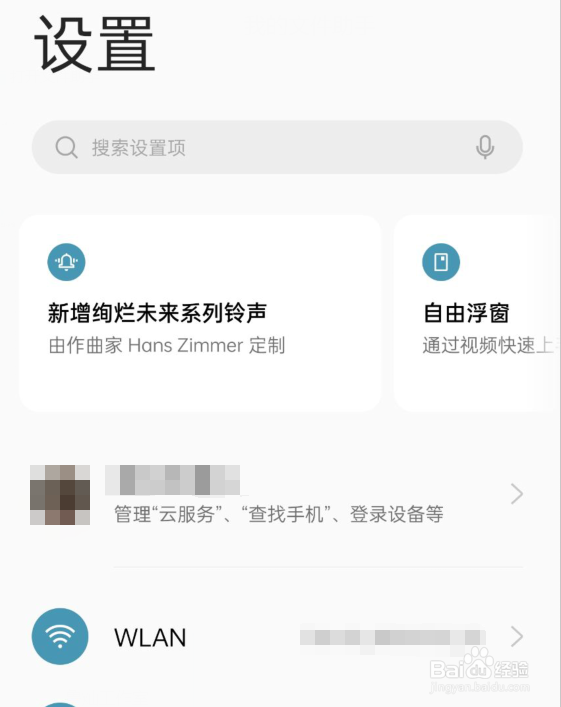
打开设置
点击打开手机的设置
2、
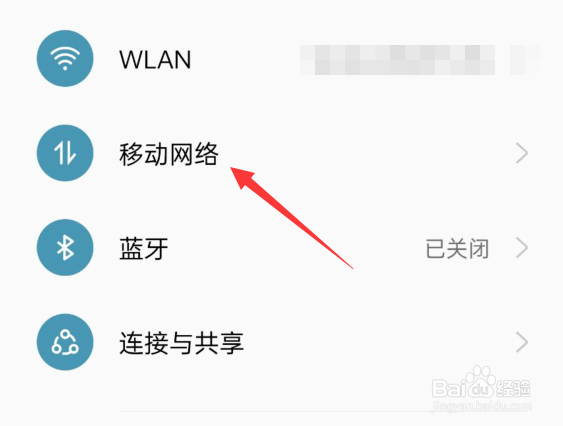
打开移动网络
点击打开移动网络
3、
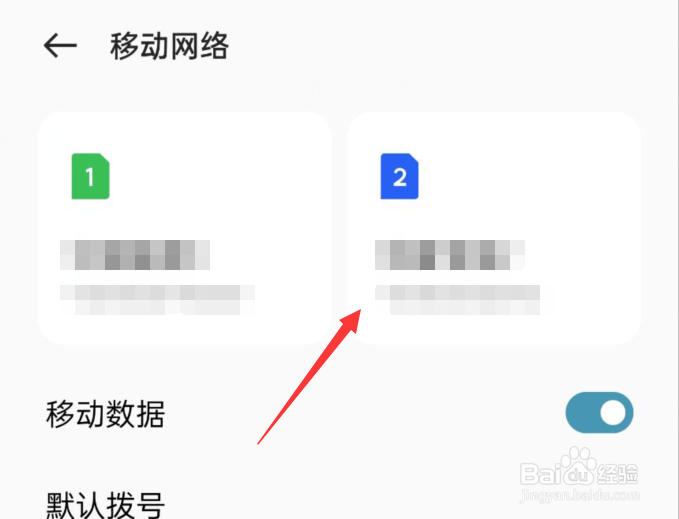
选择sim卡
点击一张要进行设置的sim卡
4、
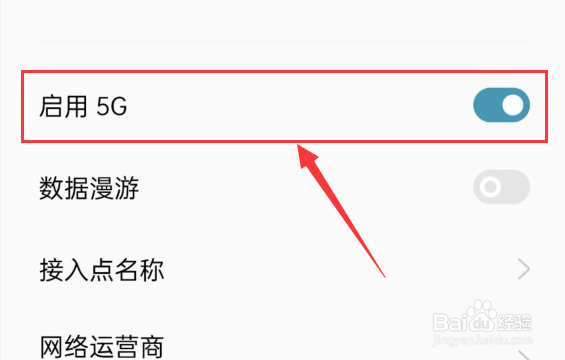
关闭5G网络
找到启用5G选项,将其关闭即可
相关推荐
oppo手机怎么关闭5g用4g
阅读量:119
oppo手机怎么关闭5g
阅读量:47
oppo手机怎么关闭5g网络
阅读量:170
oppo手机5g怎么切换4g
阅读量:180
oppo怎么关5g用4g
阅读量:88
猜你喜欢
cf角色大全
新苹果手机怎么激活
辣椒酱的做法大全
笑话大全乐翻天
屈原的简介资料
白起简介
书法字体大全
打印机脱机怎么解决
乔羽简介
菜单大全
猜你喜欢
皮肤过敏怎么治疗
河南周边旅游景点大全
鸡油怎么吃
海绵宝宝图片大全可爱
排比句大全优美
老拉肚子怎么回事
牛简笔画图片大全
早餐粥的做法大全
中国地图图片大全
陈廷敬简介