DevEco Studio怎么设置宽屏工具窗口布局
1、打开一个DevEco Studio的界面中

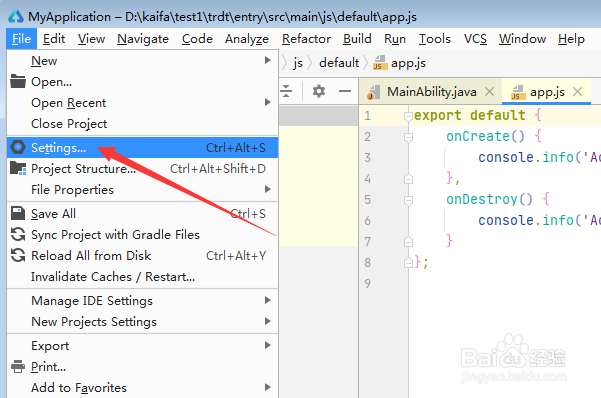
2、点击左上角中file菜单

3、弹出了下拉菜单选中settings选项
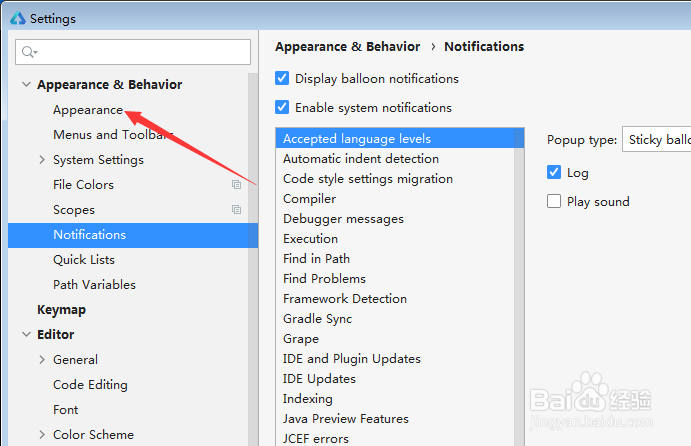
4、点击左侧中appearance选项
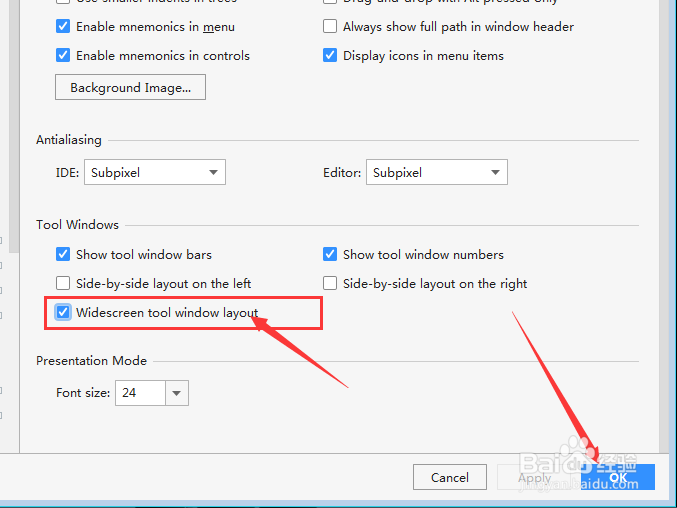
5、勾选widescreen tool window layout选项

6、勾选widescreen tool window layout选项之后,点击ok
阅读量:153
阅读量:25
阅读量:39
阅读量:61
阅读量:76
1、打开一个DevEco Studio的界面中
2、点击左上角中file菜单
3、弹出了下拉菜单选中settings选项
4、点击左侧中appearance选项
5、勾选widescreen tool window layout选项
6、勾选widescreen tool window layout选项之后,点击ok