Eclipse中如何改变XML字体
1、在主界面点击 Window菜单栏,然后选择Preferences
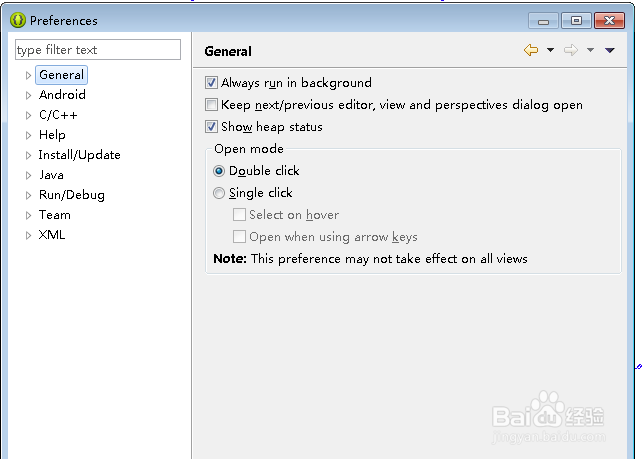
2、选择Generals项

3、选择Appearances-Color-fonts

4、选择Basic---然后选择Text Fonts,最后点击Edit

阅读量:89
阅读量:150
阅读量:95
阅读量:58
阅读量:120
1、在主界面点击 Window菜单栏,然后选择Preferences
2、选择Generals项
3、选择Appearances-Color-fonts
4、选择Basic---然后选择Text Fonts,最后点击Edit