如何在Myclipse上设置html自动代码提示
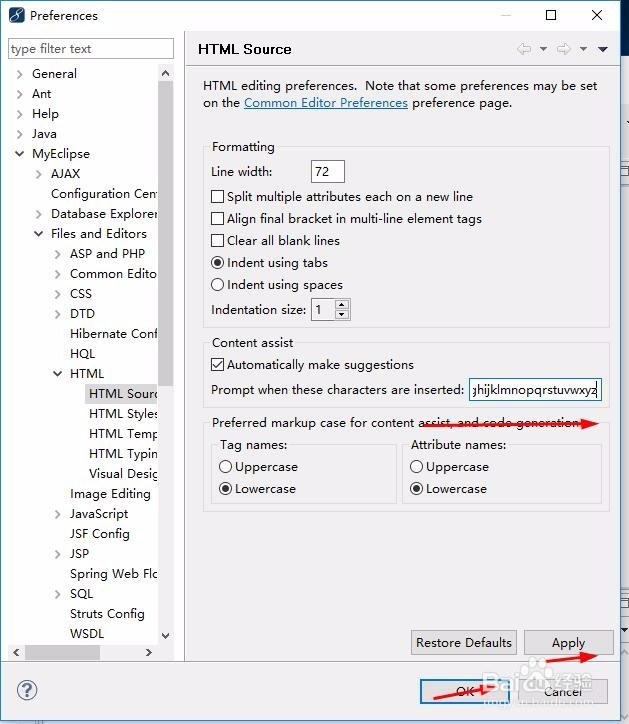
1、Window --> preference --> MyEclipse --> Files and Editors -->
HTML --> HTML Source --> Content assist。


2、在右边的prompt when these characters are inserted后输入<= abcdefghijklmnopqrstuvwxyz。然后Apply--->ok
接下来html代码里面编辑的时候输入任意的字符、空格等就可以达到代码自动提示的功能。
阅读量:55
阅读量:112
阅读量:170
阅读量:37
阅读量:37