指南经验网
首页
美食营养
生活百科
知识问答
生活知识
返回
指南经验网
首页
美食营养
游戏数码
手工爱好
生活知识
生活百科
健康养生
运动户外
职场理财
情感交际
母婴教育
时尚美容
知识问答
更多知识
搜索
Windows11如何打开防篡改保护?
2026-04-24 04:59:45
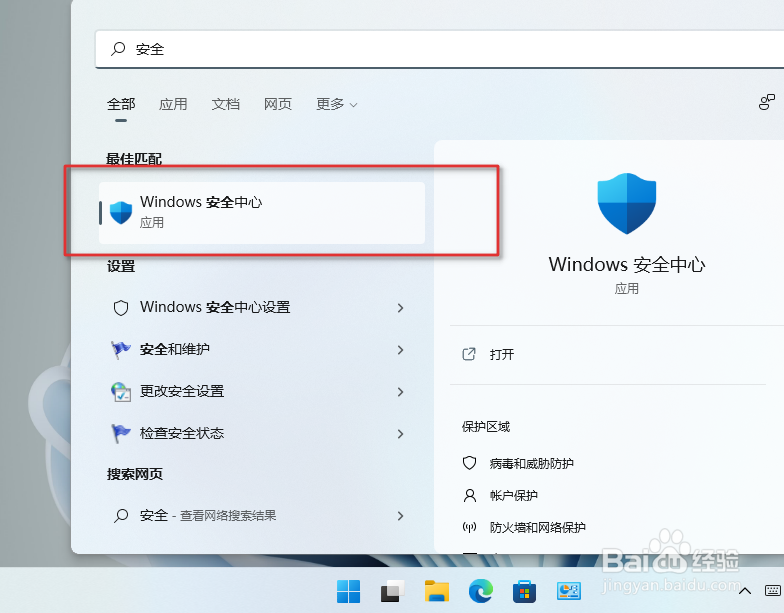
1、按住Windows键,搜索并打开应用,Windows安全中心。
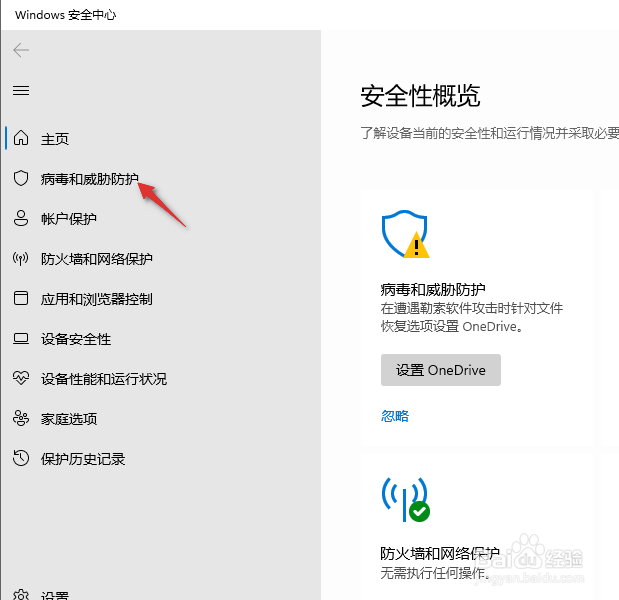
2、点击安全中心左侧病毒和威胁防护。
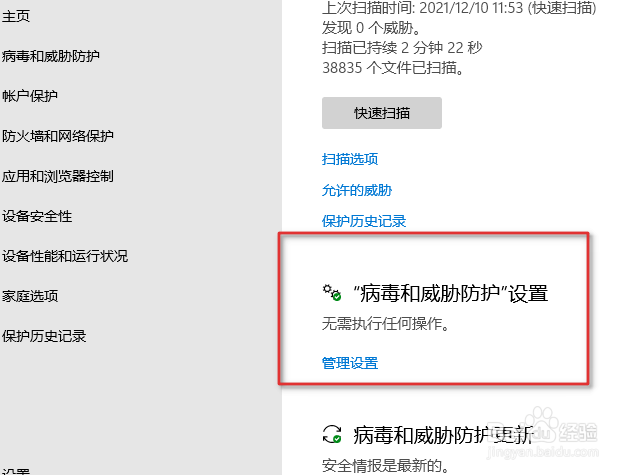
3、点击管理设置如图。
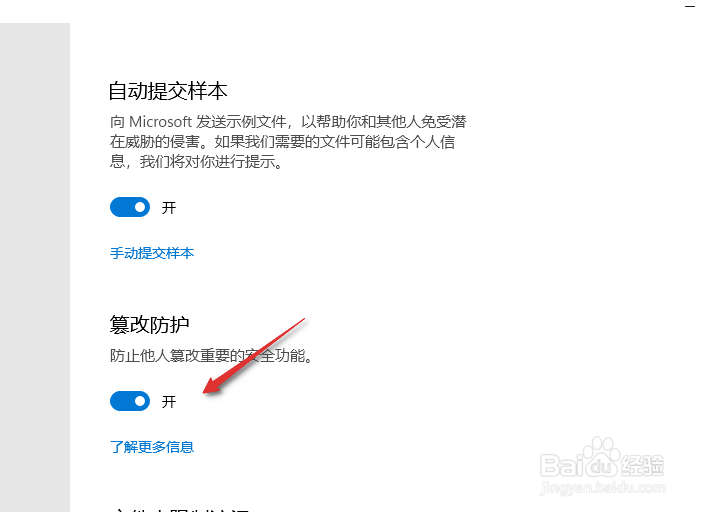
4、打开防篡改保护开关,他人就无法篡改重要的安全功能。
相关推荐
Win11怎么关闭虚拟化功能
阅读量:169
win11设备管理器在哪打开?
阅读量:94
win11每次打开应用都弹窗
阅读量:57
怎样关闭Win10打开软件弹出是否允许更改的提示
阅读量:151
更新WIN10笔记本触屏键盘失灵。
阅读量:58
猜你喜欢
初中化学知识点
ox什么意思
金钱草功效与作用
什么是成交量
初一地理知识点总结
芹菜的功效与作用
语文知识大全
什么是高铁
母亲节送什么礼物好
水牛角的功效与作用
猜你喜欢
莲子的作用
什么是历史唯物主义
知识产权诉讼
530分能上什么大学
前胡的功效与作用
黄河入什么海
洋甘菊的功效与作用
什么是淘宝客
牛宝的功效与作用
知识缺乏的护理措施