香山智能App如何修改测量体重单位为【斤】
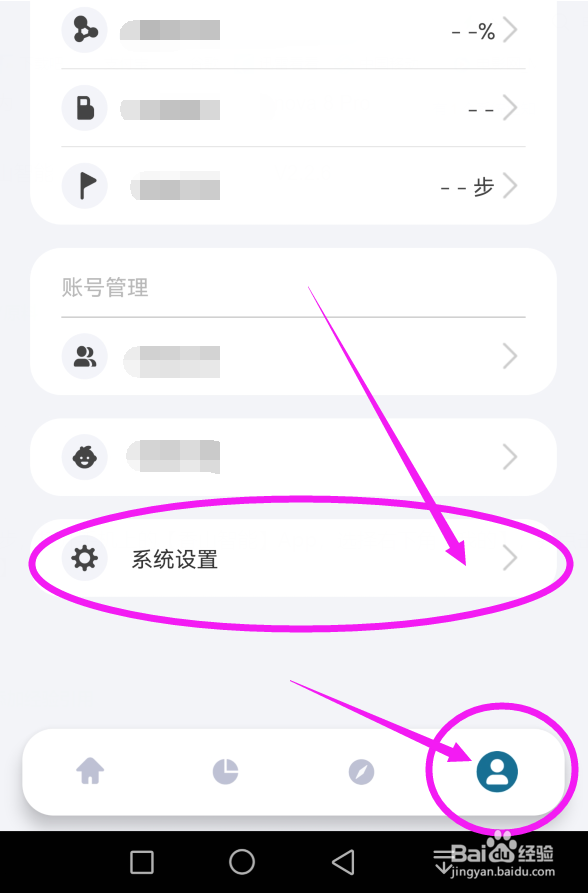
1、打开手机上的【香山智能】App,在【我的】页面,点击【系统设置】
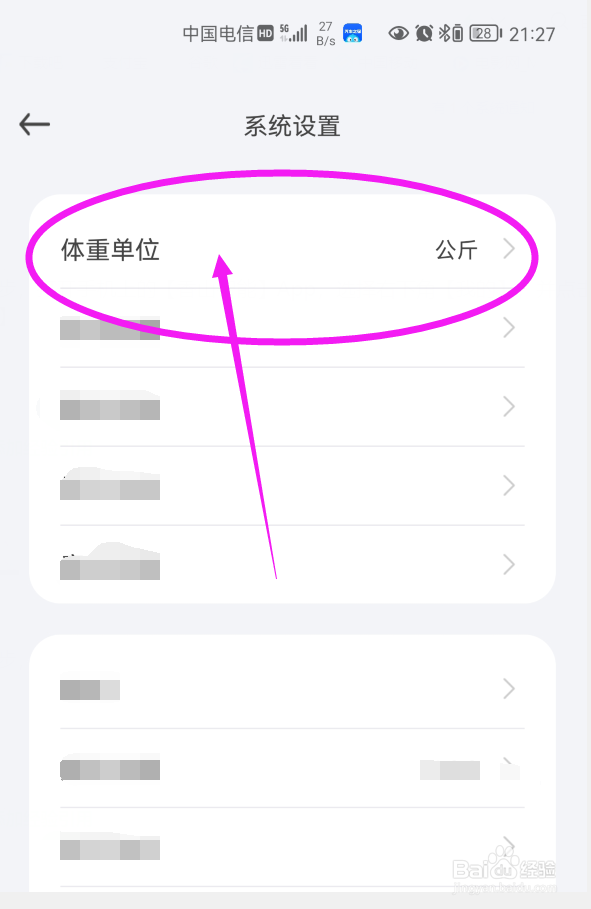
2、在【系统设置】页,点击【体重单位】
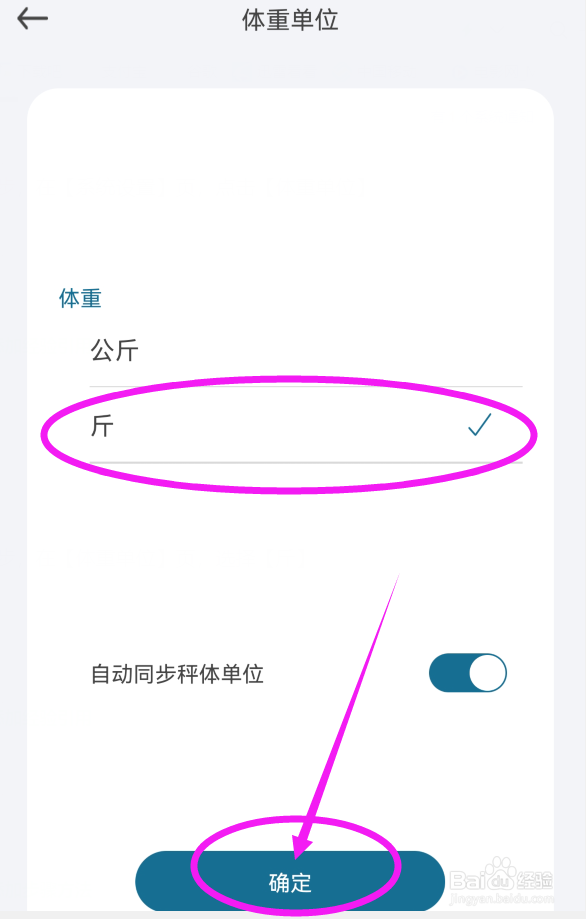
3、在【体重单位】页,选择【斤】,点击【确定】即可
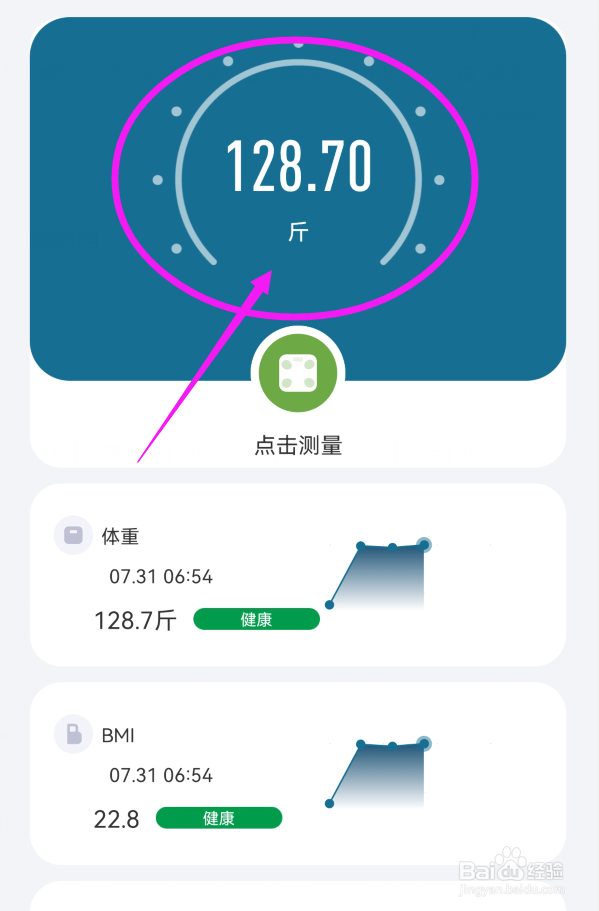
4、再返回至App首页,这时测量体重的单位由【公斤】转换成了【斤】
阅读量:128
阅读量:109
阅读量:92
阅读量:41
阅读量:171
1、打开手机上的【香山智能】App,在【我的】页面,点击【系统设置】
2、在【系统设置】页,点击【体重单位】
3、在【体重单位】页,选择【斤】,点击【确定】即可
4、再返回至App首页,这时测量体重的单位由【公斤】转换成了【斤】