指南经验网
首页
美食营养
生活百科
知识问答
生活知识
返回
指南经验网
首页
美食营养
游戏数码
手工爱好
生活知识
生活百科
健康养生
运动户外
职场理财
情感交际
母婴教育
时尚美容
知识问答
更多知识
搜索
mac电脑怎么设置使用shift键来开关粘滞键功能
2026-04-21 22:06:26
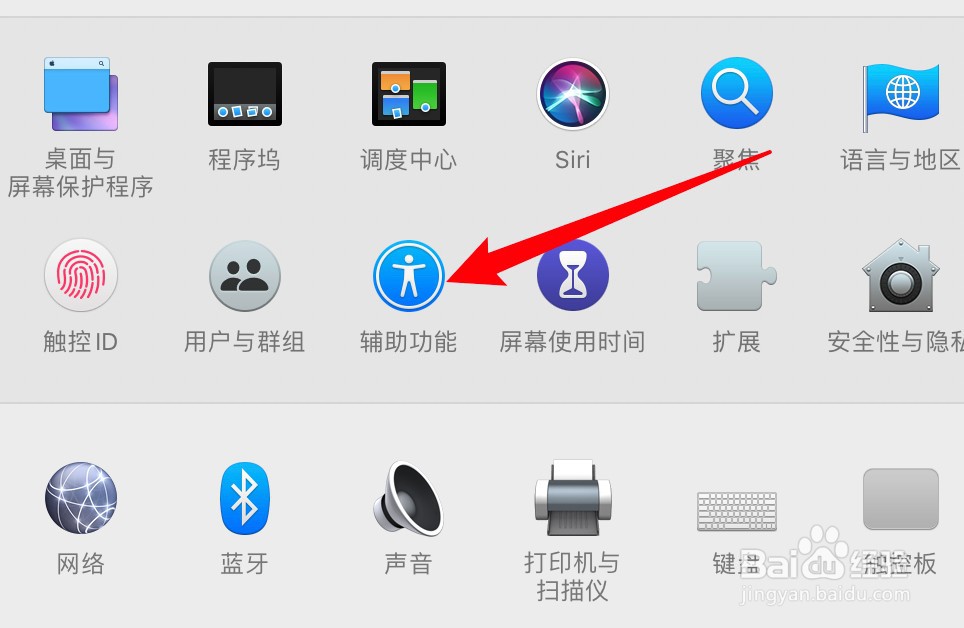
1、打开系统偏好设置,点击辅助功能。
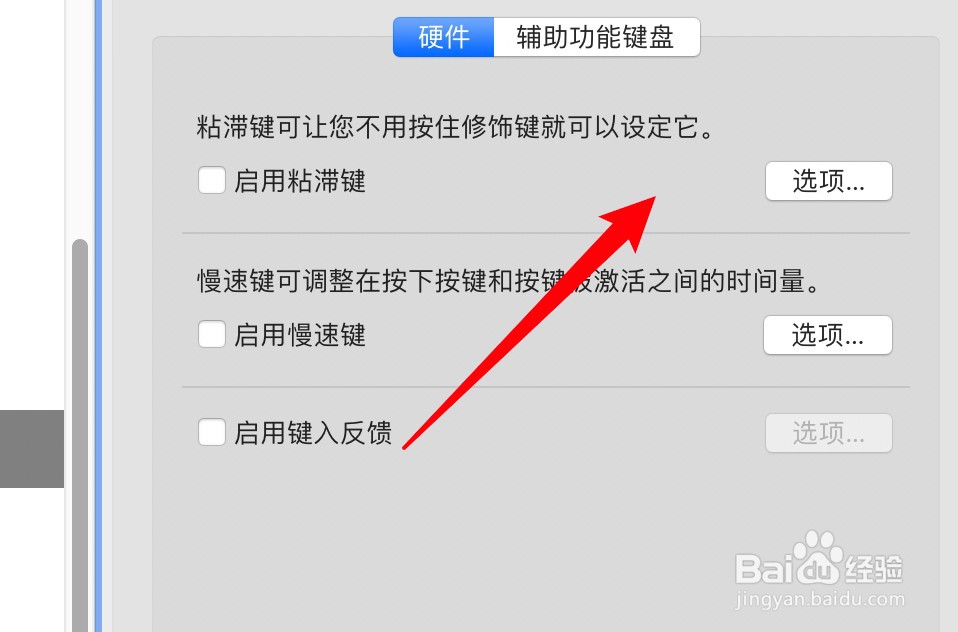
2、点击左边的键盘选项。
3、点击粘滞键右边的选项按钮。
4、点击选中使用shift键的选项即可。
相关推荐
mac如何关闭应用程序
阅读量:156
macbook怎么看型号
阅读量:42
MacBook系统更新的方法
阅读量:32
mac文件夹在哪
阅读量:128
Macbook怎么关闭后台程序
阅读量:109
猜你喜欢
东北菜大全
童年时光怎么样
古董图片大全
免费观看黄页网址大全
正版免费综合资料大全
理论大全免费观看
成语故事大全视频
初三作文大全600字
工程造价专业怎么样
素材图片大全
猜你喜欢
微信怎么用
免费取名字大全女孩
四年级上册应用题大全
明星婚纱照图片大全
儿歌视频大全
潍坊科技学院怎么样
佳句大全
传真怎么用
转述句大全
饥荒食谱大全