WORD文档怎么插入脚注
1、以WPS为例,打开文档,如图所示

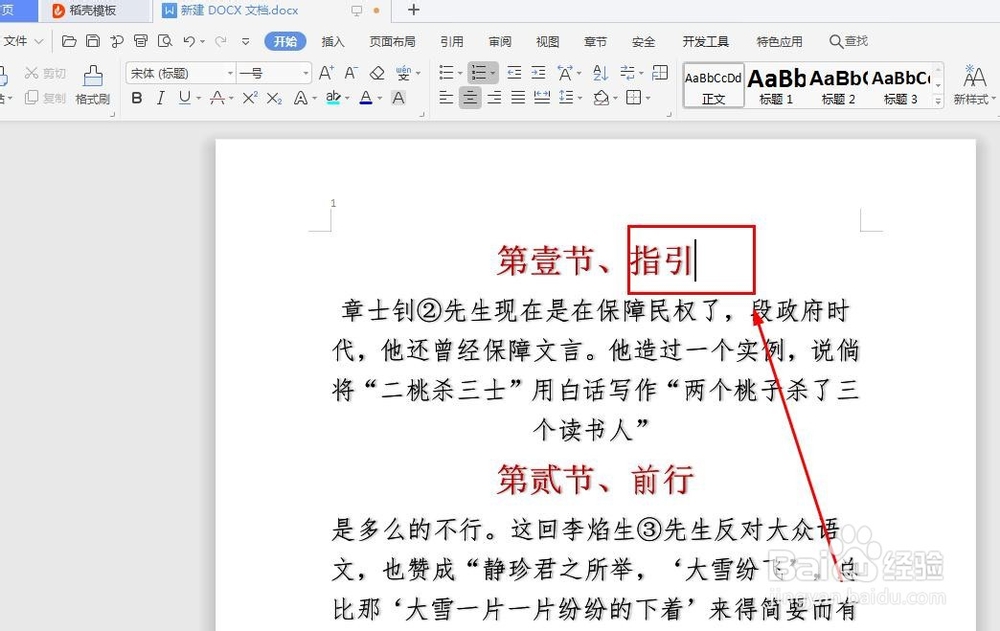
2、把光标移动到插入脚注文字的后面,如图所示
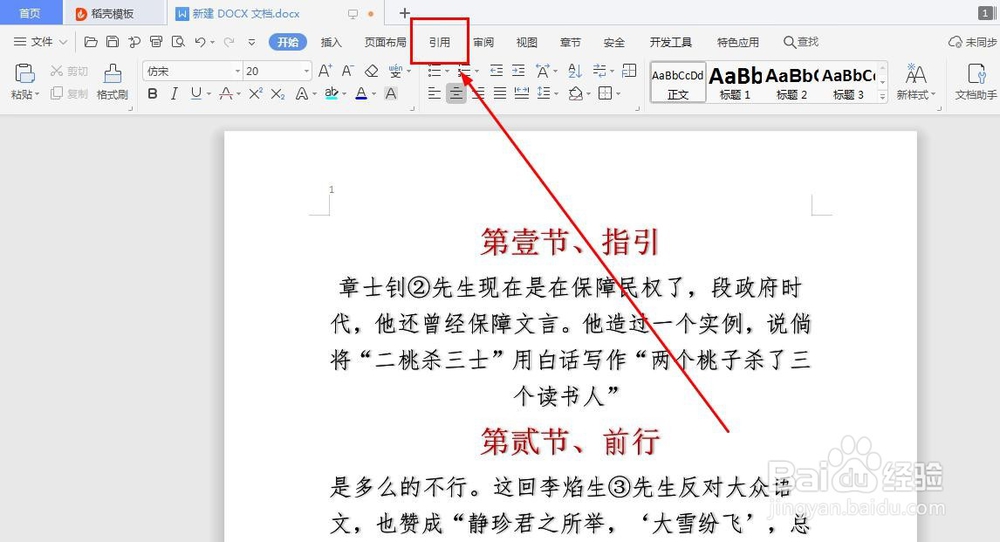
3、点击工具栏里的‘引用’,如图所示
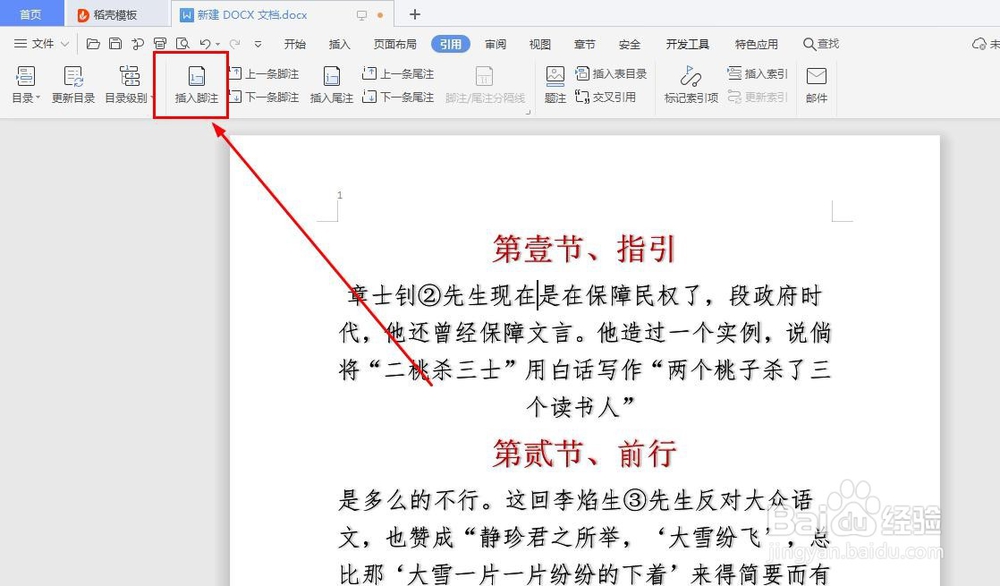
4、点击‘插入脚注’,如图所示
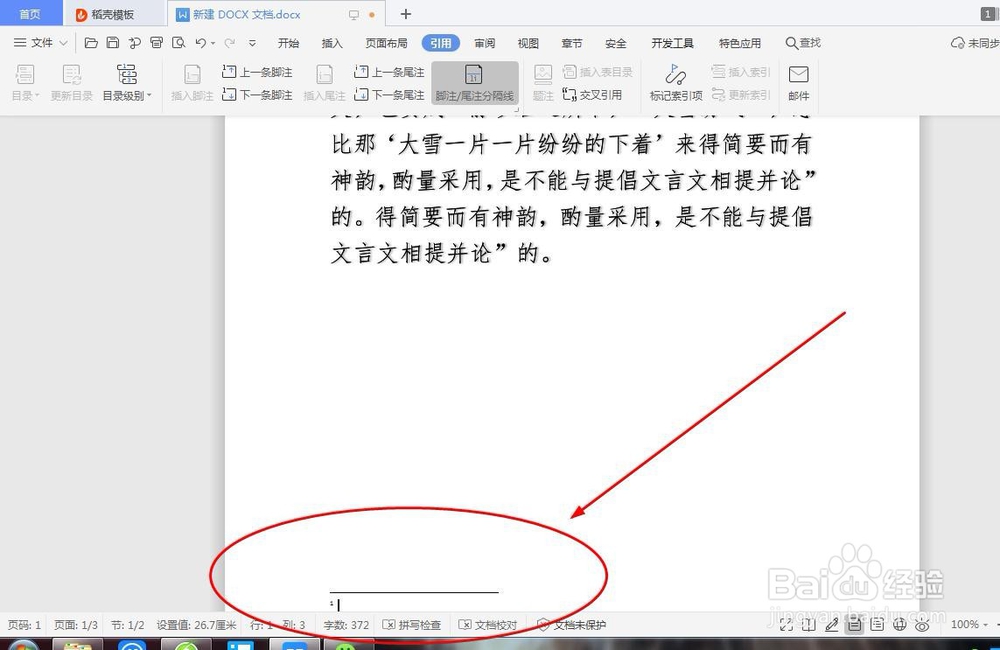
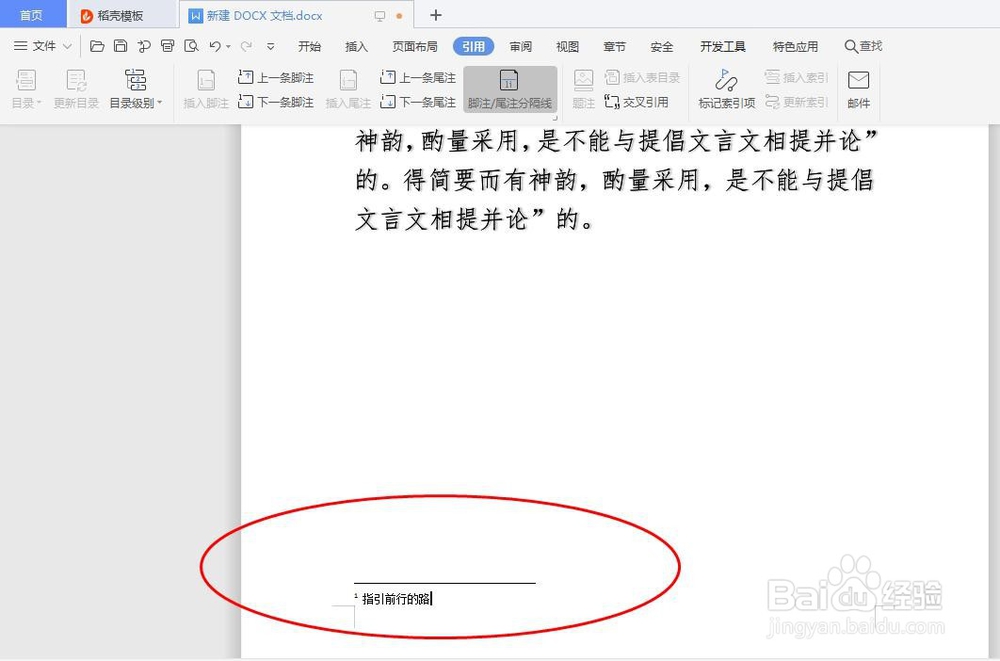
5、这里便是脚注的注解文字内容部分,如图所示
6、脚注设计完毕,我们回到刚才插入脚注文字的地方,如图所示
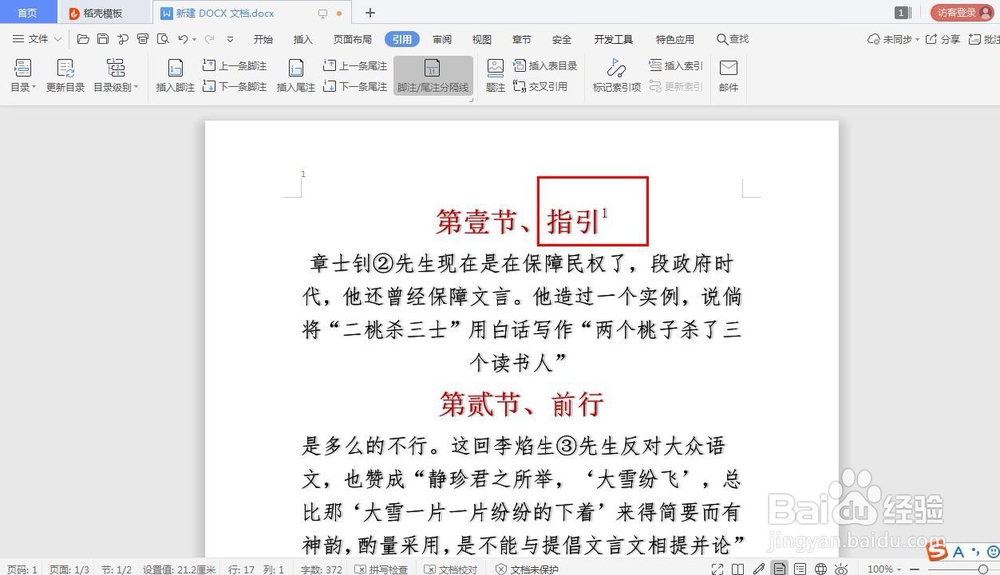
7、我们文字后方就有序号了,这说明脚注插入成功了,如图所示
1、以WPS为例,打开文档,如图所示
2、把光标移动到插入脚注文字的后面,如图所示
3、点击工具栏里的‘引用’,如图所示
4、点击‘插入脚注’,如图所示
5、这里便是脚注的注解文字内容部分,如图所示
6、脚注设计完毕,我们回到刚才插入脚注文字的地方,如图所示
7、我们文字后方就有序号了,这说明脚注插入成功了,如图所示