Eclipse设置编码的颜色
1、点击【Window】——>【Preference】

2、在【Preference】中点击【General】——【Appearance】——【Colors and Fonts】
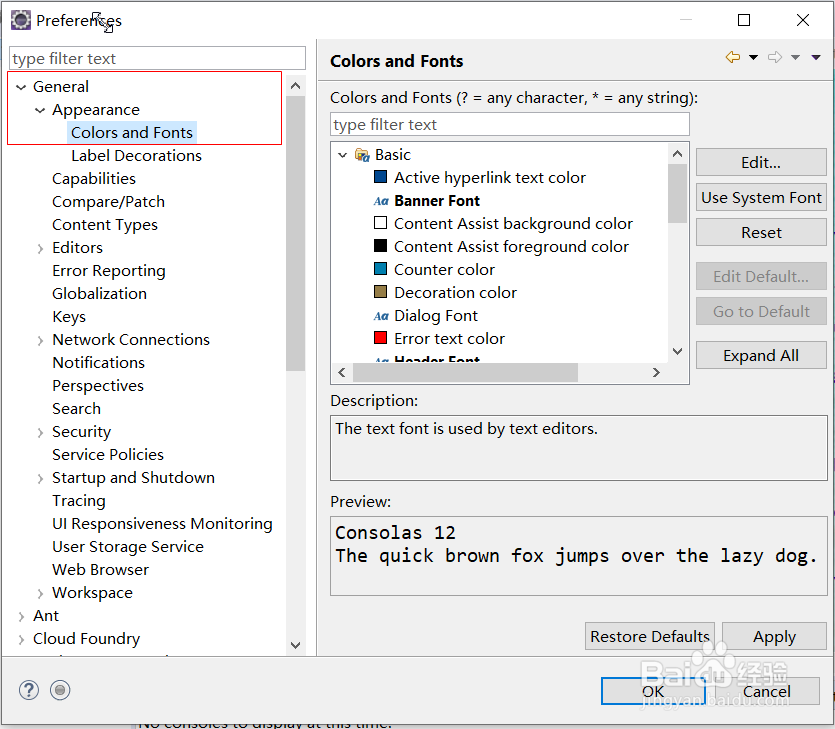
3、选中【Text Font】

4、点击编辑,就可以修改编码的字体,字形,大小

阅读量:155
阅读量:130
阅读量:160
阅读量:148
阅读量:156
1、点击【Window】——>【Preference】
2、在【Preference】中点击【General】——【Appearance】——【Colors and Fonts】
3、选中【Text Font】
4、点击编辑,就可以修改编码的字体,字形,大小