如何使用Intellij idea配置SpringBoot web项目
1、打开intellij idea开发工具。
点击File->New->Project
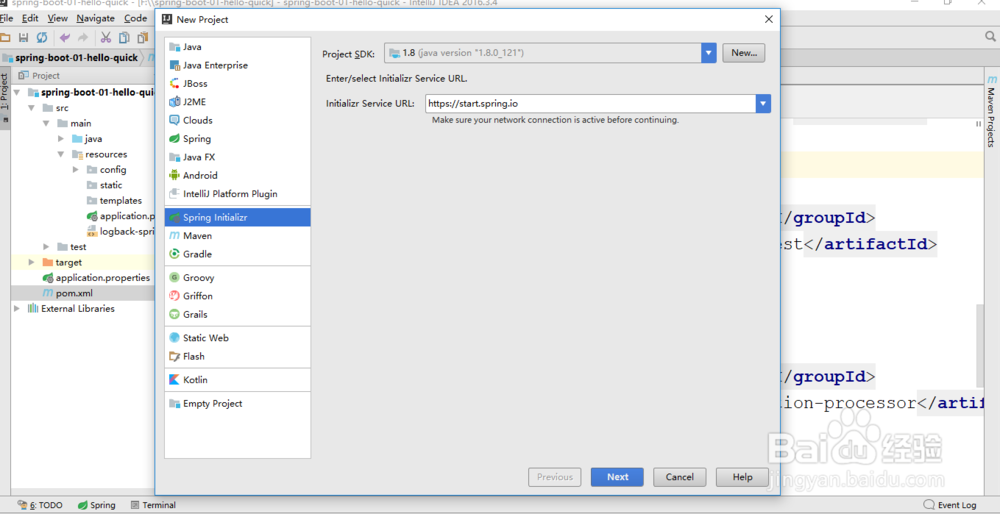
2、然后选择Spring Initializr。在右边选择jdk的版本。点击next。
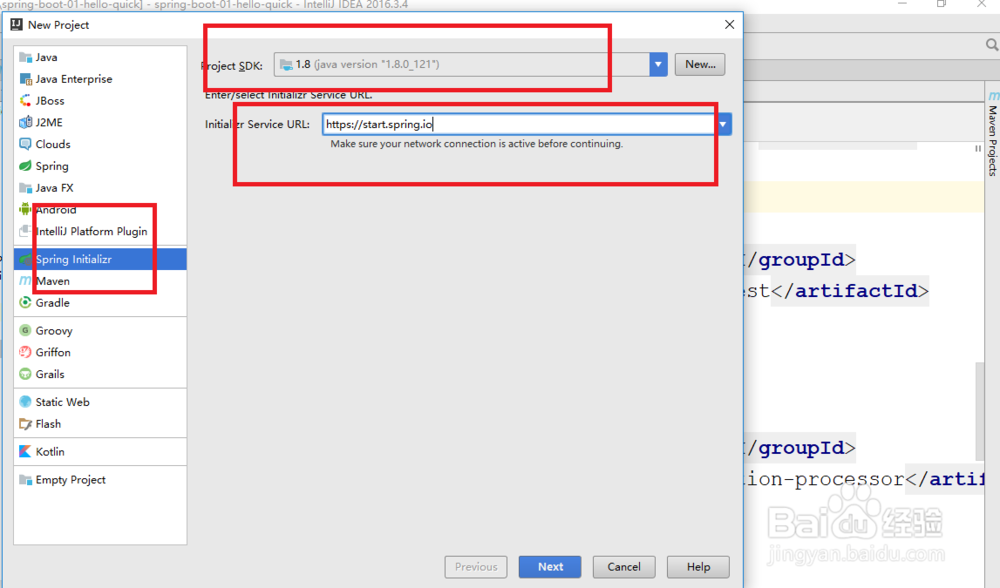
3、在界面中填写上maven的Group和artifact。选择打包方式为jar方式。
点击下一步。

4、在web中点击web选择框。
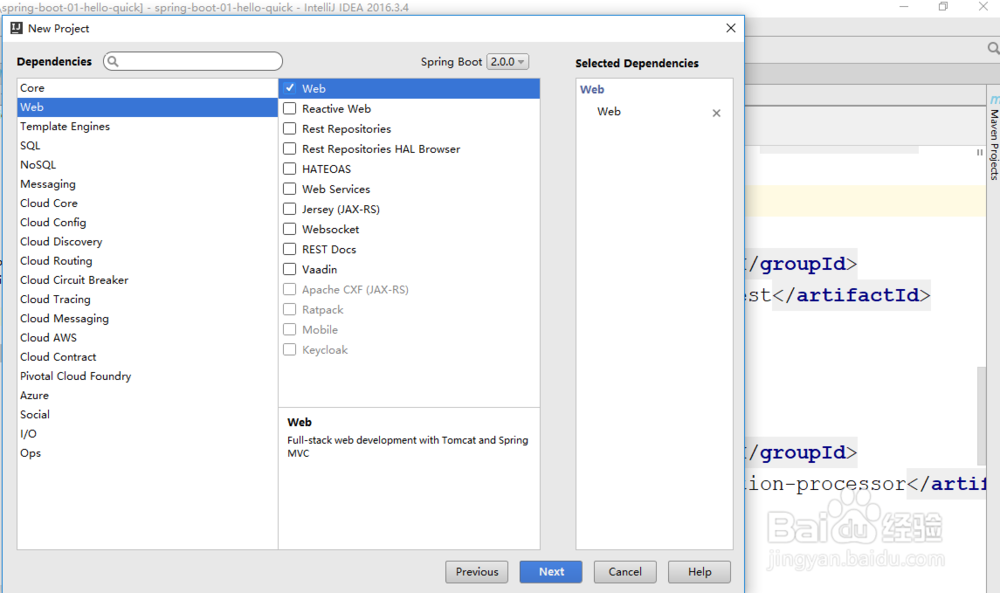
5、我们的项目是web项目,需要提供数据库的连接,所以还需要添加数据库的支持包。点击左边SQL,然后在右边选择Mysql驱动和mybatis支持。

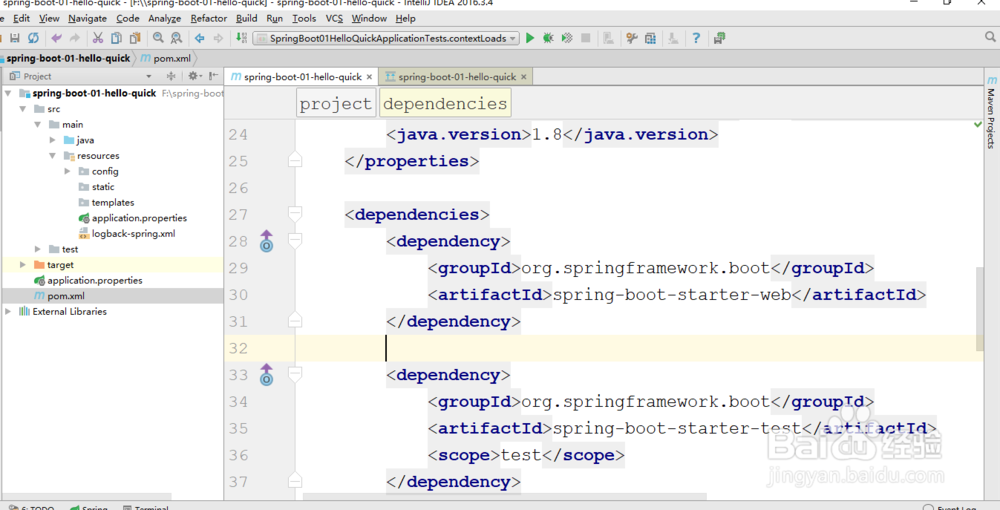
6、这样的话我们整个支持web的springboot项目就新建成功了。
阅读量:39
阅读量:138
阅读量:66
阅读量:164
阅读量:70