tecplot中如何引入速度
1、tecplot云图选项中仅有方向速度显示,没有速度标量
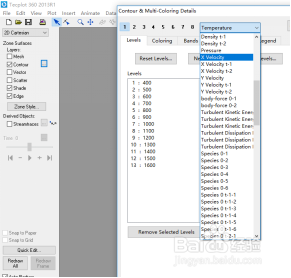
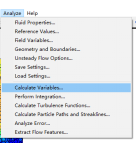
2、首先点击analyze

3、点击calculate variables
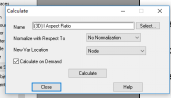
4、在弹出的框中进行选择,点击select
5、找到velocity magnitude,点击ok
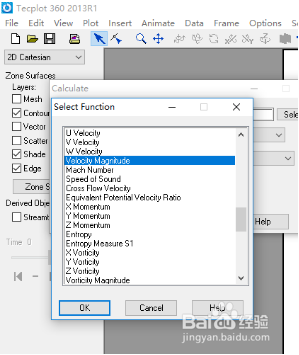
6、不要忘了点击calculate

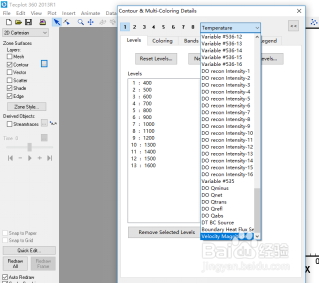
7、在contour中可以看到,速度出现在最后一个选项
阅读量:77
阅读量:91
阅读量:55
阅读量:167
阅读量:161
1、tecplot云图选项中仅有方向速度显示,没有速度标量
2、首先点击analyze
3、点击calculate variables
4、在弹出的框中进行选择,点击select
5、找到velocity magnitude,点击ok
6、不要忘了点击calculate
7、在contour中可以看到,速度出现在最后一个选项