哔哩哔哩的用户协议在哪
1、step1,点击右下角“我的"。如图所示:

2、step2,点击“设置”。如图所示:

3、step3,点击”关于哔哩哔哩“。如图所示:
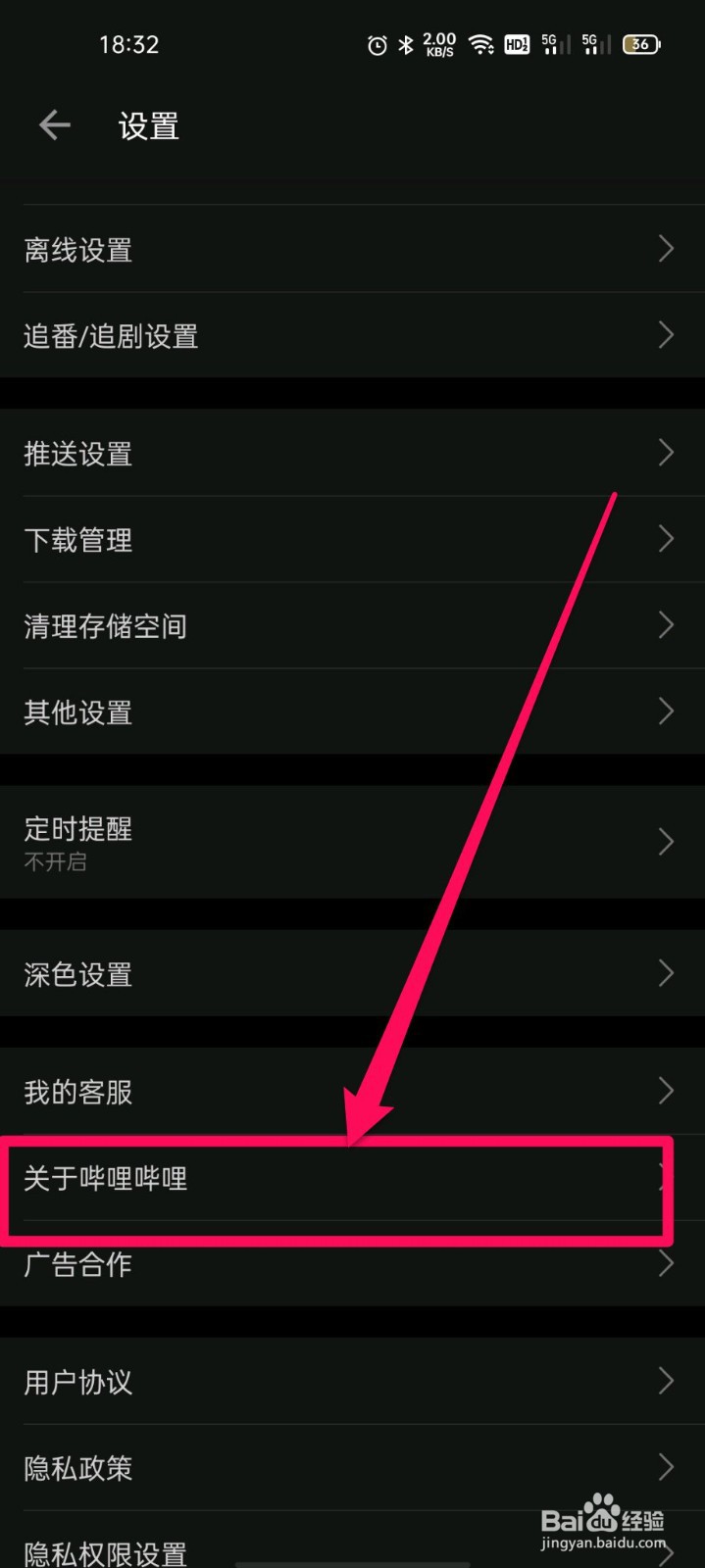
4、step4,点击“用户协议”。如图所示:

5、step5,进入后就是用户协议了。如图所示:

阅读量:61
阅读量:21
阅读量:84
阅读量:76
阅读量:169
1、step1,点击右下角“我的"。如图所示:
2、step2,点击“设置”。如图所示:
3、step3,点击”关于哔哩哔哩“。如图所示:
4、step4,点击“用户协议”。如图所示:
5、step5,进入后就是用户协议了。如图所示: