使用gdal库接口读取投影文件
1、下载gdal源码并使用vs2013编译gdal库。
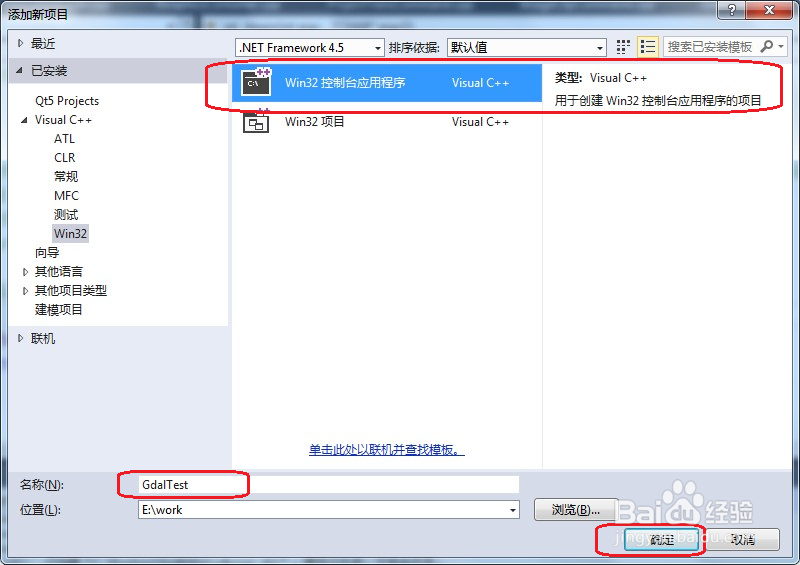
2、使用VS2013新建一个GdalTest控制台工程,如下图:
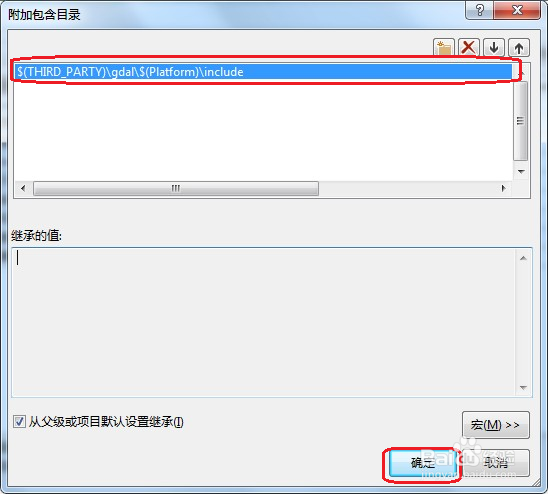
3、设置gdal库的引用头文件,如下图:
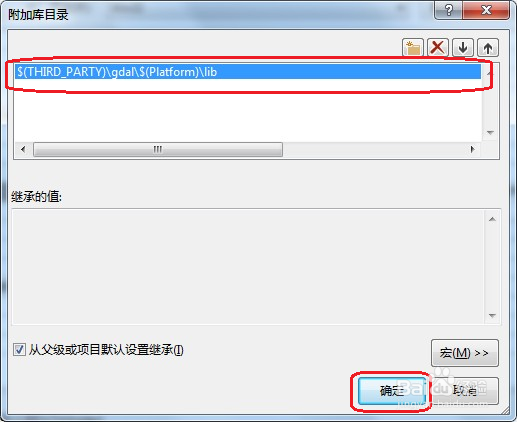
4、设置gdal库的附加库文件,如下图:
5、在GdalTest.cpp输入以下代码:
#include <iostream>
#include <gdal_priv.h>
#include <gdalwarper.h>
#include <ogr_spatialref.h>
#include <ogrsf_frmts.h>
#include <proj_api.h>
#include "GeoCentricConverter.h"
/*
strPrjFile --- 投影文件路径
strPrjInfo --- 读取到的投影文件信息
*/
bool GetProjInfoFromFile(const std::string& strPrjFile,std::string& strPrjInfo)
{
FILE* fp = NULL;
fp = VSIFOpen(strPrjFile.c_str(), "r");
if (fp != NULL)
{
VSIFClose(fp);
char** papszLines = NULL;
papszLines = CSLLoad(strPrjFile.c_str());
strPrjInfo = *papszLines;
CSLDestroy(papszLines);
return true;
}
return false;
}
int _tmain(int argc, _TCHAR* argv[])
{
std::string strPrjFile = "E:\\ data\\Coordinate System\\Geographic Coordinate Systems\\Asia\\Beijing 1954.prj";
std::string strDstPrjInfo;
GetProjInfoFromFile(strPrjFile,strDstPrjInfo);
std::cout << strDstPrjInfo;
getchar();
return 0;
}
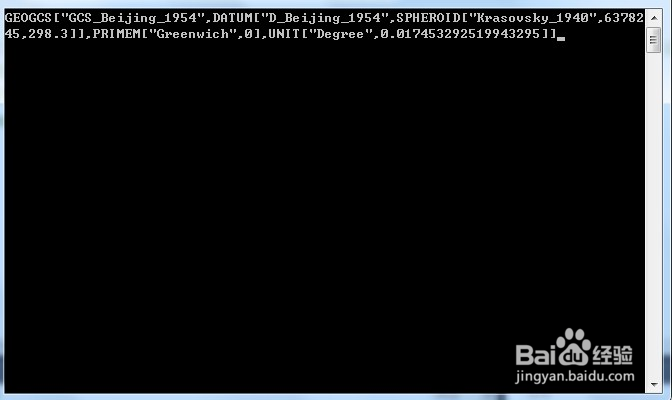
6、编译执行程序,运行结果如下图: