Snagit 2019怎么关闭自动展开画布以适合对象
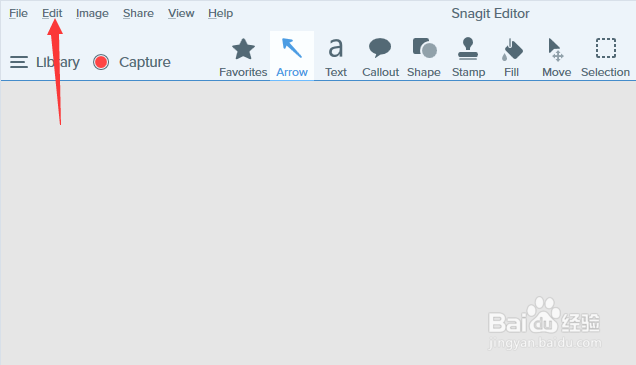
1、首先,点击菜单中的edit菜单
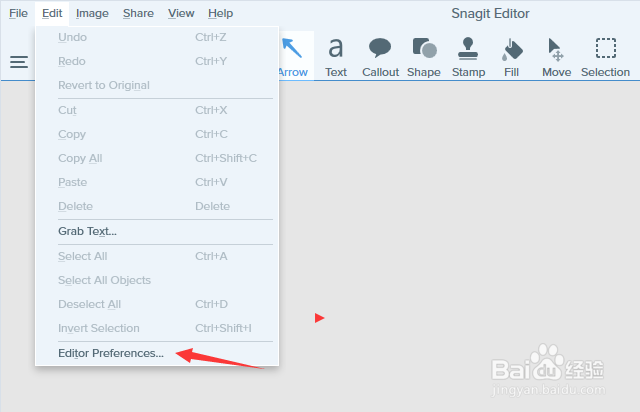
2、弹出了下拉菜单选中为edit preferences选项
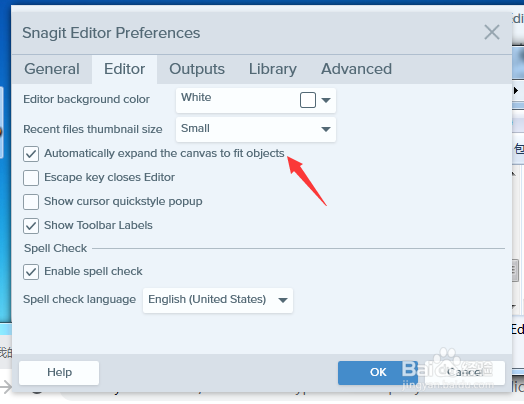
3、去掉勾选上automatically expand the canvas to fit objects选项
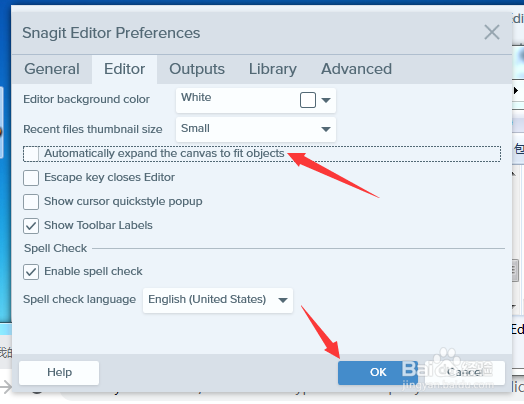
4、去掉勾选上automatically expand the canvas to fit objects选项之后,点击ok按钮
阅读量:123
阅读量:193
阅读量:136
阅读量:61
阅读量:142
1、首先,点击菜单中的edit菜单
2、弹出了下拉菜单选中为edit preferences选项
3、去掉勾选上automatically expand the canvas to fit objects选项
4、去掉勾选上automatically expand the canvas to fit objects选项之后,点击ok按钮