Crimson editor怎么捕获输出关闭
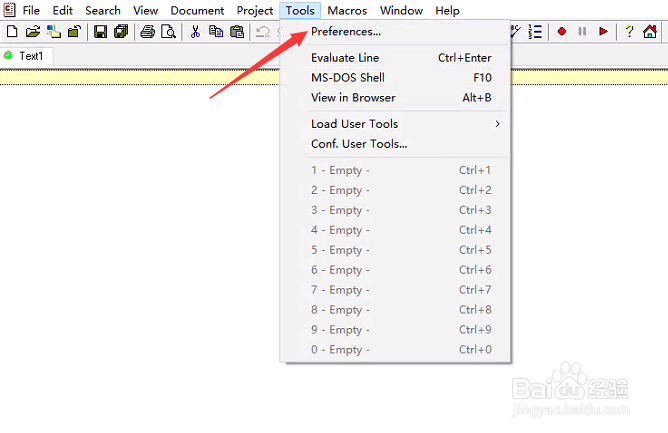
1、点击Crimson editor菜单中tools菜单

2、弹出了下拉菜单选择preferences选项
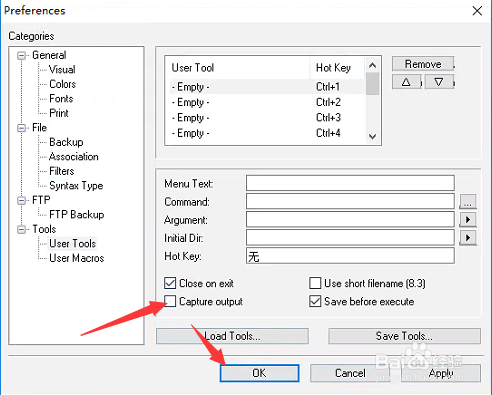
3、点击左侧中user tools选项

4、去掉capture output选项勾选

5、去掉capture output选项勾选之后,点击ok
阅读量:27
阅读量:141
阅读量:126
阅读量:67
阅读量:64
1、点击Crimson editor菜单中tools菜单
2、弹出了下拉菜单选择preferences选项
3、点击左侧中user tools选项
4、去掉capture output选项勾选
5、去掉capture output选项勾选之后,点击ok