AutoCad 2007 中,如何插入保存的块
1、打开桌面上的程序图标,如图。

2、默认的打开界面,如图。
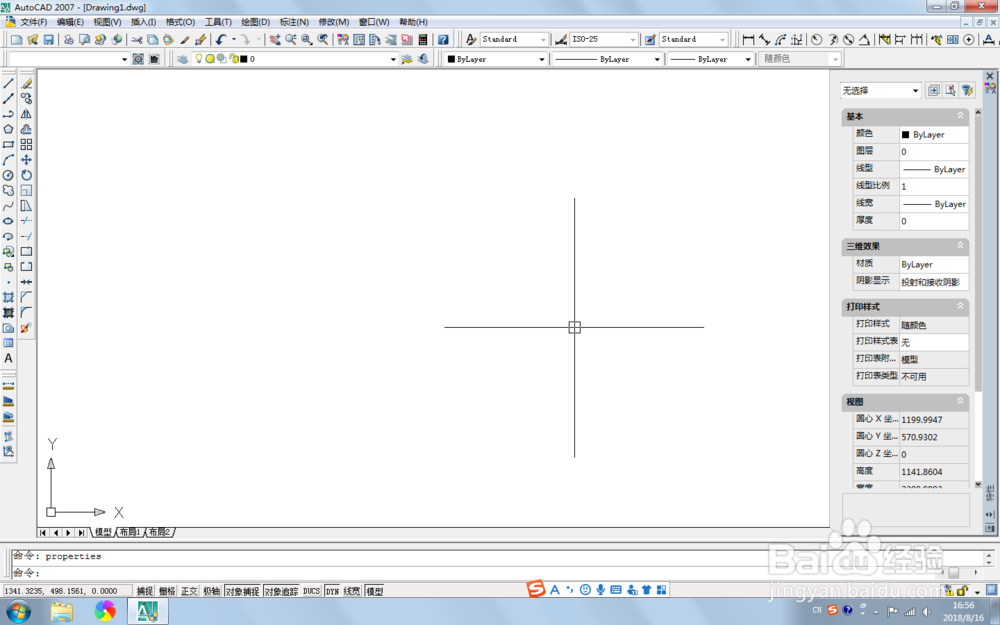
3、在工具栏上,选择【插入】-【块】,如图。
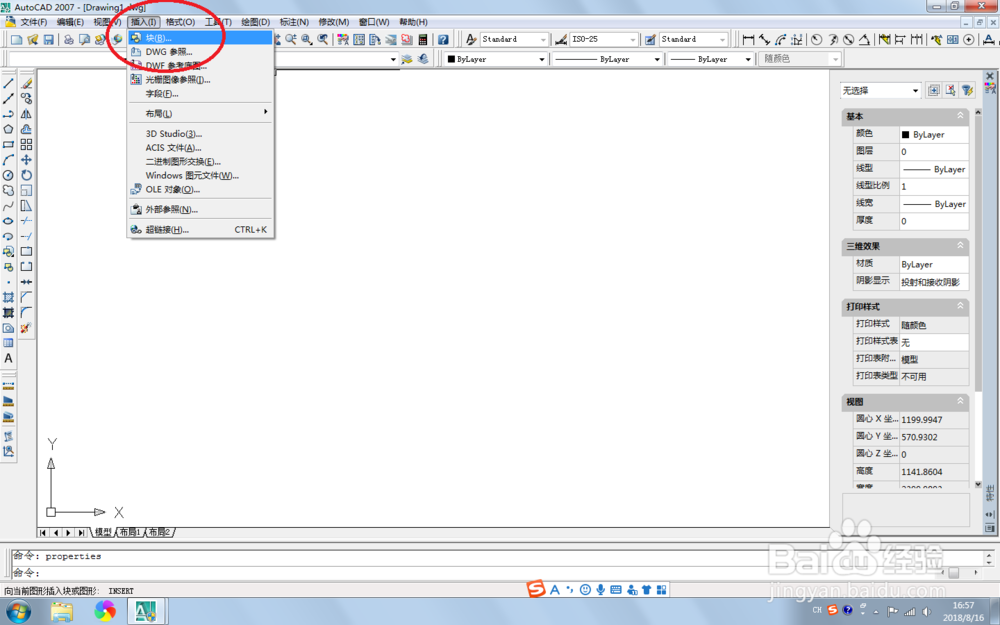
4、在弹出的插入块信息中,点击【浏览】,如图。
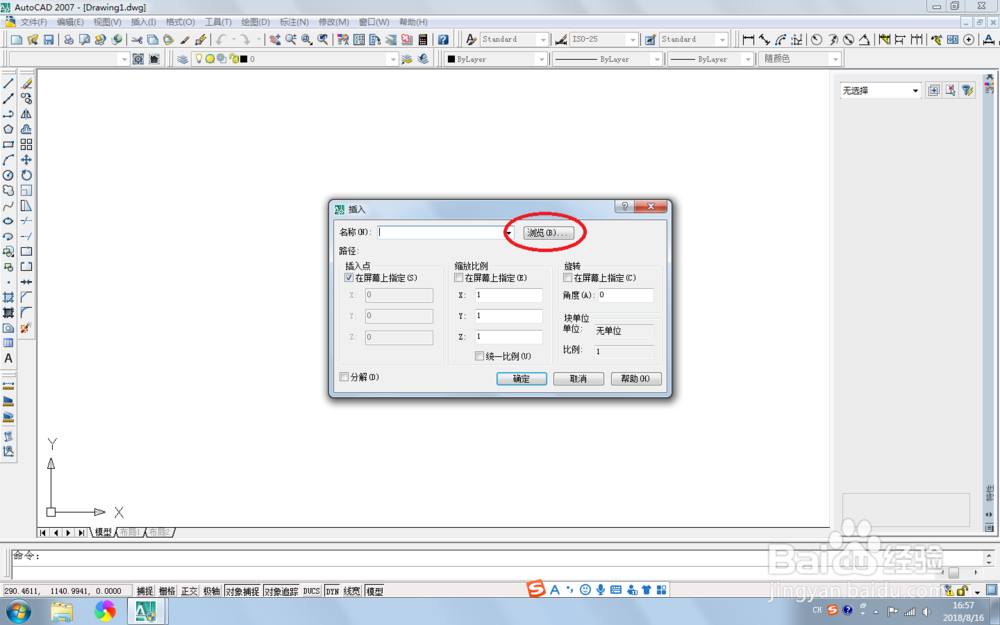
5、选择要插入的块,点击打开。
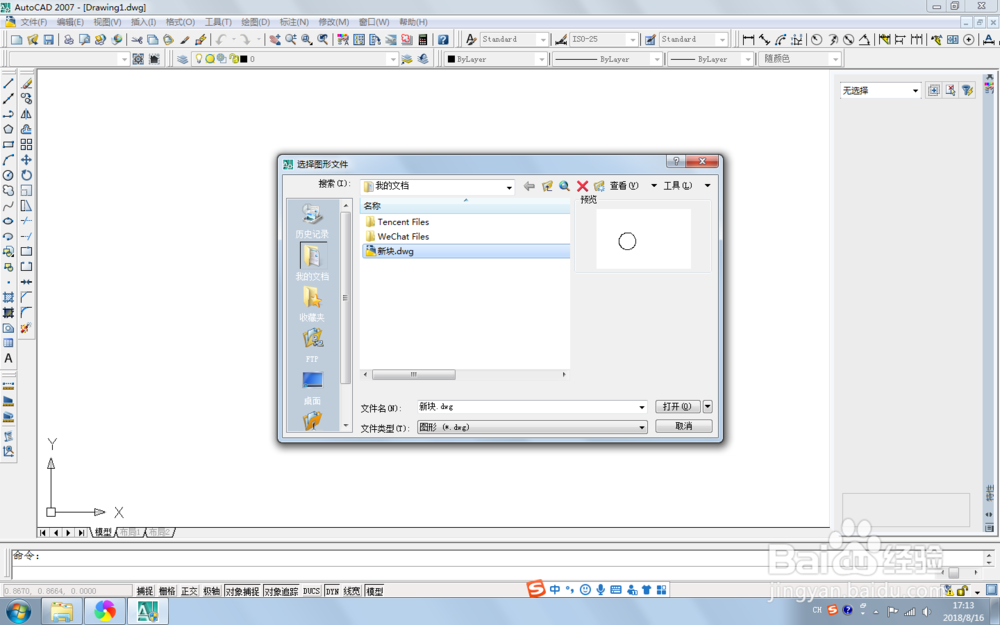
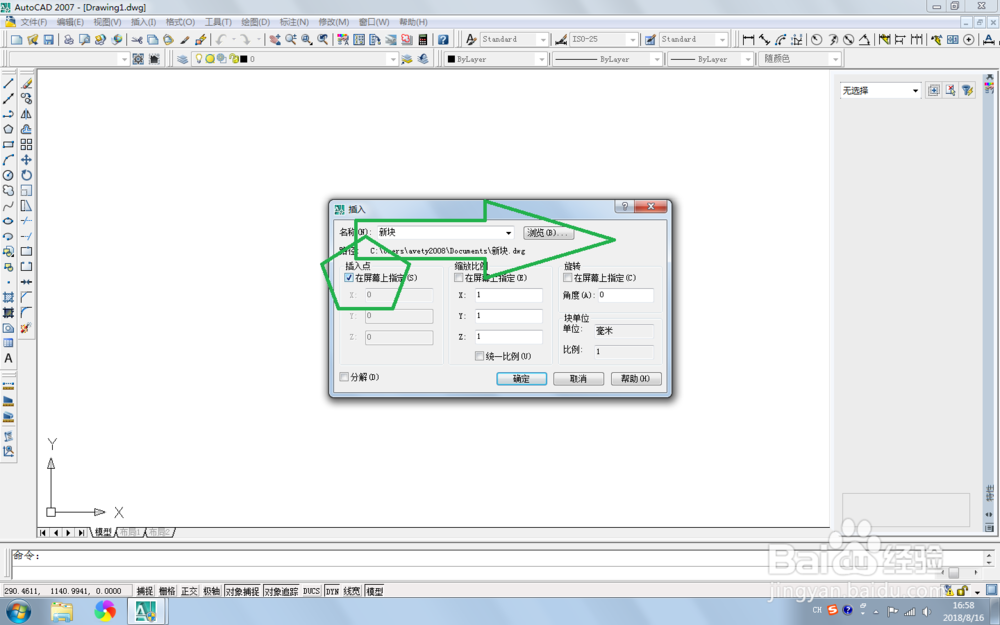
6、在弹出的信息中,在插入点栏目下,勾选【在屏幕上指定】,然后点击确定,如图。

1、打开桌面上的程序图标,如图。
2、默认的打开界面,如图。
3、在工具栏上,选择【插入】-【块】,如图。
4、在弹出的插入块信息中,点击【浏览】,如图。
5、选择要插入的块,点击打开。
6、在弹出的信息中,在插入点栏目下,勾选【在屏幕上指定】,然后点击确定,如图。