Android Studio怎么用快捷键打出try-catch
1、先写一段简单的代码。

2、我们选中要添加try-catch的语句,然后同时按住ctrl+alt+T键。这时会出现一个方框,里面除了try-catch外,还有其它一些可以快捷输出的语句。
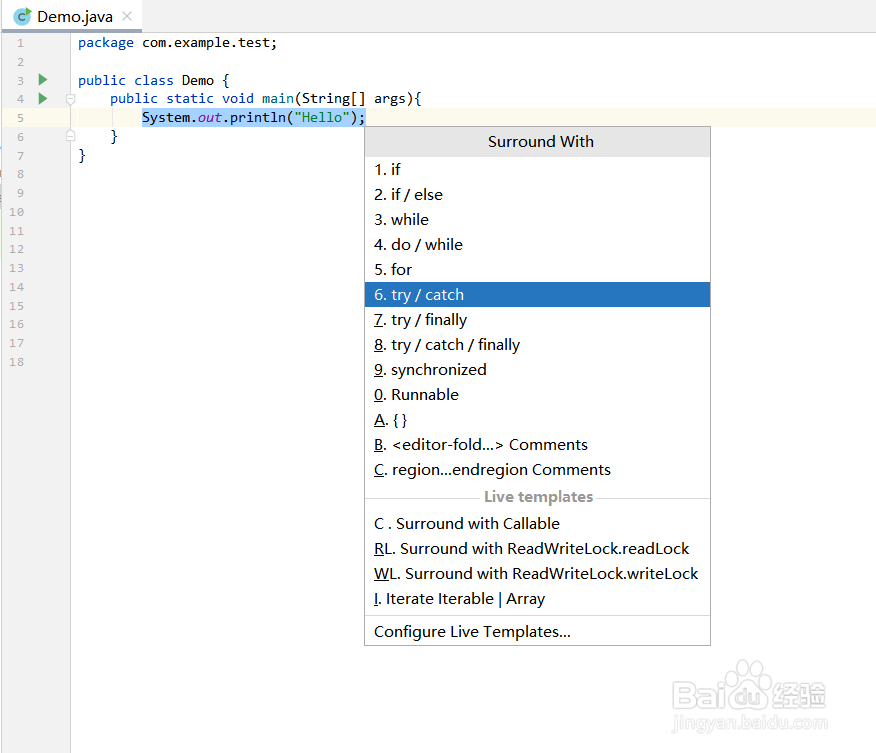
3、最终的样子如图所示。

阅读量:29
阅读量:66
阅读量:137
阅读量:86
阅读量:55
1、先写一段简单的代码。
2、我们选中要添加try-catch的语句,然后同时按住ctrl+alt+T键。这时会出现一个方框,里面除了try-catch外,还有其它一些可以快捷输出的语句。
3、最终的样子如图所示。