指南经验网
首页
美食营养
生活百科
知识问答
生活知识
返回
指南经验网
首页
美食营养
游戏数码
手工爱好
生活知识
生活百科
健康养生
运动户外
职场理财
情感交际
母婴教育
时尚美容
知识问答
更多知识
搜索
word中如何设置纸张为纵向?
2026-04-22 05:33:26
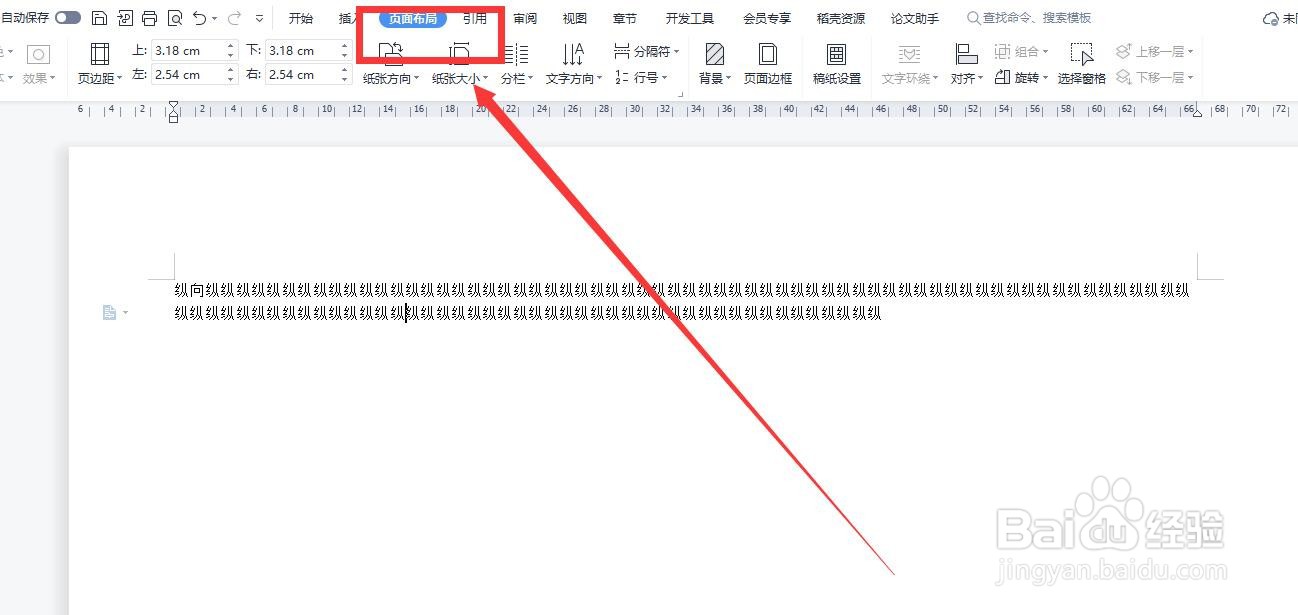
1、点击工具栏的【页面布局】(如图所示)
2、然后找到【纸张方向】(如图所示)
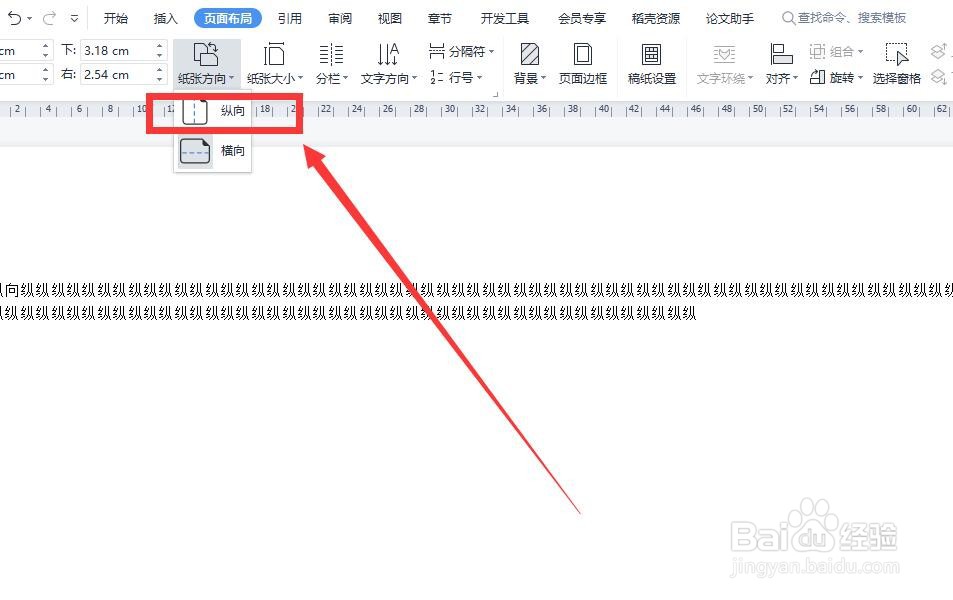
3、然后点击【纸张方向】旁的倒三角形,在下拉菜单中点击【纵向】就可以了(如图所示)
相关推荐
Word怎么设置纸张方向
阅读量:185
word纸张方向
阅读量:144
Word页面横向改纵向
阅读量:150
word怎么调横版竖版
阅读量:44
Word中如何设置纸张的横竖方向?
阅读量:120
猜你喜欢
微信拍一拍怎么设置
羽绒服怎么洗最好
叩怎么读
狼人杀怎么玩
个体户怎么报税
熹怎么读
胎心监护图怎么看
电脑怎么连接打印机
加油用英语怎么说
麦粒肿怎么消除
猜你喜欢
老公用英语怎么说
日本为什么要侵略中国
油烟机怎么清洗
酸奶冰淇淋的做法
徐怎么读
杨枝甘露怎么做
本命年为什么要穿红
大写的一到十怎么写
辣白菜的做法大全
蜜饯的做法