指南经验网
首页
美食营养
生活百科
知识问答
生活知识
返回
指南经验网
首页
美食营养
游戏数码
手工爱好
生活知识
生活百科
健康养生
运动户外
职场理财
情感交际
母婴教育
时尚美容
知识问答
更多知识
搜索
PowerShape 2017怎么关闭显示孔螺纹
2026-04-22 02:27:01
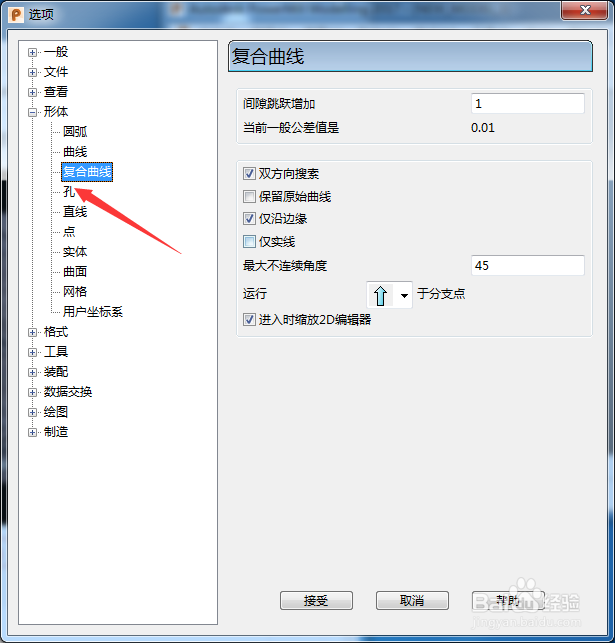
1、首先,点击菜单中的工具菜单,弹出了下拉菜单选中为选项
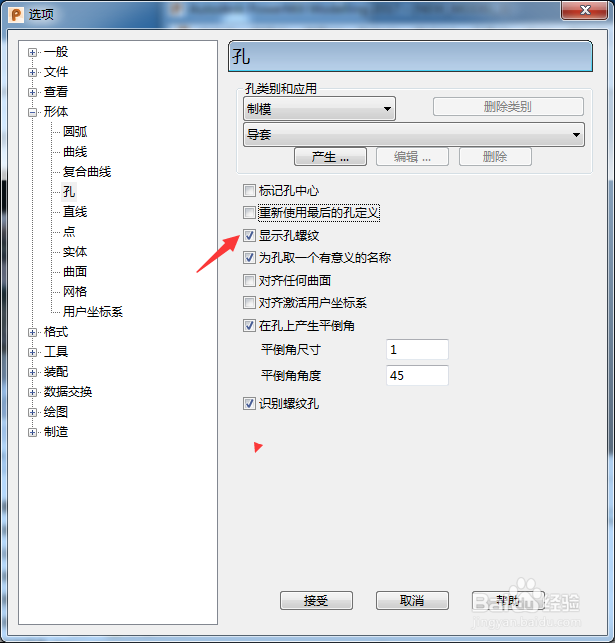
2、点击左侧孔选项
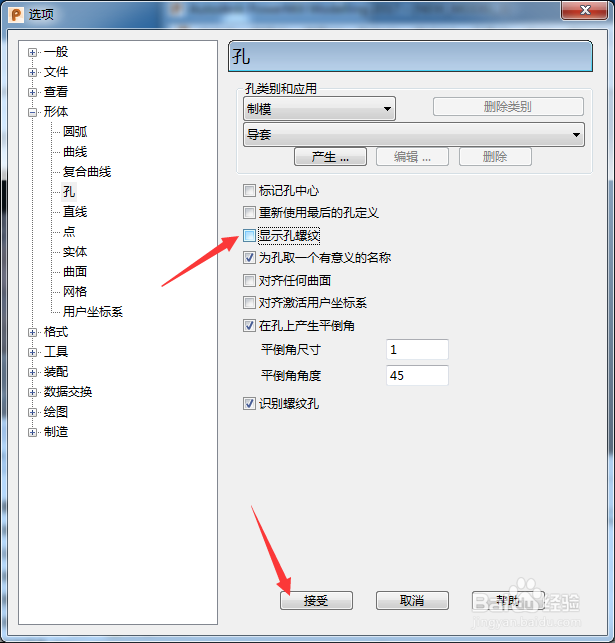
3、去掉勾选上显示孔螺纹选项
4、去掉勾选上显示孔螺纹选项之后,点击接受按钮
相关推荐
如何用solidworks添加螺纹孔?
阅读量:65
PowerShape 2017怎么关闭重新使用最后的孔定义
阅读量:105
ProE创建螺纹孔方法
阅读量:165
螺纹孔怎么标注
阅读量:179
UG12.0如何设置螺纹孔的基准面
阅读量:33
猜你喜欢
英雄联盟符文怎么搭配
吃左旋肉碱能减肥吗
丹东旅游攻略
甩脂机能减肥吗
倒车影像怎么看图解
微站怎么做
黑道圣徒3攻略
冰箱密封条不严怎么办
模拟人生4攻略
黄河水利职业技术学院怎么样
猜你喜欢
虚胖减肥最快的方法
绿宝石攻略
承重墙怎么看
吃什么东西减肥
佛山旅游攻略
莫奈简介
逆向行驶怎么处罚
黄瓜减肥法
梦幻模拟战4攻略
优秀学生简介