苹果电脑steam语言设置中文
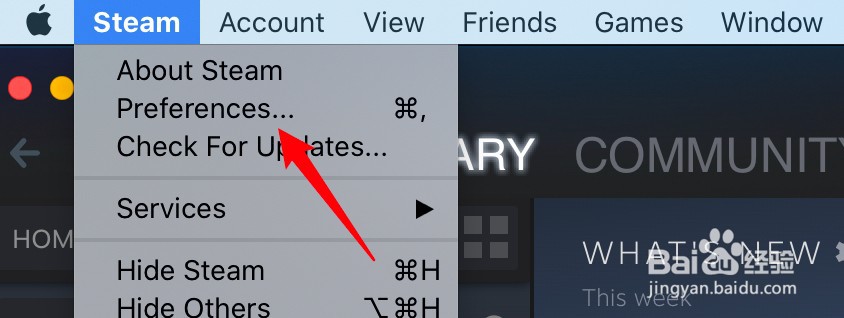
1、点击Preferences
打开应用,点击上方Steam菜单的Preferences选项。
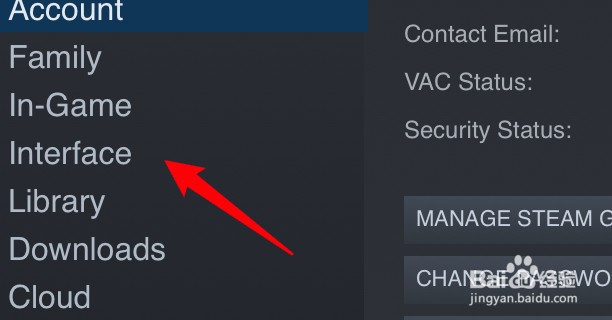
2、点击Interface
点击窗口左边的Interface选项。
3、选择简体中文
在语言下拉框里选择简体中文的选项即可。

阅读量:167
阅读量:150
阅读量:141
阅读量:27
阅读量:87
1、点击Preferences
打开应用,点击上方Steam菜单的Preferences选项。
2、点击Interface
点击窗口左边的Interface选项。
3、选择简体中文
在语言下拉框里选择简体中文的选项即可。