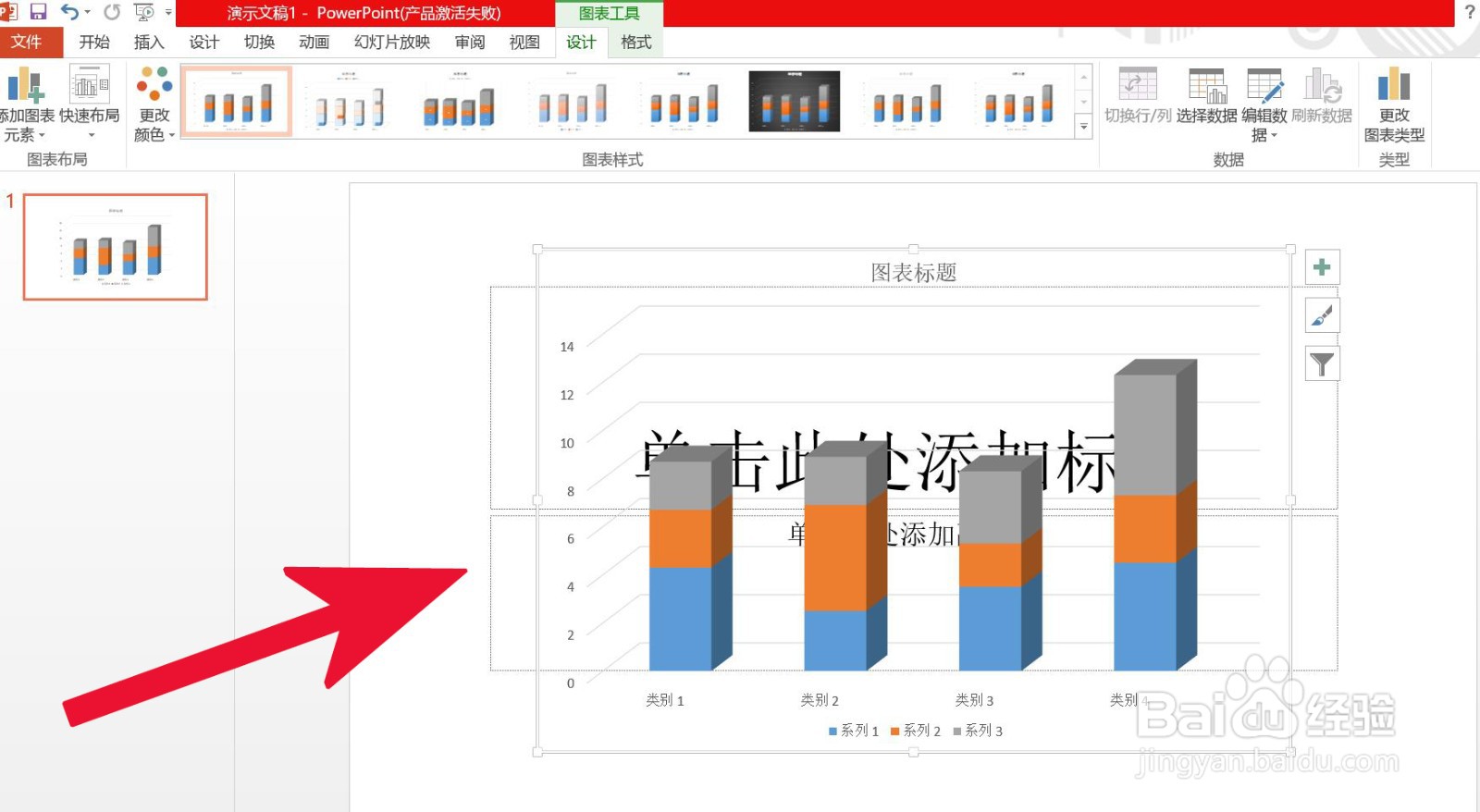
PowerPoint中如何插入三维堆积柱形图
1、第一步,双击打开PowerPoint软件。

2、第二步,打开菜单栏中的插入选项。
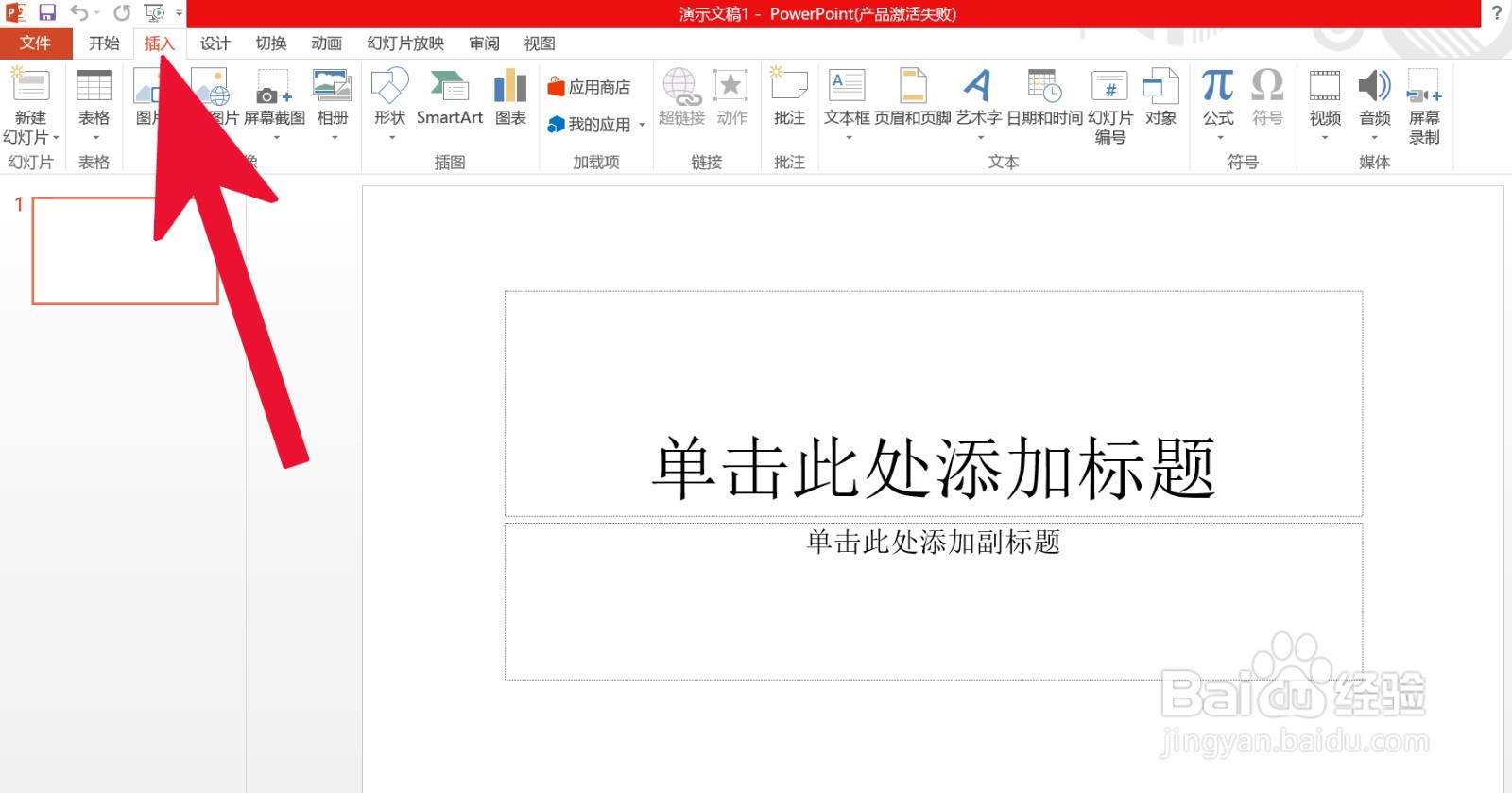
3、第三步,点击图表。
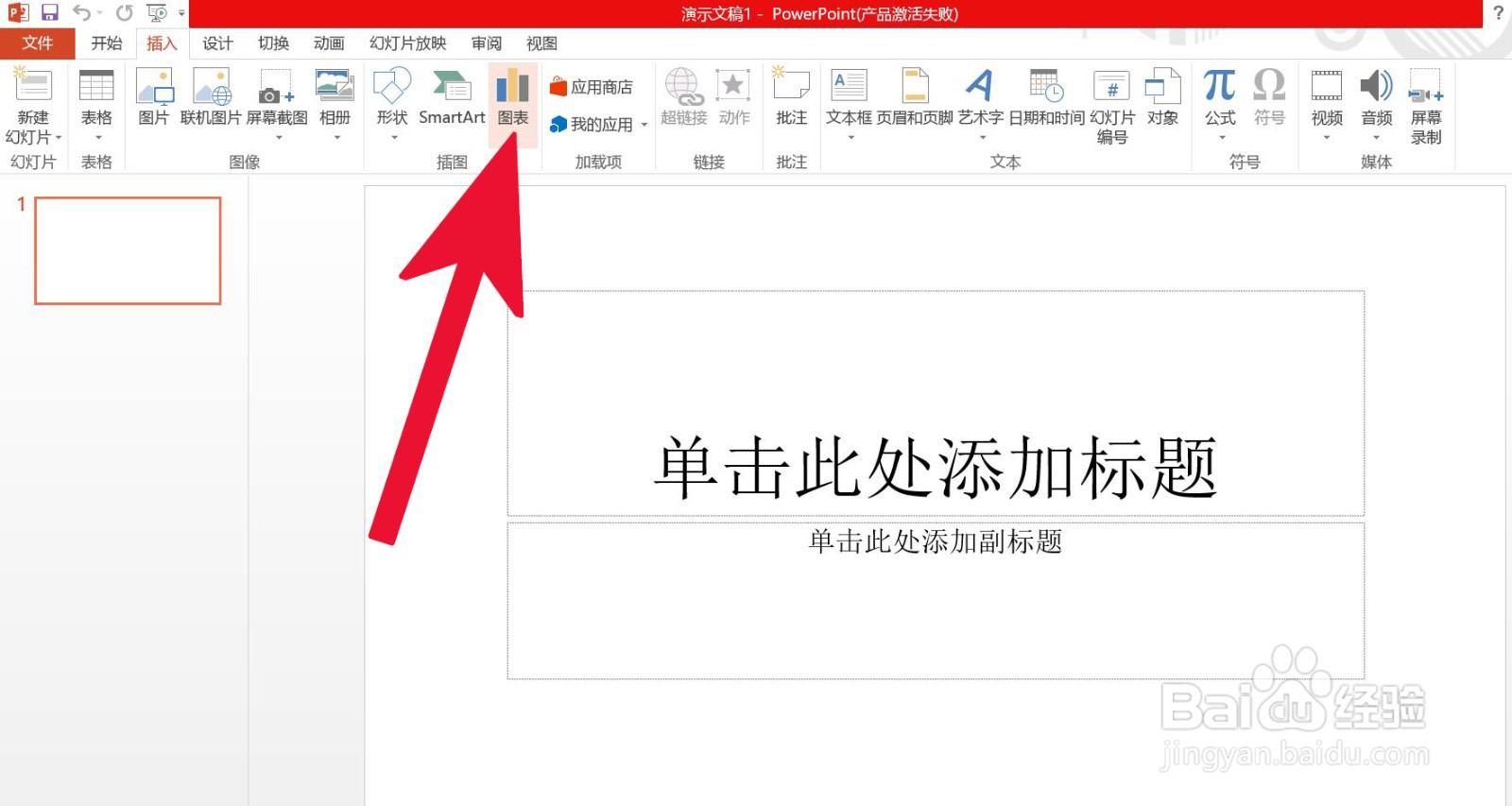
4、第四一步,点击柱形图。
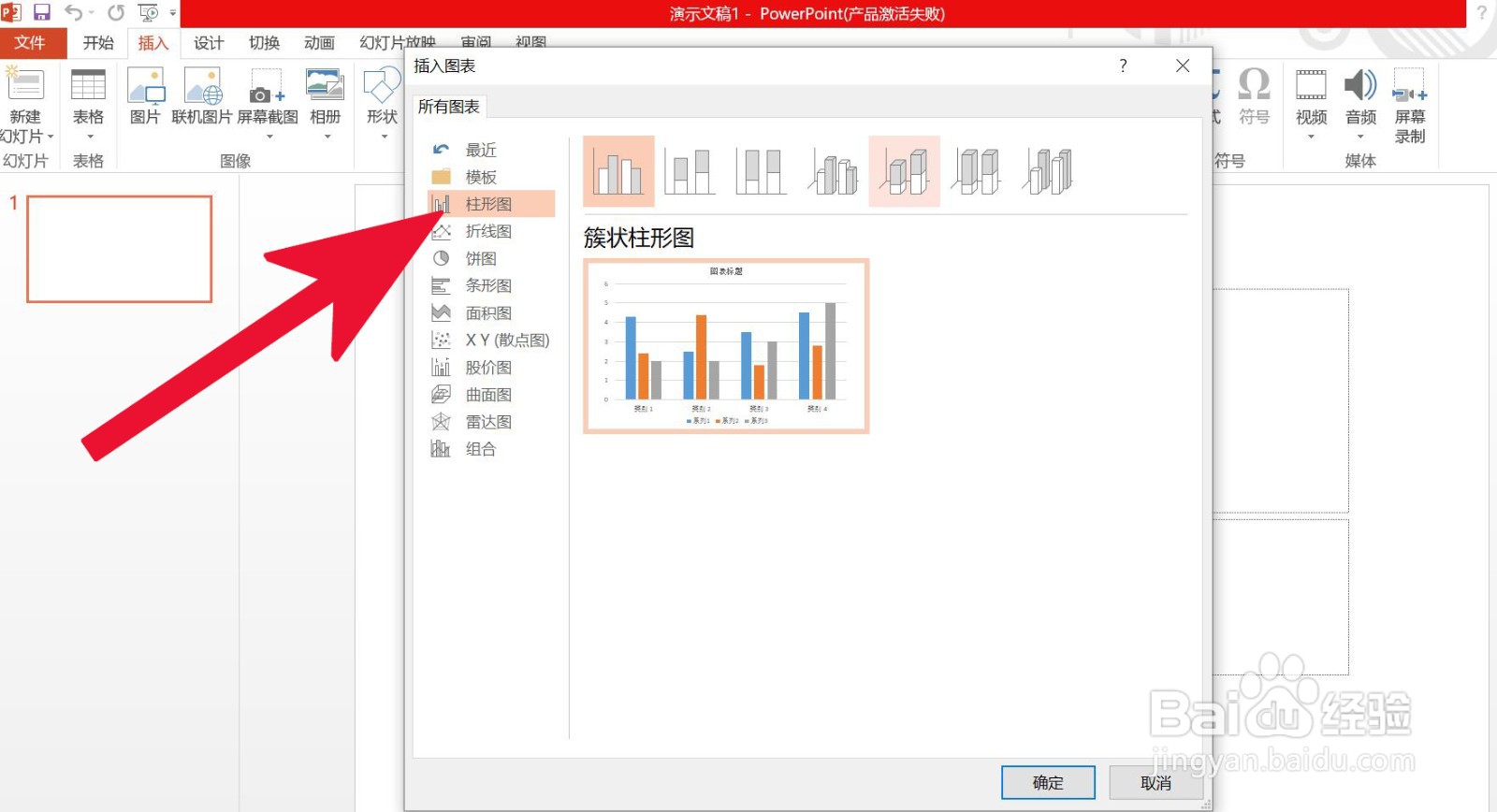
5、第五步,点击三维堆积柱形图,然后确定。
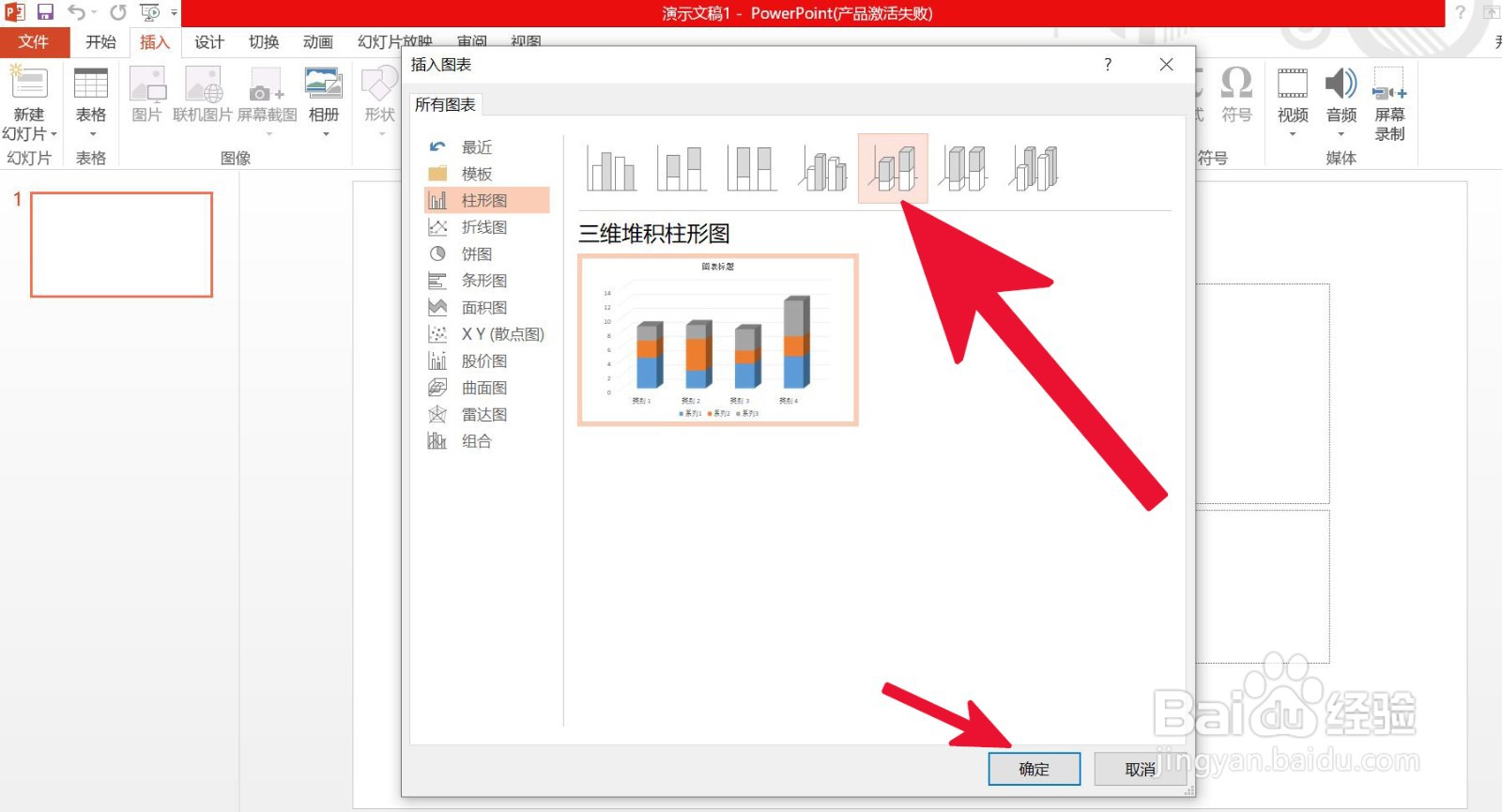
6、第六步,编辑插入后的三维堆积柱形图便可完成。
阅读量:145
阅读量:67
阅读量:120
阅读量:42
阅读量:156
1、第一步,双击打开PowerPoint软件。
2、第二步,打开菜单栏中的插入选项。
3、第三步,点击图表。
4、第四一步,点击柱形图。
5、第五步,点击三维堆积柱形图,然后确定。
6、第六步,编辑插入后的三维堆积柱形图便可完成。