心动小镇怎么设置不允许别人开自己的车

2026-04-12 03:54:57

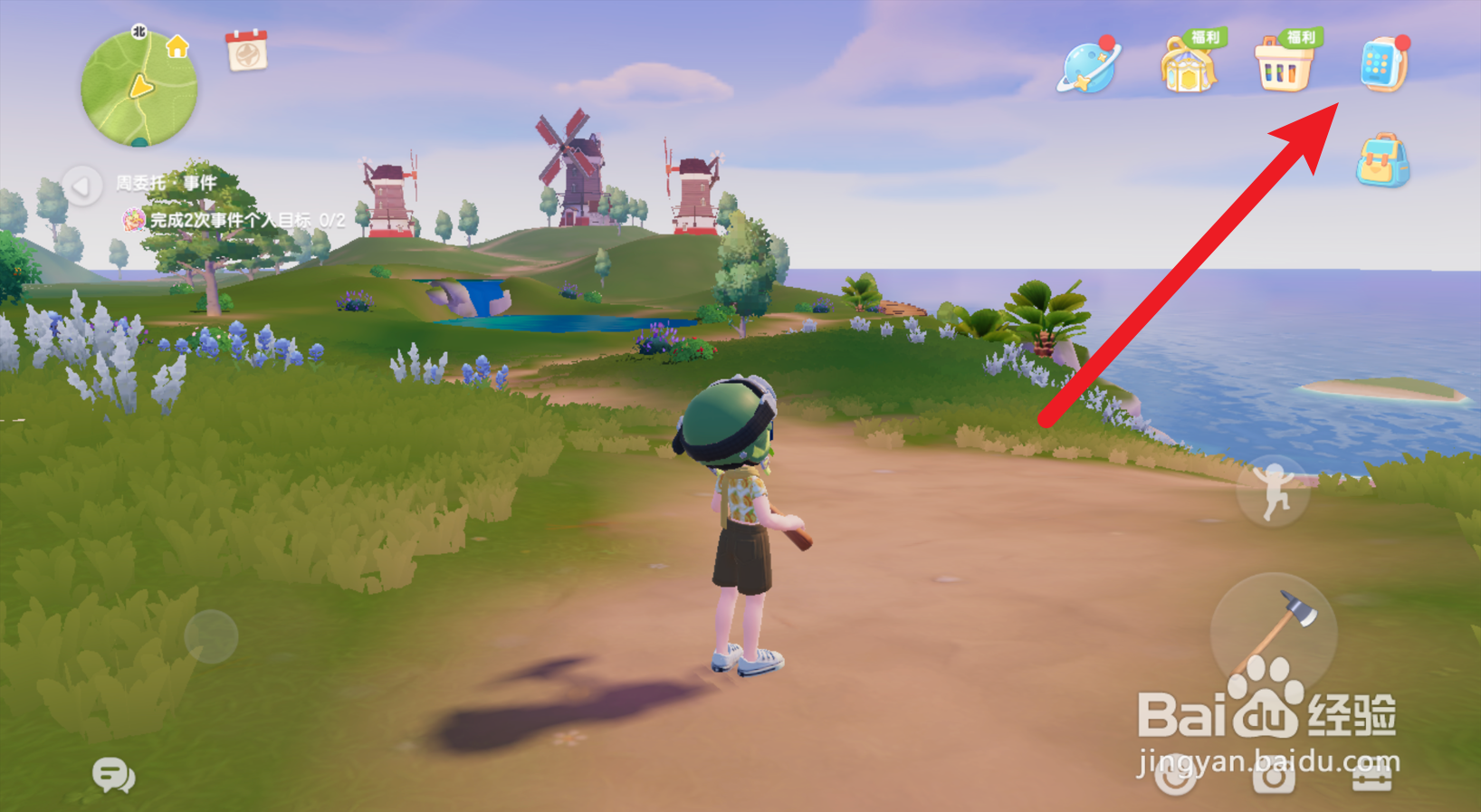
1、在心动小镇页面,点击右上角处的【手表】图标。

心动小镇怎么设置不允许别人开自己的车

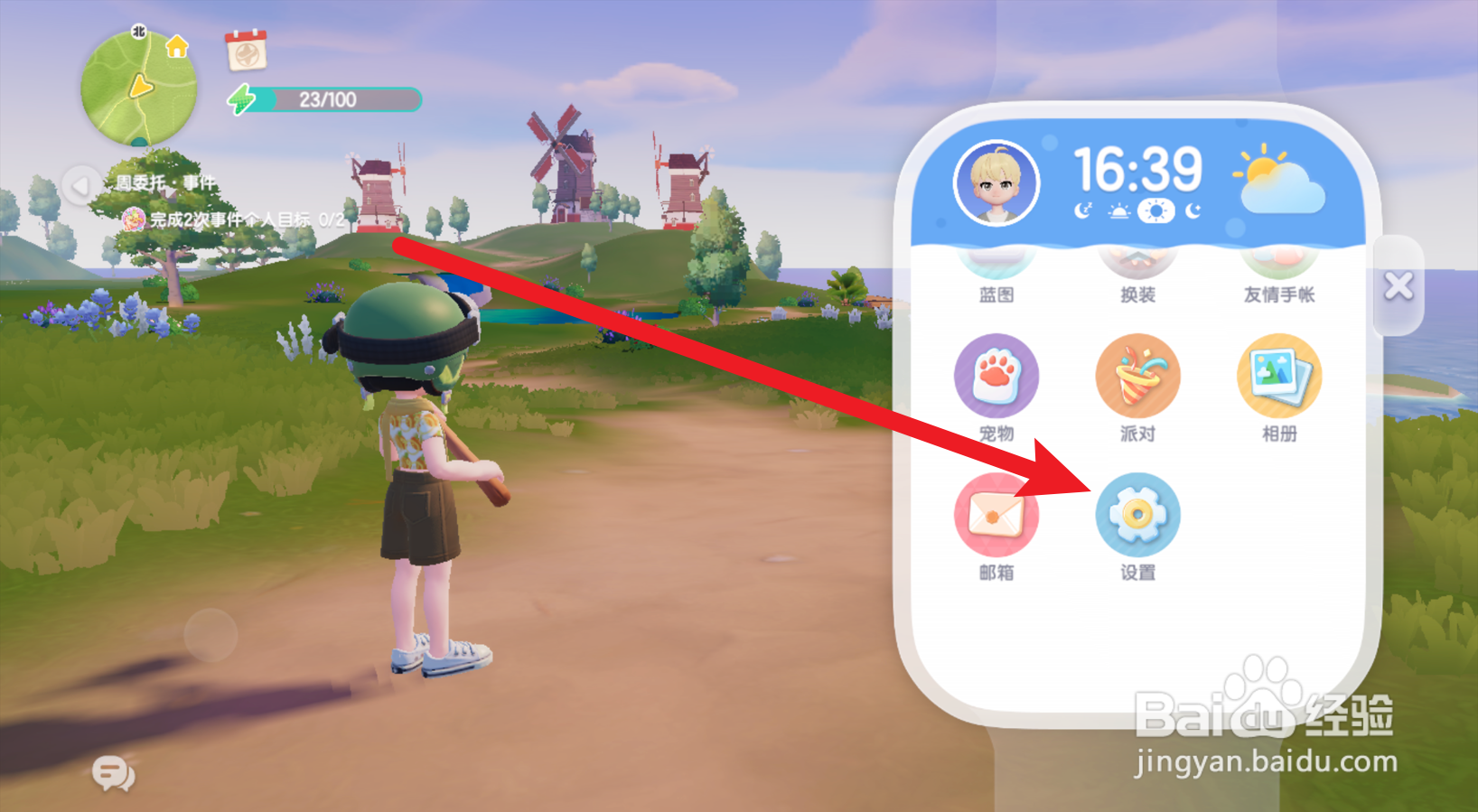
2、找到里面的【设置】,点击打开它。 

心动小镇怎么设置不允许别人开自己的车

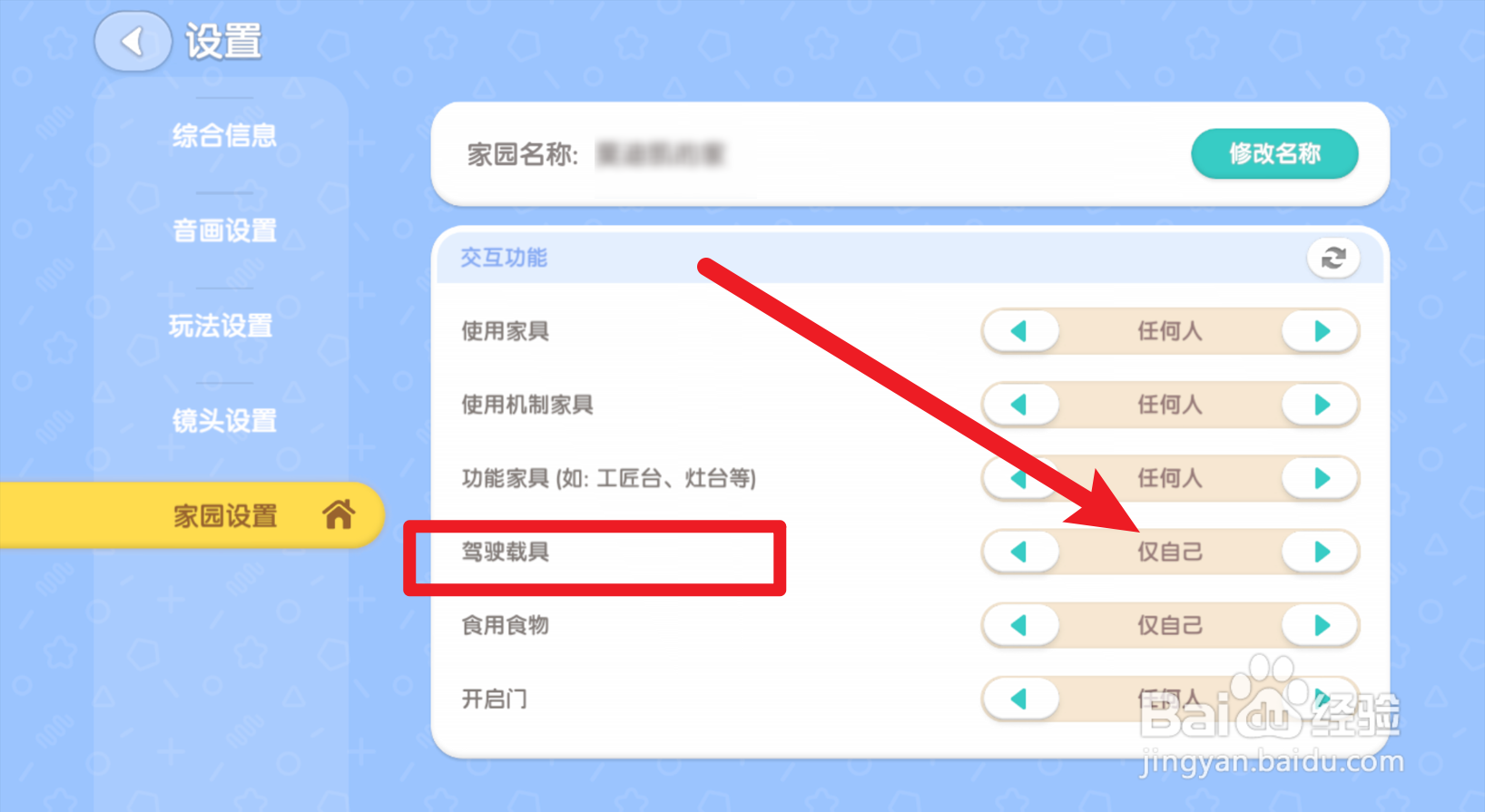
3、进入到设置页面,找到【家园设置】按钮,点击它。 

心动小镇怎么设置不允许别人开自己的车

4、页面出现家园设置窗口,找到【驾驶载具】,将其设置为【仅自己】选项,即可。
心动小镇怎么设置不允许别人开自己的车

相关推荐
  • 阅读量:188
  • 阅读量:66
  • 阅读量:25
  • 阅读量:145
  • 阅读量:117
  • 猜你喜欢