PotPlayer如何在重复运行时适当调整窗口位置
1、找到并打开PotPlayer。

2、进入PotPlayer程序主界面。

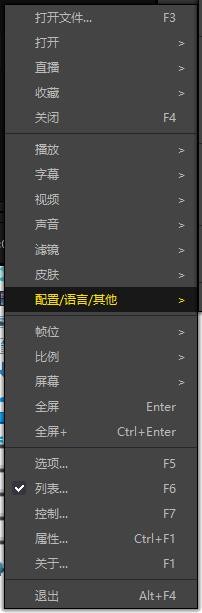
3、右键进入选项,选择配置/语言/其他。
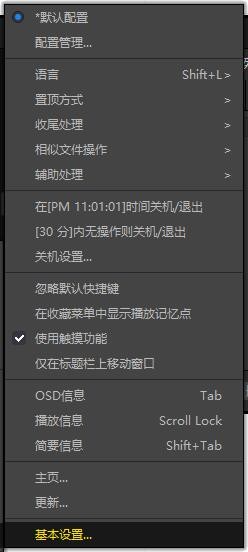
4、找到基本设置。
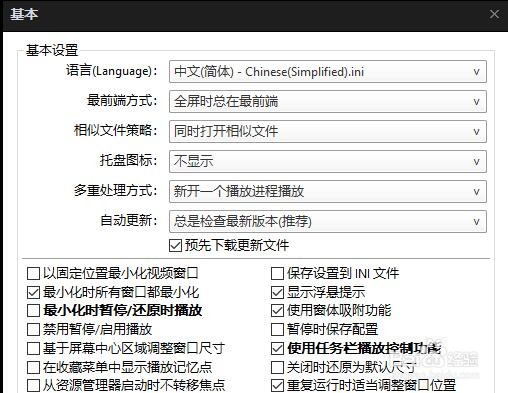
5、进入基本设置,勾选重复运行时适当调整窗口位置。
6、最后点击确定即可。

阅读量:44
阅读量:36
阅读量:117
阅读量:157
阅读量:119
1、找到并打开PotPlayer。
2、进入PotPlayer程序主界面。
3、右键进入选项,选择配置/语言/其他。
4、找到基本设置。
5、进入基本设置,勾选重复运行时适当调整窗口位置。
6、最后点击确定即可。