foxmail如何设置分别发送?
1、首先打开Foxmail软件,

2、在首页位置,点击【写邮件】,打开写邮件对话框,如图所示
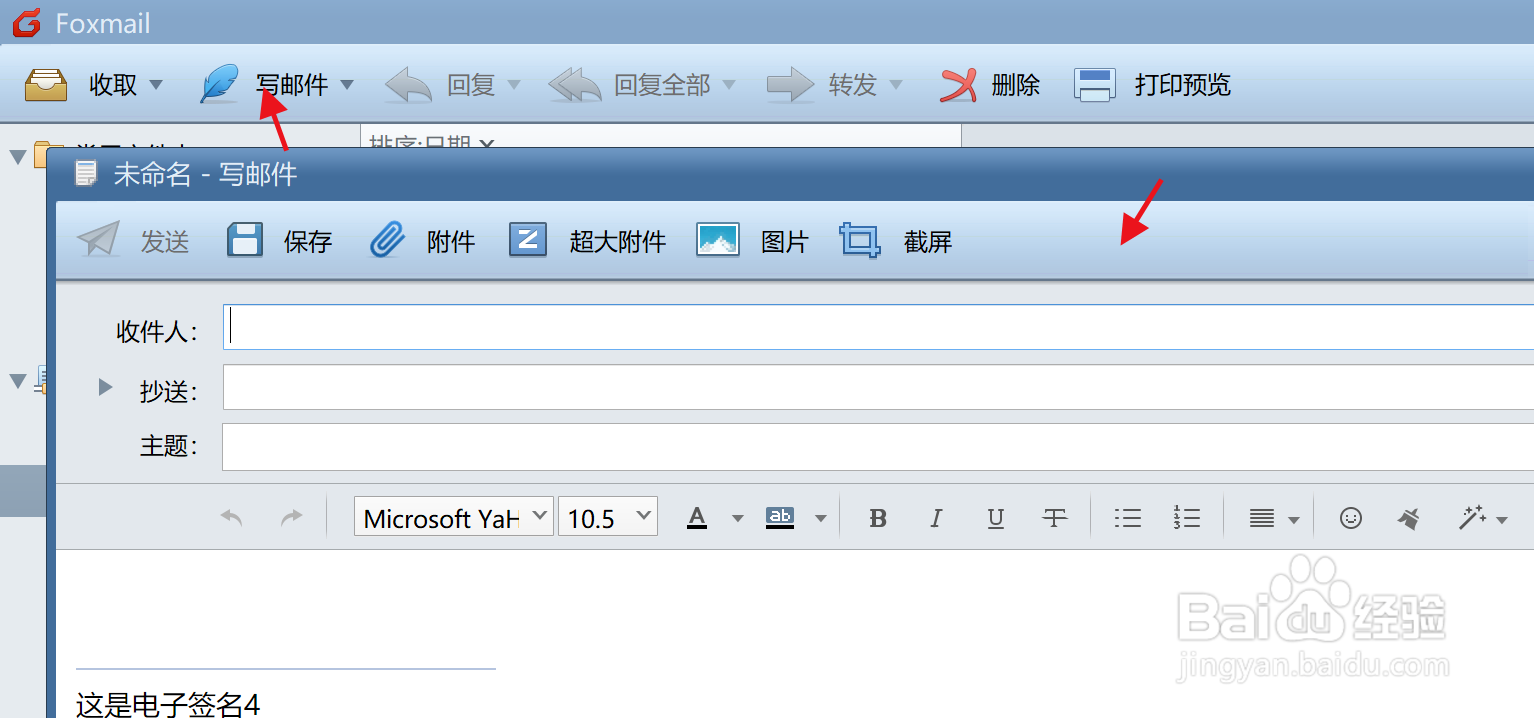
3、邮件窗口中,右击右上角三条线按钮,选择分别发送,如图所示:

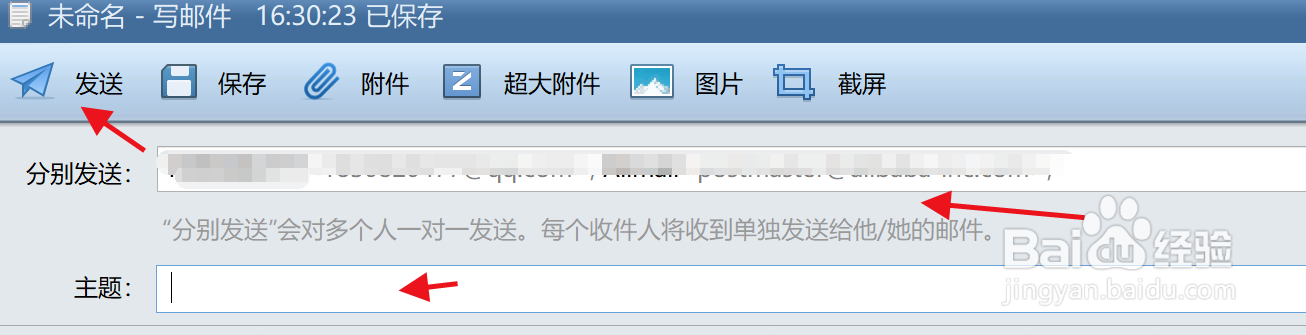
4、最后,在分别发送框中,输入邮箱地址,编辑发送内容,点击发送即可。
阅读量:20
阅读量:124
阅读量:176
阅读量:28
阅读量:124
1、首先打开Foxmail软件,
2、在首页位置,点击【写邮件】,打开写邮件对话框,如图所示
3、邮件窗口中,右击右上角三条线按钮,选择分别发送,如图所示:
4、最后,在分别发送框中,输入邮箱地址,编辑发送内容,点击发送即可。