Visual Studio Code怎么启用Windows后台更新
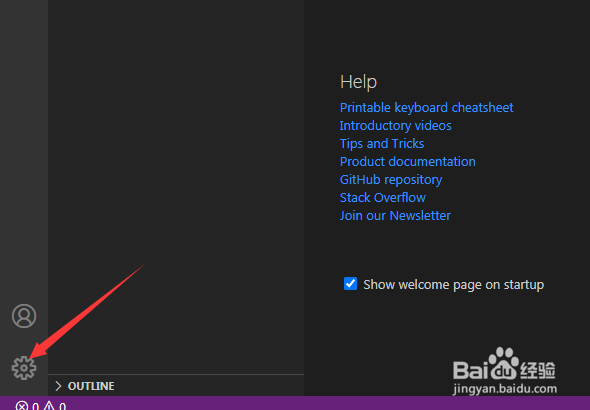
1、点击左下角中更多设置菜单
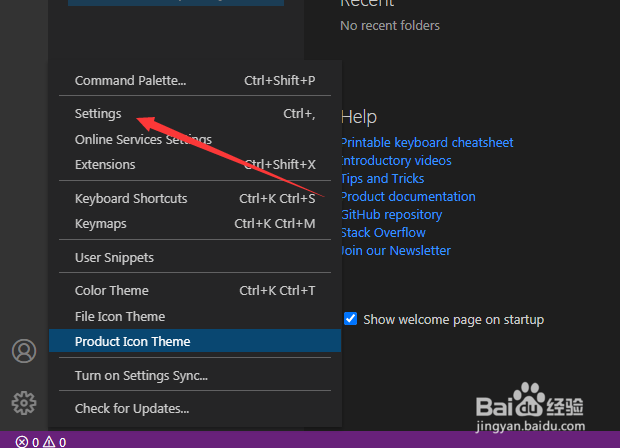
2、弹出了下拉菜单选中为settings选项
3、点击update选项

4、勾选上enable windows background update选项
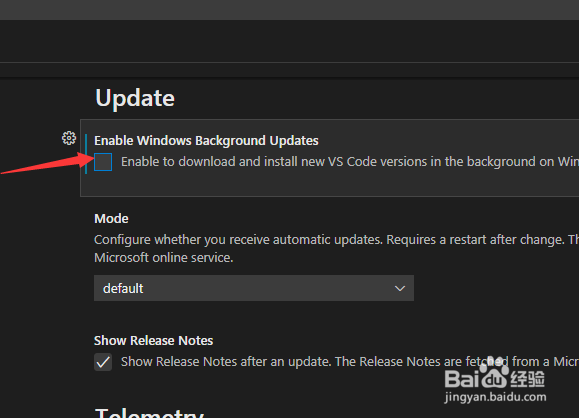
5、勾选上enable windows background update选项之后,会自动保存设置了

阅读量:70
阅读量:92
阅读量:93
阅读量:86
阅读量:185
1、点击左下角中更多设置菜单
2、弹出了下拉菜单选中为settings选项
3、点击update选项
4、勾选上enable windows background update选项
5、勾选上enable windows background update选项之后,会自动保存设置了