如何设置Windows10睡眠时间?
1、点击屏幕右下角 通知 按钮。

2、点击 所有设置。

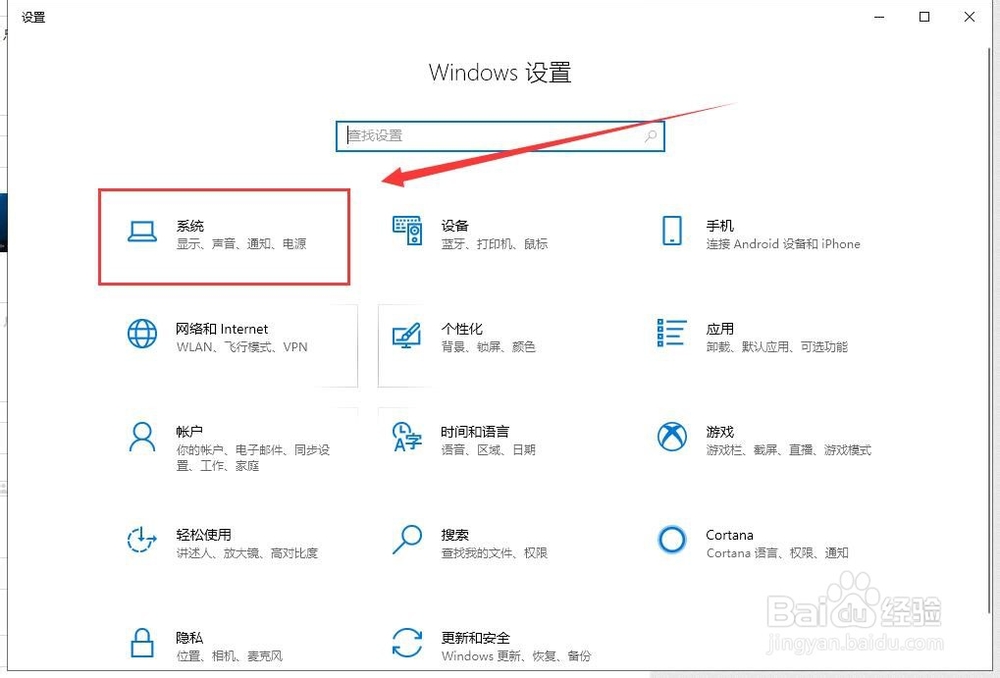
3、进入 系统 页面。
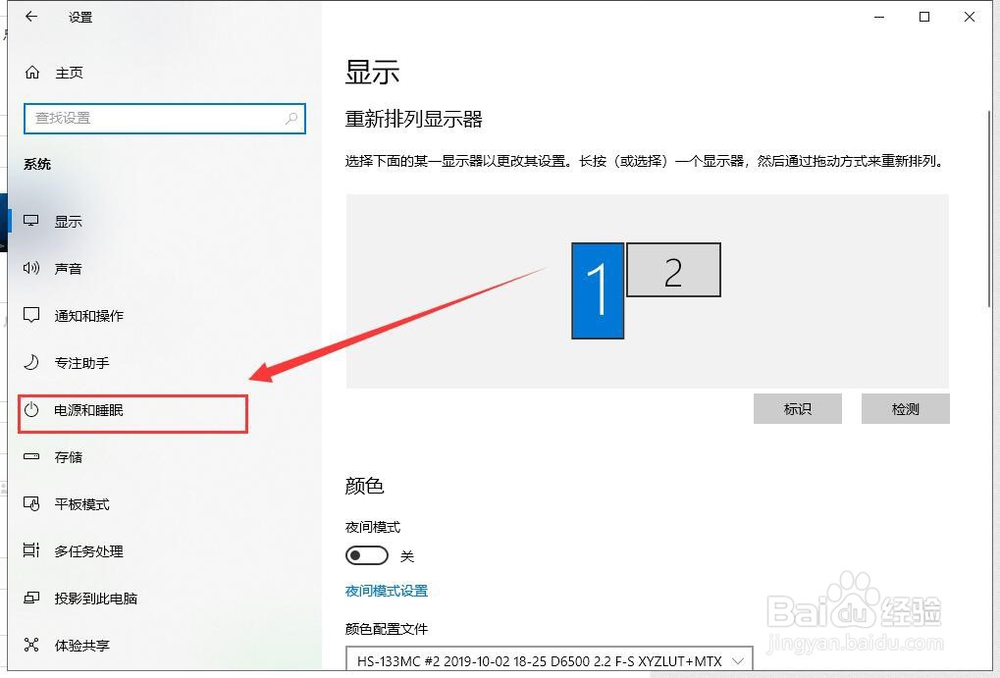
4、点击左侧 电源与睡眠。
5、点击 睡眠 下拉菜单。
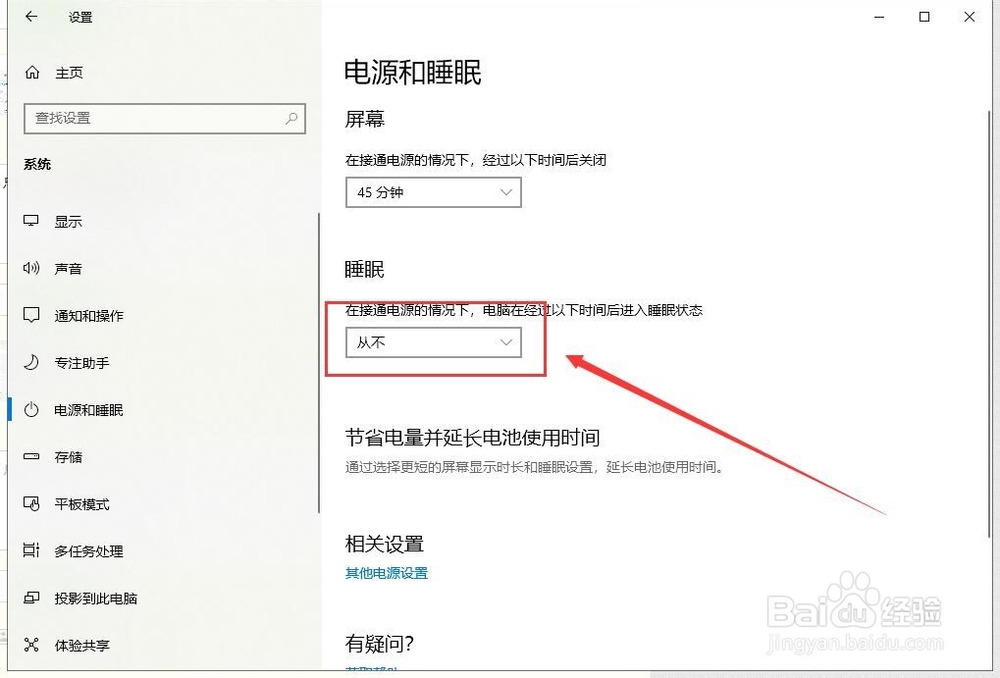
6、选择希望的睡眠时间。
若想要关闭睡眠功能,则选择 永不。

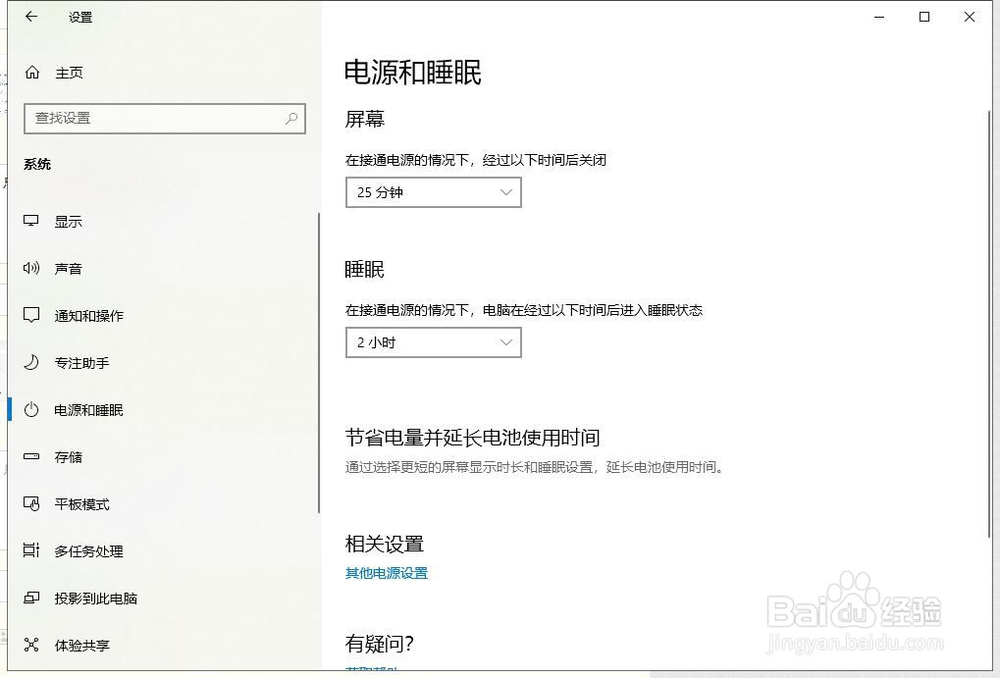
7、新的设置将自动应用。
阅读量:68
阅读量:106
阅读量:181
阅读量:130
阅读量:189
1、点击屏幕右下角 通知 按钮。
2、点击 所有设置。
3、进入 系统 页面。
4、点击左侧 电源与睡眠。
5、点击 睡眠 下拉菜单。
6、选择希望的睡眠时间。
若想要关闭睡眠功能,则选择 永不。
7、新的设置将自动应用。