opporeno6pro怎么插双卡
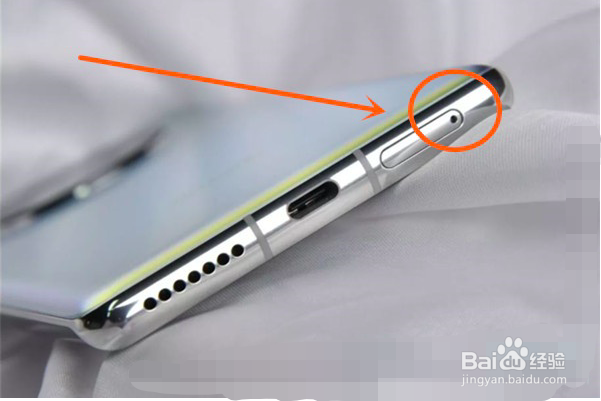
1、找到手机卡槽位置,并使用卡针,如下图所示:
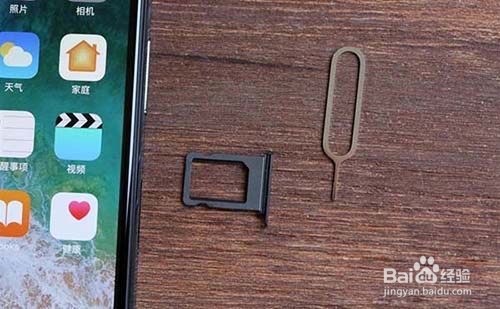
2、使用卡针将手机卡槽取出,如下图所示:
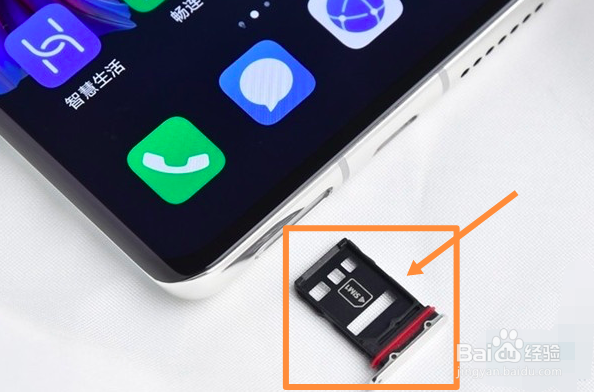
3、将电话卡防止卡槽,并插入手机,如下图所示:
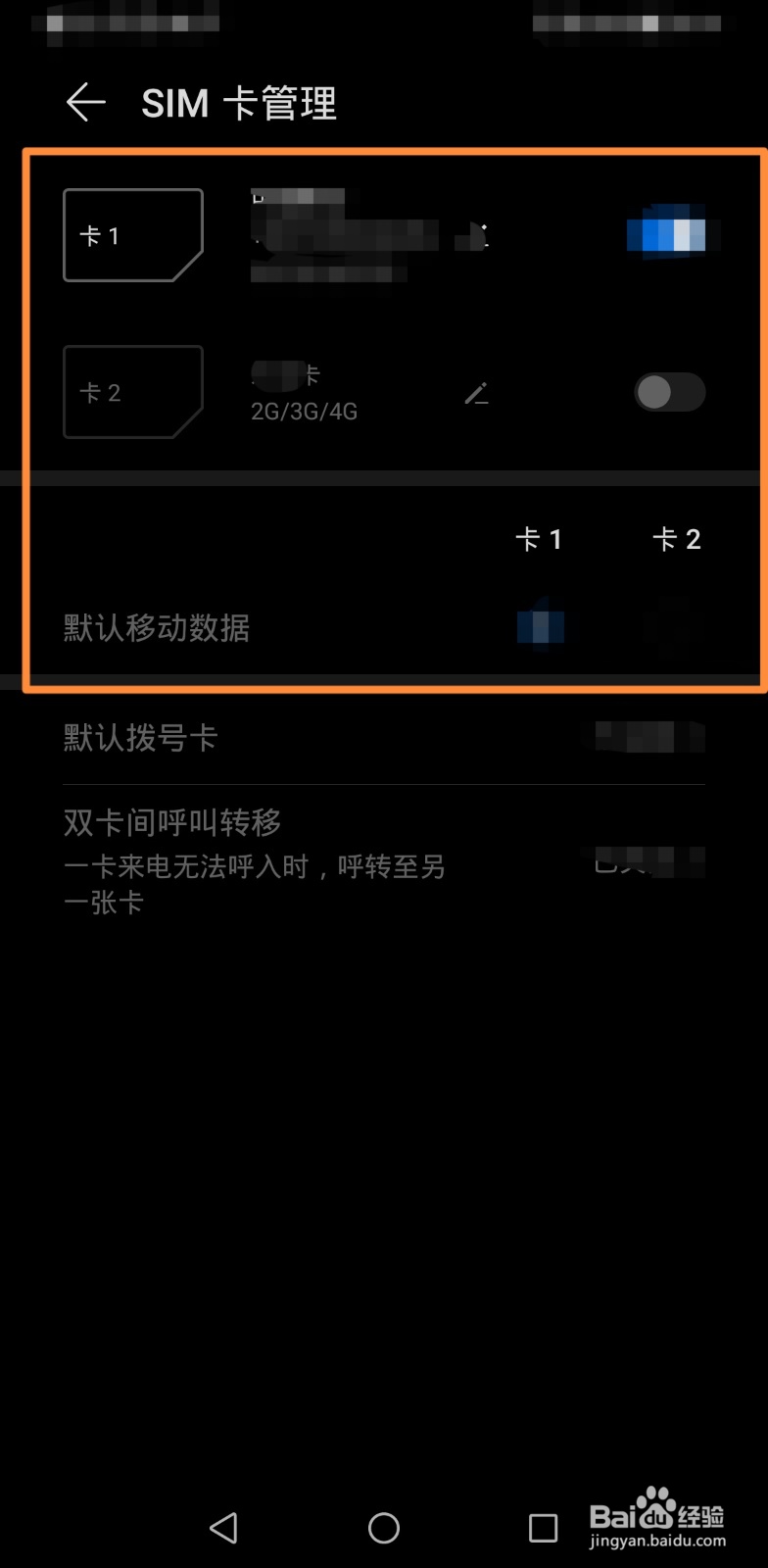
4、手机开机后,进入到手机设置页面,在SIM卡管理页面中,即可显示电话卡,如下图所示:
阅读量:46
阅读量:170
阅读量:193
阅读量:89
阅读量:64
1、找到手机卡槽位置,并使用卡针,如下图所示:
2、使用卡针将手机卡槽取出,如下图所示:
3、将电话卡防止卡槽,并插入手机,如下图所示:
4、手机开机后,进入到手机设置页面,在SIM卡管理页面中,即可显示电话卡,如下图所示: