eclipse字体大小怎么设置
1、打开eclipse软件,点击“Window”,选择“Prefrences”。

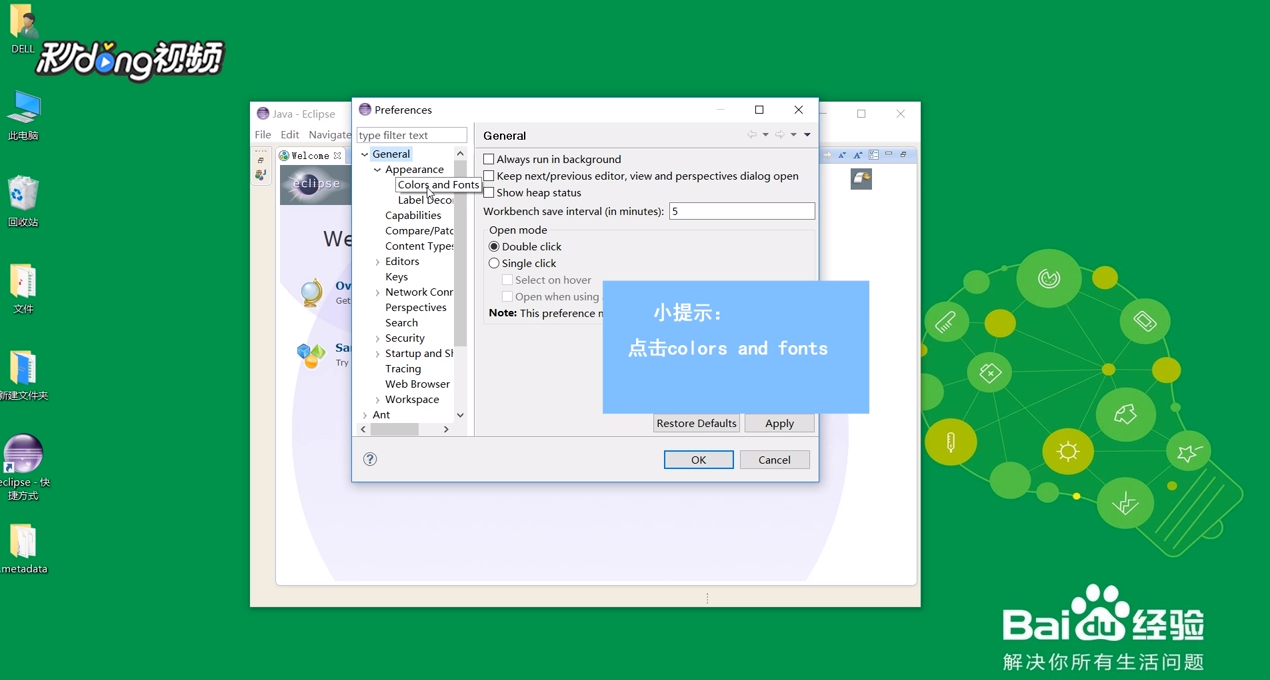
2、点击“General”,点击“Appearance”,选择“Colors and Fonts”。
3、点击“Basic”,选择“Text Font”。

4、点击“Edit”,在新的界面中即可设置字体大小。

阅读量:26
阅读量:105
阅读量:130
阅读量:106
阅读量:181
1、打开eclipse软件,点击“Window”,选择“Prefrences”。
2、点击“General”,点击“Appearance”,选择“Colors and Fonts”。
3、点击“Basic”,选择“Text Font”。
4、点击“Edit”,在新的界面中即可设置字体大小。