Ubuntu如何安装gcc编译器
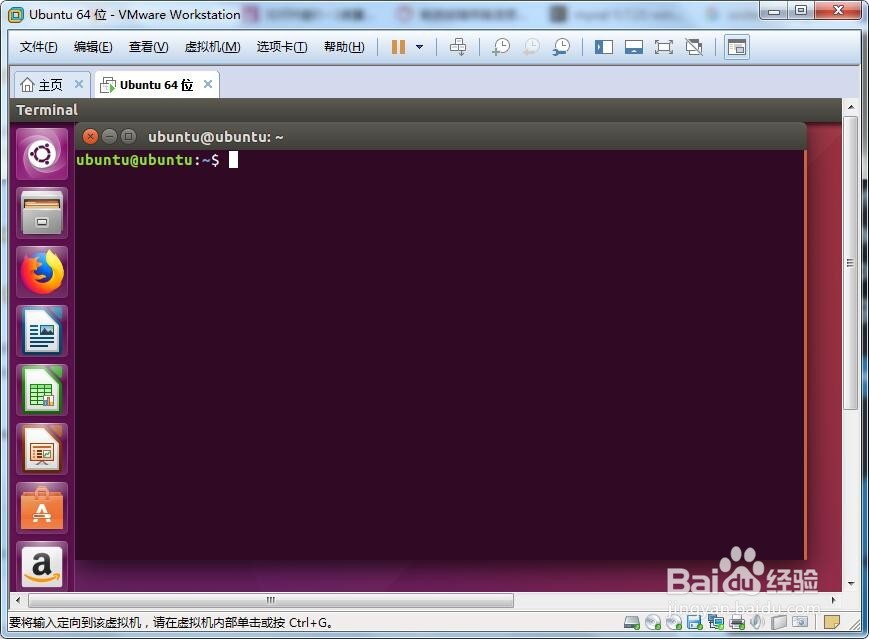
1、步骤1:首先打开终端
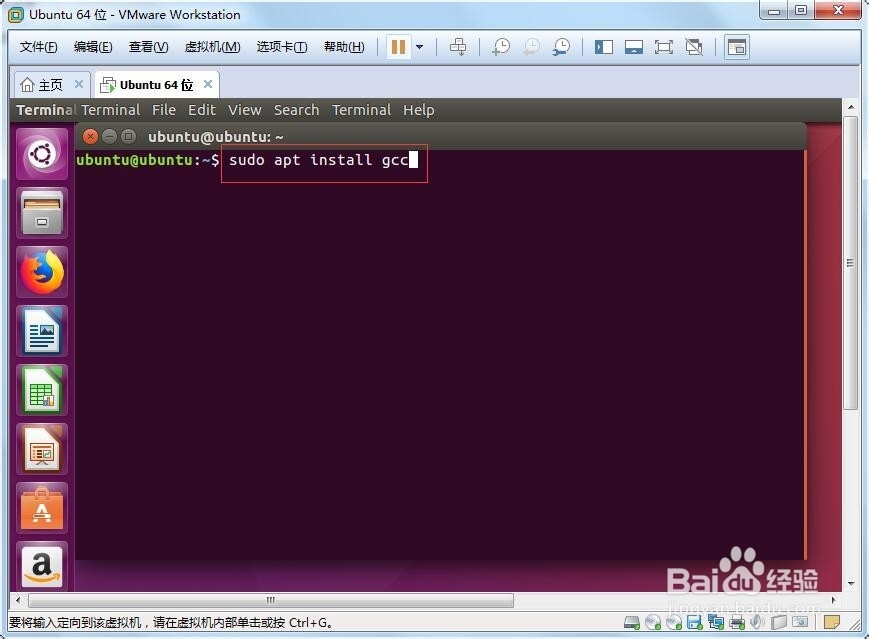
2、步骤2:输入sudo apt install gcc
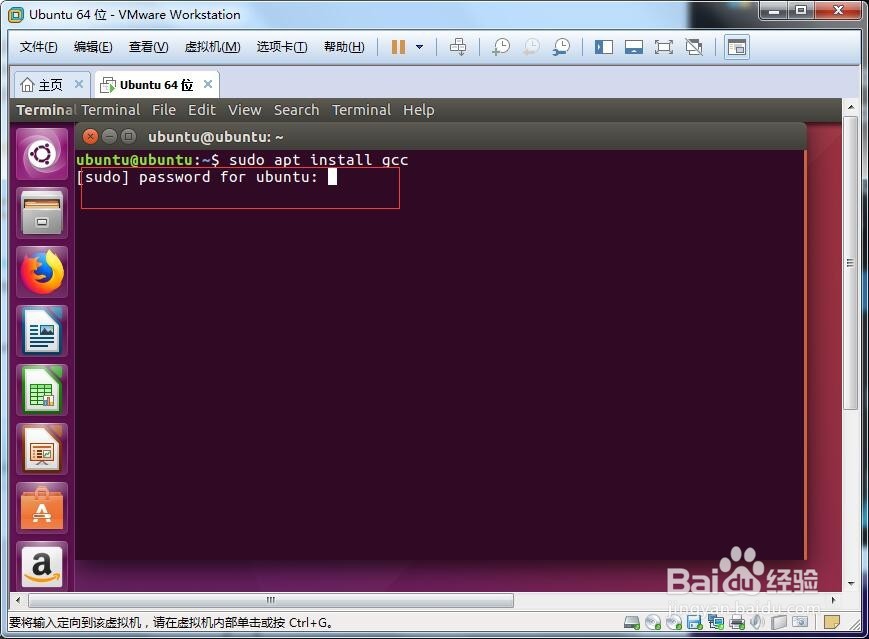
3、步骤3:接着输入Ubuntu密码
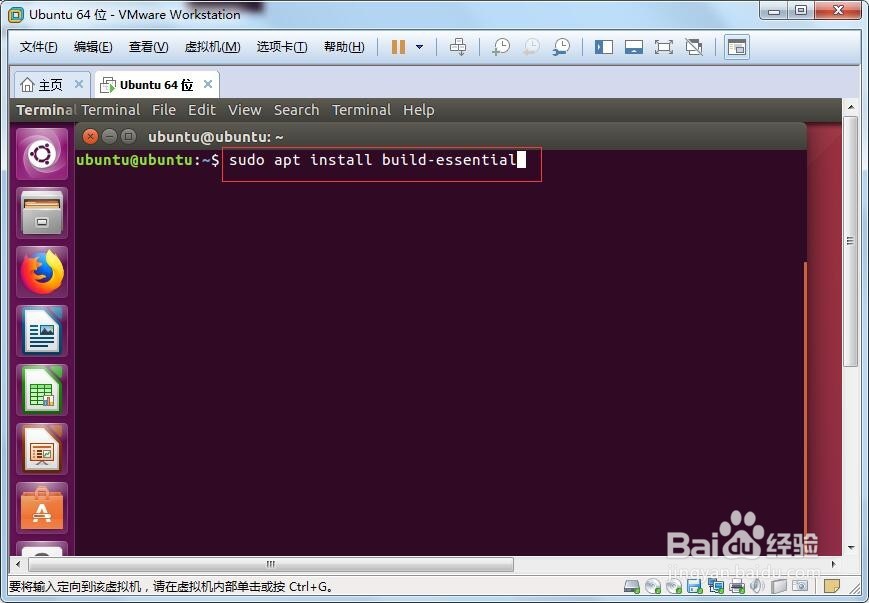
4、步骤4:安装build-essential,输入sudo apt install build-essential
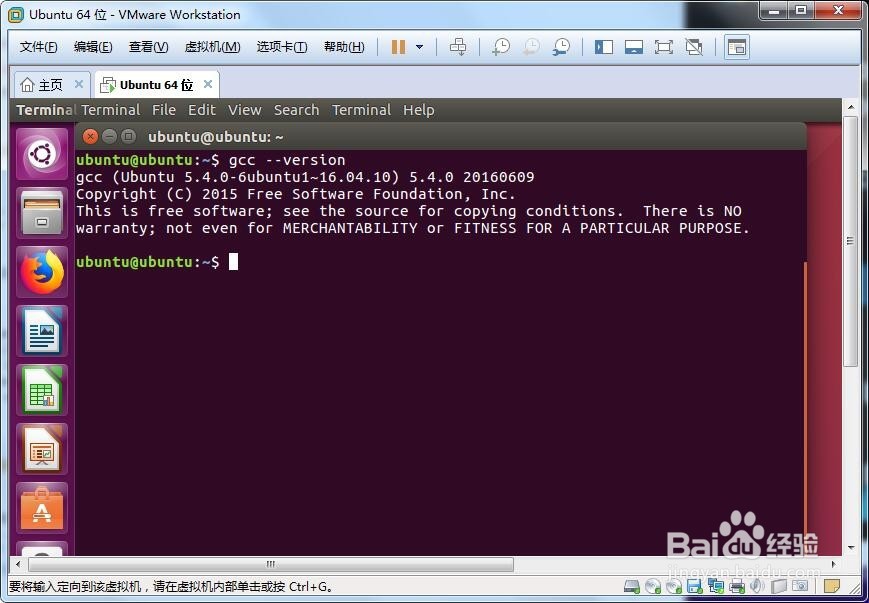
5、步骤5:输入gcc --version,查看gcc版本
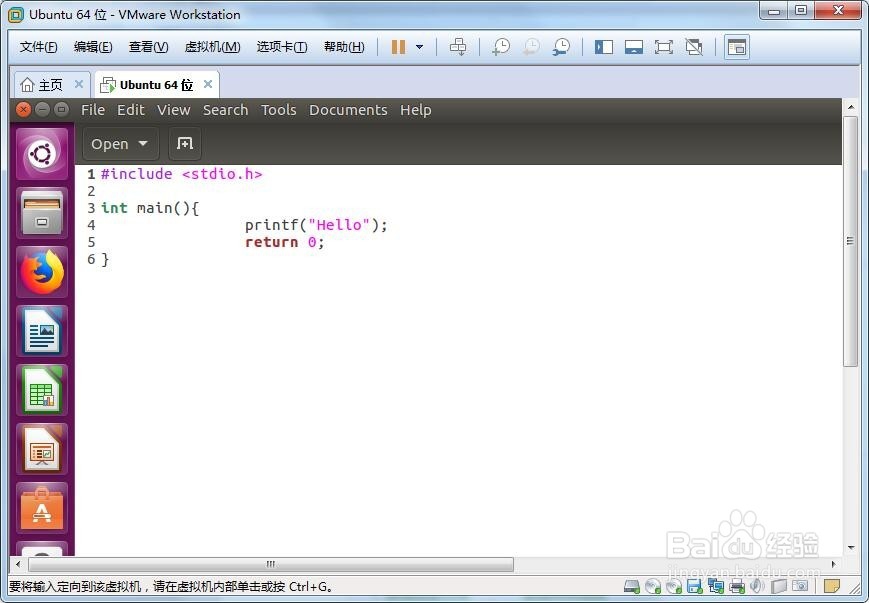
6、步骤6:编写一个hello C程序
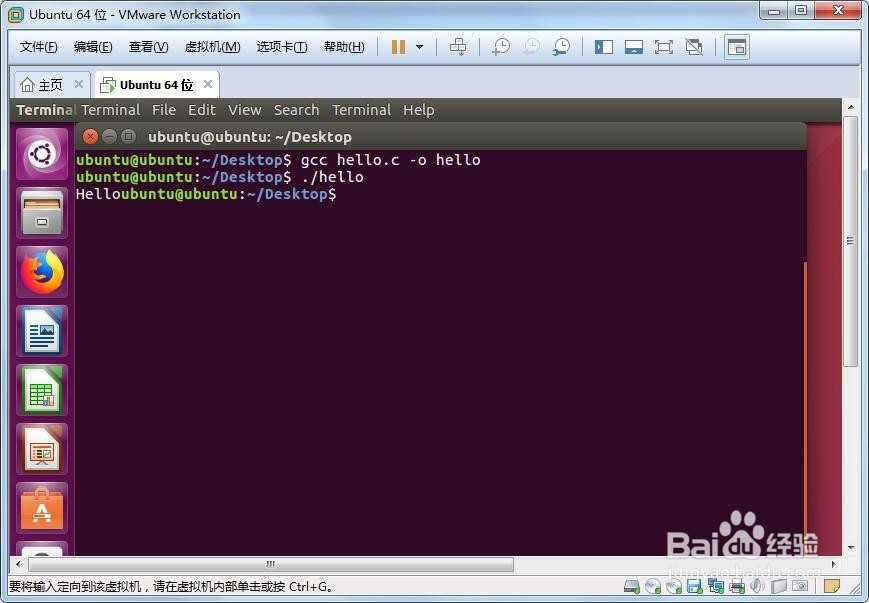
7、步骤7:编译运行,查看结果
阅读量:181
阅读量:157
阅读量:181
阅读量:132
阅读量:190
1、步骤1:首先打开终端
2、步骤2:输入sudo apt install gcc
3、步骤3:接着输入Ubuntu密码
4、步骤4:安装build-essential,输入sudo apt install build-essential
5、步骤5:输入gcc --version,查看gcc版本
6、步骤6:编写一个hello C程序
7、步骤7:编译运行,查看结果