指南经验网
首页
美食营养
生活百科
知识问答
生活知识
返回
指南经验网
首页
美食营养
游戏数码
手工爱好
生活知识
生活百科
健康养生
运动户外
职场理财
情感交际
母婴教育
时尚美容
知识问答
更多知识
搜索
oppofindx3pro如何开启5g网络?
2026-04-28 01:53:04
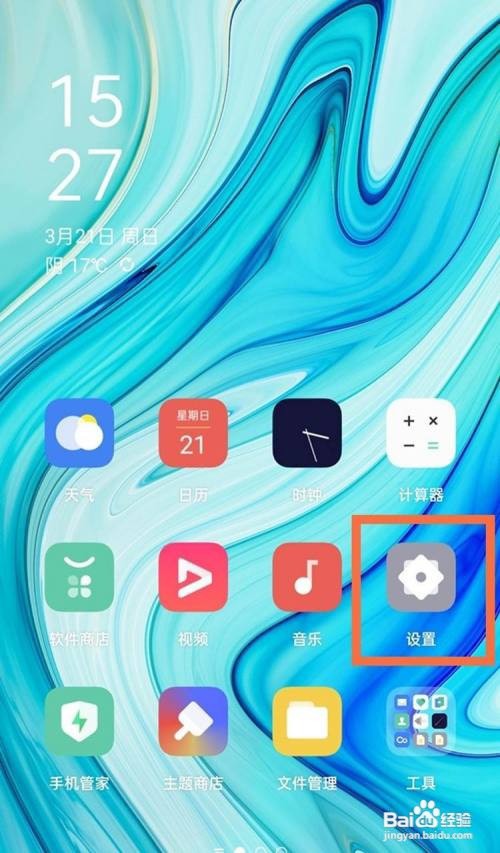
1、打开手机桌面上的【设置】图标。
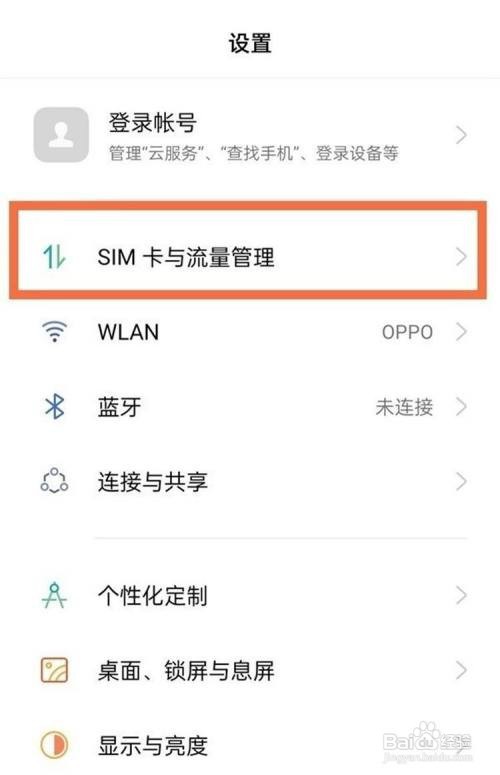
2、选择【SIM卡与流量管理】选项。
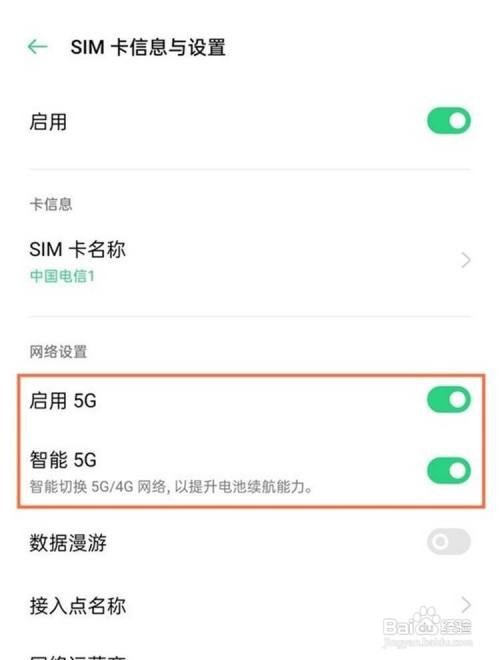
3、点击上网卡,将【启动5G】和【智能5G】后面的开关开启即可。
相关推荐
小猿搜题App中如何关闭首页小猿日报
阅读量:151
热血江湖神地碧风,找小香聊聊任务怎么完成?
阅读量:60
龙之谷2如何驯服坐骑?
阅读量:150
宝宝树孕育app怎么绑定另一半
阅读量:50
易车网如何查看系统消息
阅读量:20
猜你喜欢
shirt怎么读
宫寒怎么办
怎么减肥快
我的世界怎么做地图
怎么申请专利
格力空调怎么样
收入来源怎么填
日食是怎么形成的
怎么扎丸子头
指尖陀螺怎么玩
猜你喜欢
馅饼怎么做
挂式空调怎么清洗
鑫谷电源怎么样
老庙黄金怎么样
我的世界采矿机怎么用
元宵节用英语怎么说
怎么开红酒
煎豆腐怎么不粘锅
画架怎么安装
泰拉瑞亚骷髅王怎么打