叮咚会员自动续费怎么关闭
1、点击AppleID
找到设置,点击itunes store与App Store,点击AppleID。

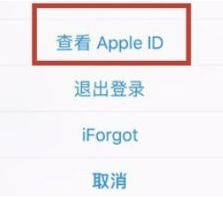
2、点击查看appleid
在弹出框点击查看appleid。
3、点击订阅
点击订阅选项。

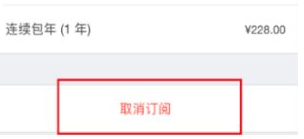
4、点击取消订阅
选择要取消续费的功能点击取消订阅。
5、点击确认
在弹出框页面选择确认即可。

阅读量:129
阅读量:48
阅读量:116
阅读量:196
阅读量:128
1、点击AppleID
找到设置,点击itunes store与App Store,点击AppleID。
2、点击查看appleid
在弹出框点击查看appleid。
3、点击订阅
点击订阅选项。
4、点击取消订阅
选择要取消续费的功能点击取消订阅。
5、点击确认
在弹出框页面选择确认即可。