指南经验网
首页
美食营养
生活百科
知识问答
生活知识
返回
指南经验网
首页
美食营养
游戏数码
手工爱好
生活知识
生活百科
健康养生
运动户外
职场理财
情感交际
母婴教育
时尚美容
知识问答
更多知识
搜索
微模卡APP怎么设置主页背景图
2026-04-23 01:45:16
1、打开微模卡APP,点击右下角我的。见下图
2、点击右上角的设置标识。见下图
3、点击编辑资料。见下图
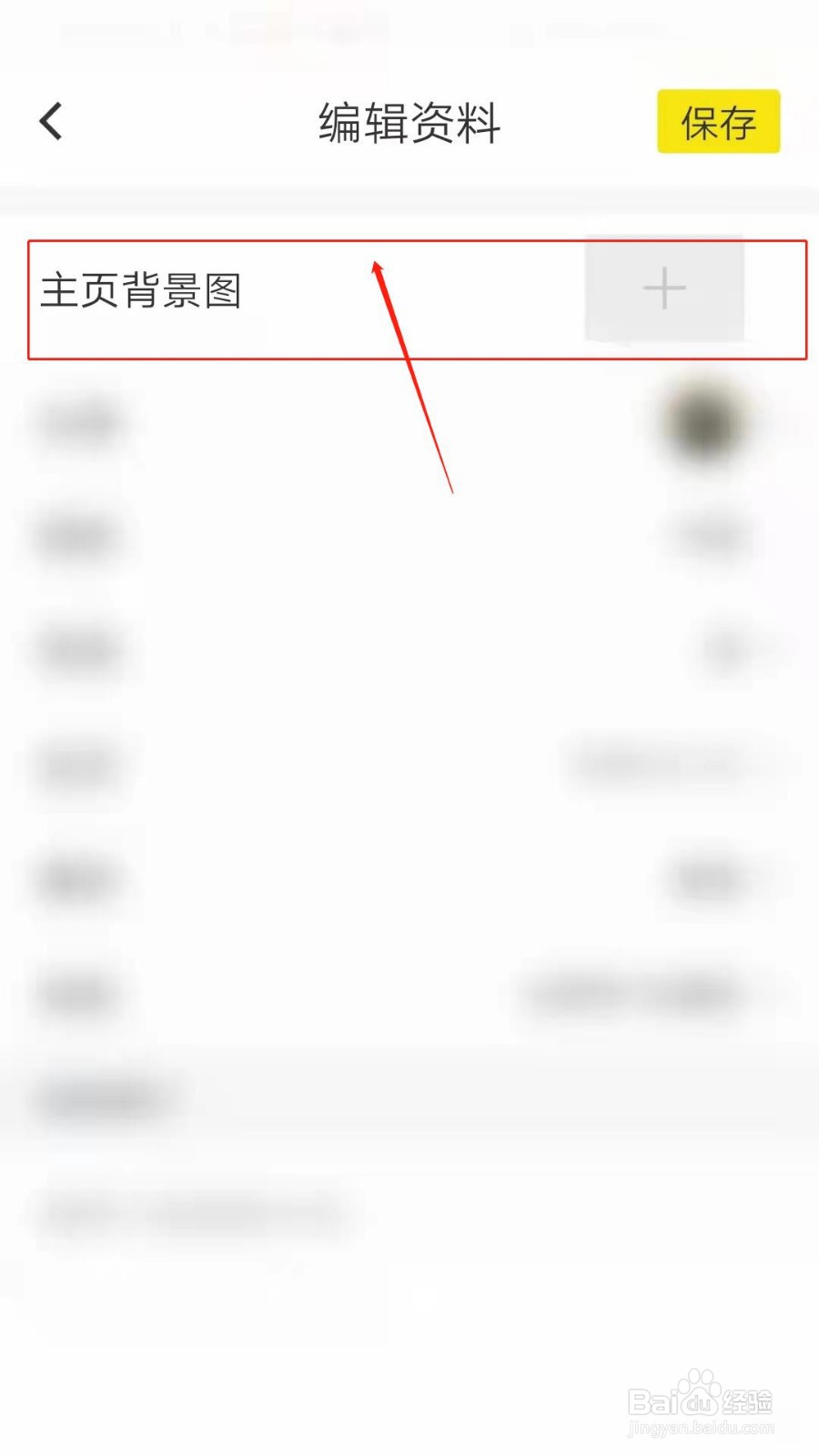
4、点击主页背景图。见下图
5、可以拍摄,也可以在相册中选择。见下图
相关推荐
怒火重案里是什么车
阅读量:21
每次倒番茄酱总是很困难,今天学会一个简单方法
阅读量:37
养羊修蹄方法
阅读量:57
38个字的诗
阅读量:140
怎样开启西瓜视频软件互动消息如关注、新粉丝等
阅读量:52
猜你喜欢
英语四级怎么算分
马克华菲怎么样
车辆违章怎么查询
来月经肚子疼怎么办
桑葚怎么洗
square怎么读
怎么保护嗓子
不戴头盔怎么处罚
水滴怎么画
怎么安慰失恋的人
猜你喜欢
反问句怎么改
论文参考文献怎么写
我的世界桌子怎么做
wps怎么画图
排列组合怎么算
感言怎么写
指甲油怎么涂
胸一大一小怎么办
哈尔滨工程大学怎么样
总是打嗝是怎么回事