指南经验网
首页
美食营养
生活百科
知识问答
生活知识
返回
指南经验网
首页
美食营养
游戏数码
手工爱好
生活知识
生活百科
健康养生
运动户外
职场理财
情感交际
母婴教育
时尚美容
知识问答
更多知识
搜索
聚好看怎么关闭截屏消息
2026-05-06 15:03:27
1、首先在手机打开【聚好看】。
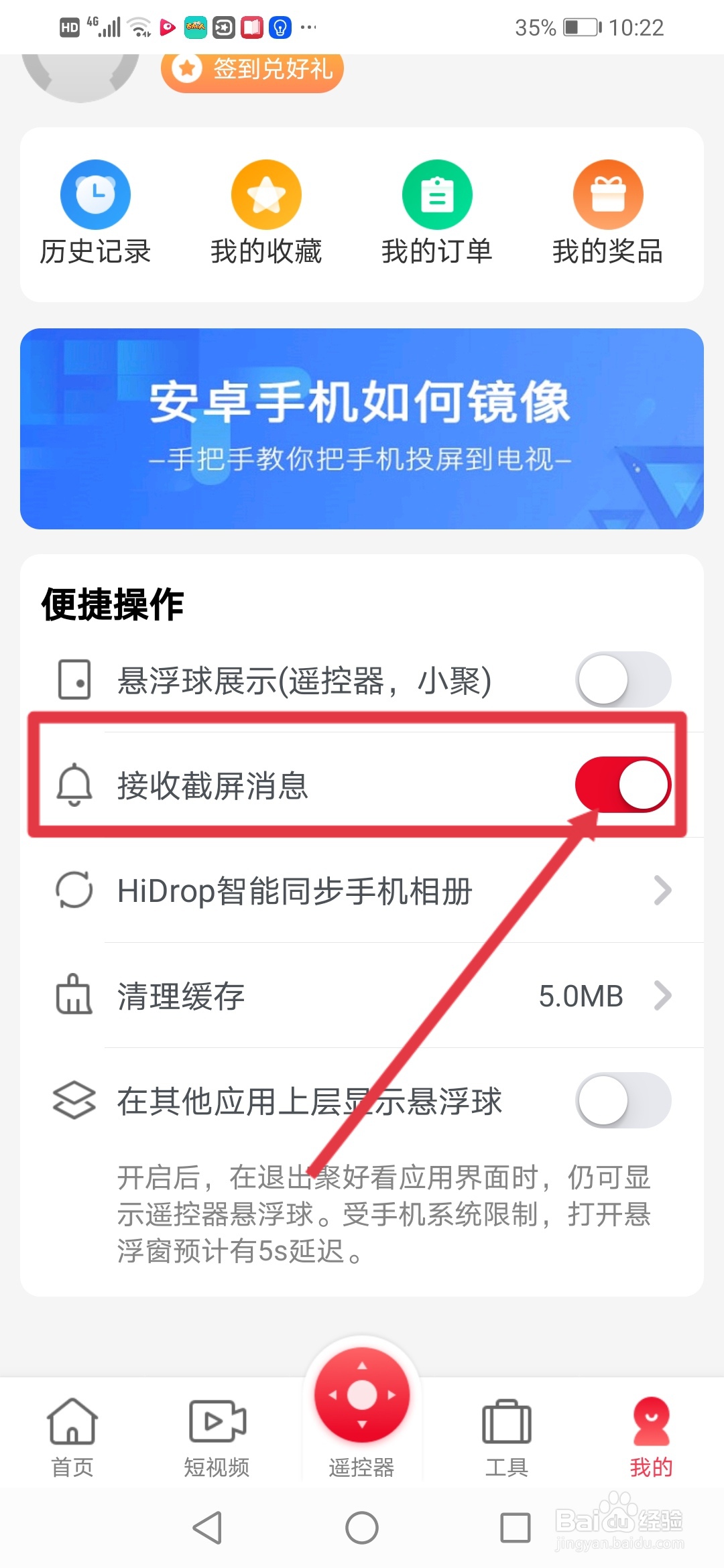
2、进入页面点击【我的】。
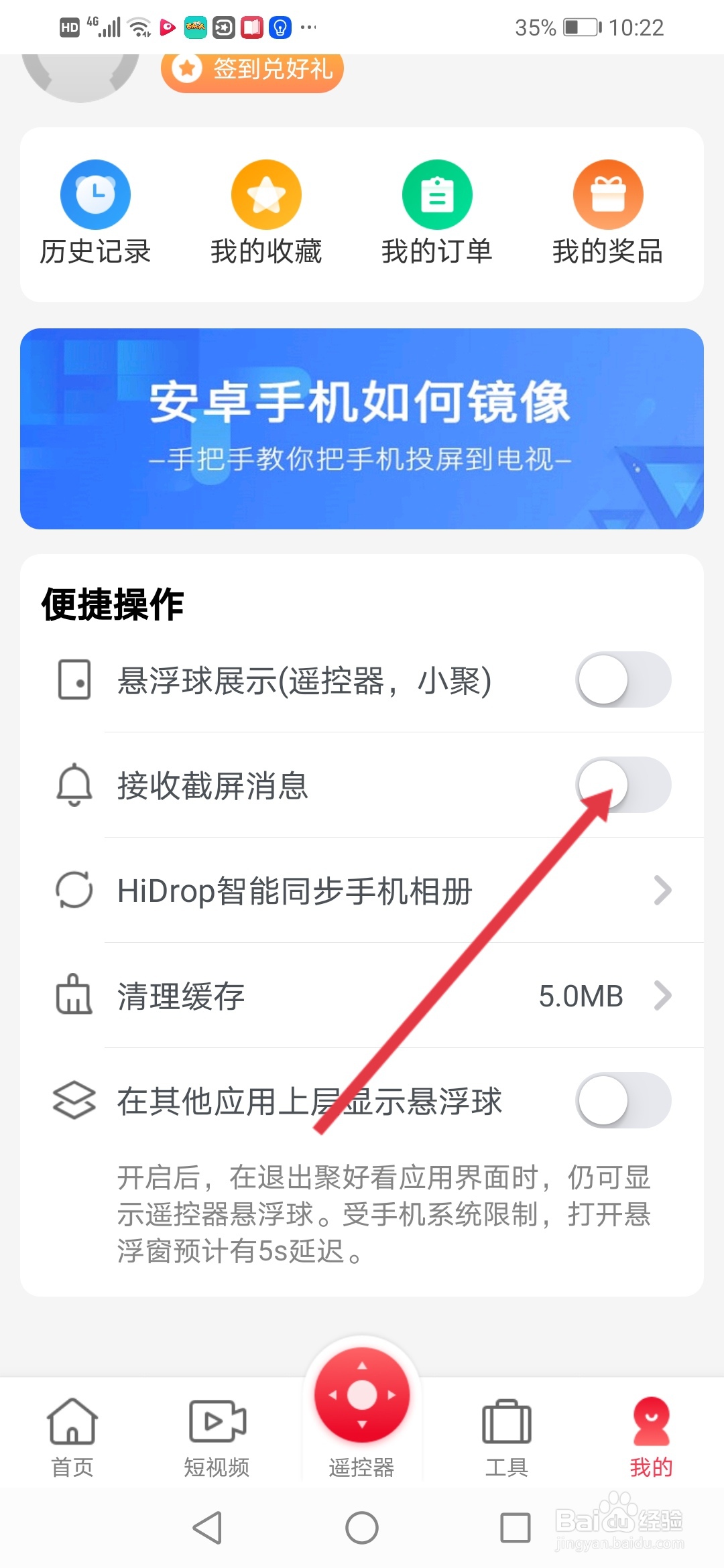
3、来到我的主页,然后把【接收截屏消息】的按钮关闭。
4、按钮变成关闭状态即可。
相关推荐
拔罐不当会造成怎样的后果
阅读量:65
肺炎支原体的症状
阅读量:183
富贵树怎么施肥
阅读量:85
红枣桂圆枸杞粥
阅读量:131
妇科炎症老不好,反反复复怎么办???
阅读量:126
猜你喜欢
怎么给宝宝断奶
卫生许可证怎么办理
鼠标指针怎么换图案
雪地靴怎么清洗
头上长痤疮怎么办
三星安全模式怎么解除
怎么下载电影到u盘
手机丢了怎么挂失
怎么测试怀孕
刷卡机怎么用
猜你喜欢
怎么去脸上的红血丝
眼底出血是怎么治疗
购车发票丢失怎么办
放不下一个人怎么办
打胎药怎么吃
怎么注册网址
生长纹怎么去除
痘印痘坑怎么办
枸杞怎么吃效果好
12306怎么注销账号