指南经验网
首页
美食营养
生活百科
知识问答
生活知识
返回
指南经验网
首页
美食营养
游戏数码
手工爱好
生活知识
生活百科
健康养生
运动户外
职场理财
情感交际
母婴教育
时尚美容
知识问答
更多知识
搜索
Seetong怎么注销账号
2026-04-25 17:23:56
1、手机打开Seetong软件,点击右下角我的,选中我的头像图标。
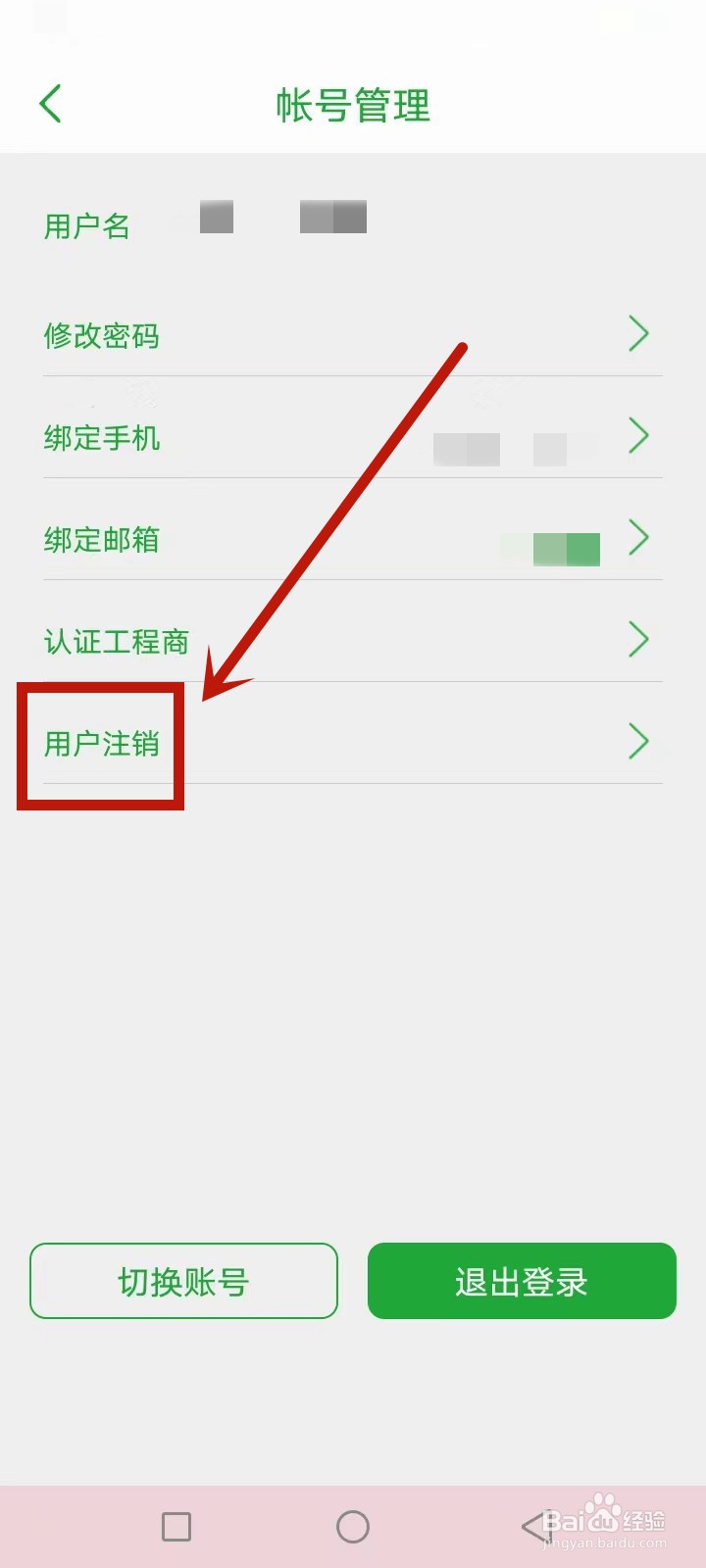
2、帐号管理页面,选择查看用户注销项目。
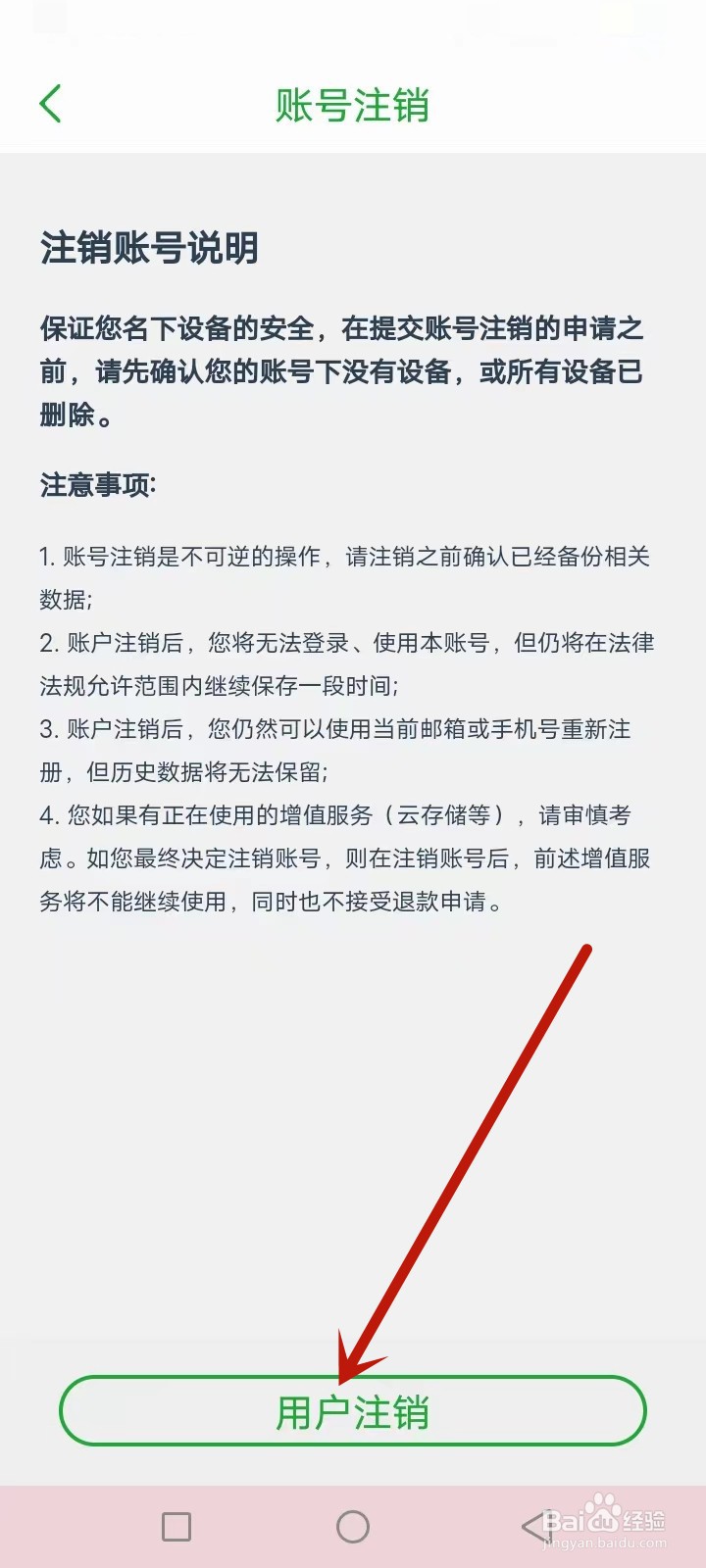
3、账号注销页面,阅读并同意相关须知,点击用户注销提交Seetong软件。
相关推荐
Seetong怎么修改语言
阅读量:55
seetong怎么升级固件
阅读量:45
seetong监控怎么联网
阅读量:68
Seetong怎么兑换优惠券
阅读量:191
seetong设备怎么升级
阅读量:138
猜你喜欢
小炖肉的家常做法
裴怎么读
葱烧海参的做法
辣豆腐的家常做法
燕麦饼干的做法
鳗鱼的做法
小米粥的做法
微信怎么绑定银行卡
剪映怎么剪辑音乐
页边距怎么设置
猜你喜欢
迩怎么读
虫草怎么吃效果最好
诸暨怎么读
红烧黄鱼的家常做法
淡奶油的做法
香蕉派的做法
烤箱烤肉的做法大全
睡不着怎么办
宫颈肥大是怎么回事
钥匙断在锁孔怎么取出