怎么注销etc卡
1、在手机上打开微信,如图所示

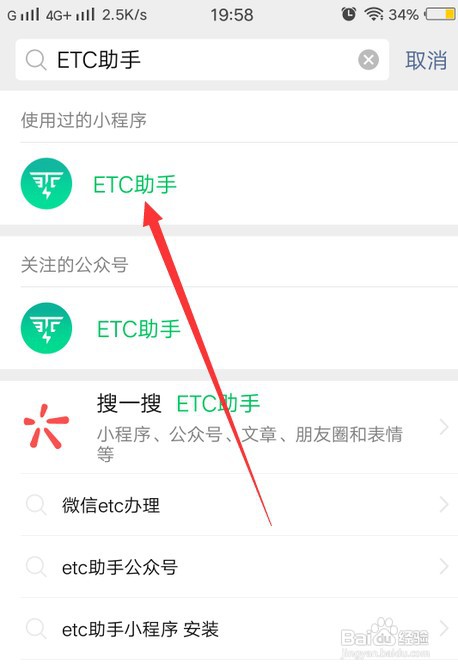
2、进入搜索页面,搜索"ETC助手",并点击对应的小程序,如图所示
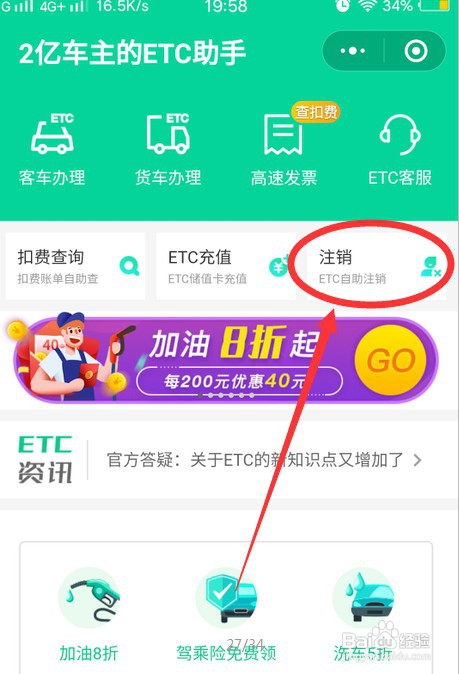
3、在小程序右上方点击ETC自助注销,如图所示
4、进入后选择要注销的卡片,并点击下方注销指引,如图所示

5、进入指引页后,就可以查看当前卡片注销方法,如图所示。

1、在手机上打开微信,如图所示
2、进入搜索页面,搜索"ETC助手",并点击对应的小程序,如图所示
3、在小程序右上方点击ETC自助注销,如图所示
4、进入后选择要注销的卡片,并点击下方注销指引,如图所示
5、进入指引页后,就可以查看当前卡片注销方法,如图所示。