如何解决IAR“cannot open file xx”的编译问题
1、如图所示问题的现象。

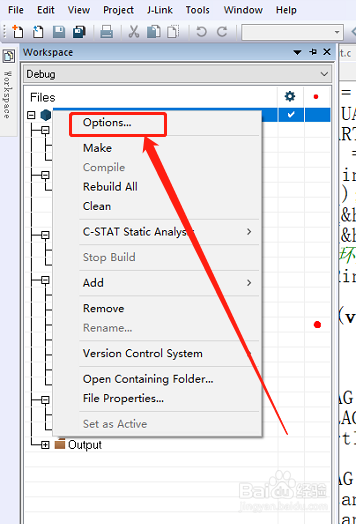
2、右击工作空间,点击“Options...”
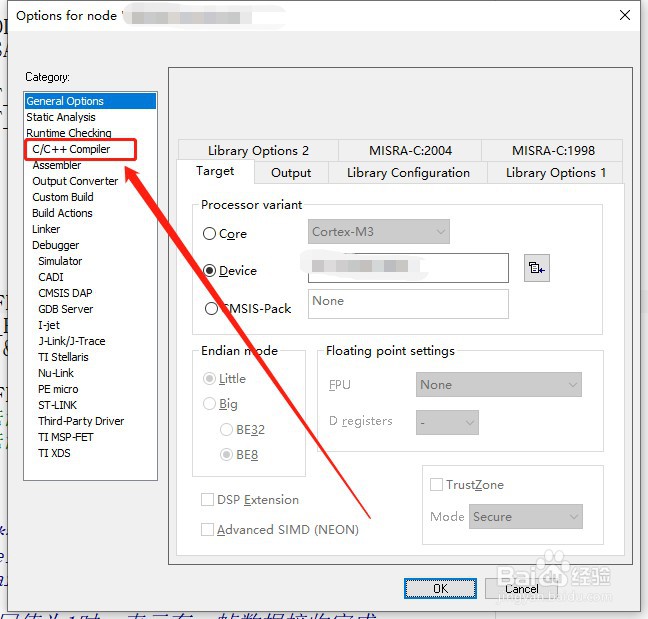
3、点击“C/C++ Compiler”。
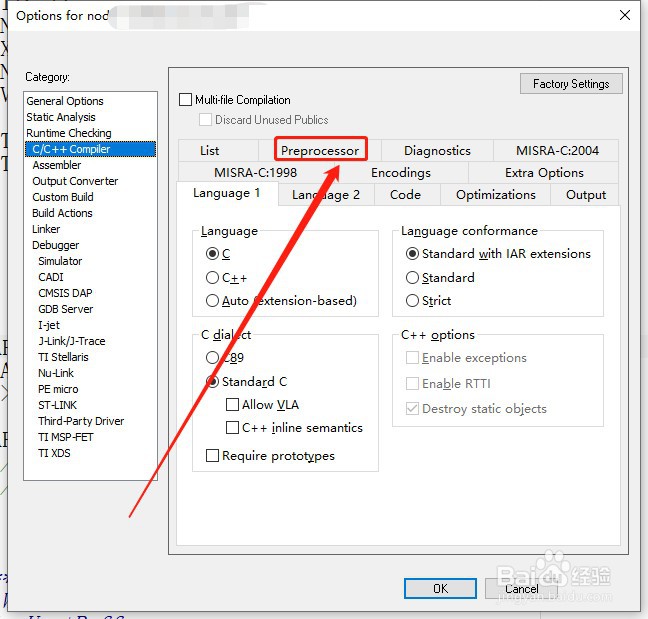
4、点击“Preprocessor”。
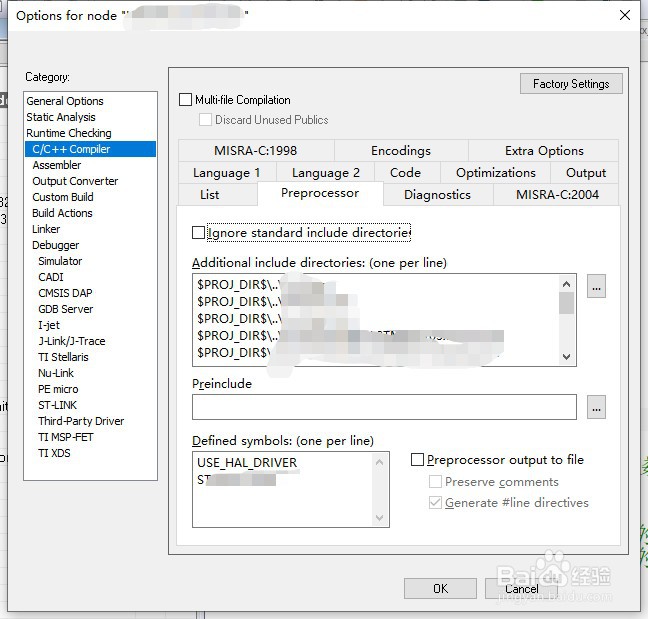
5、在此对话框中添加头文件的路径。
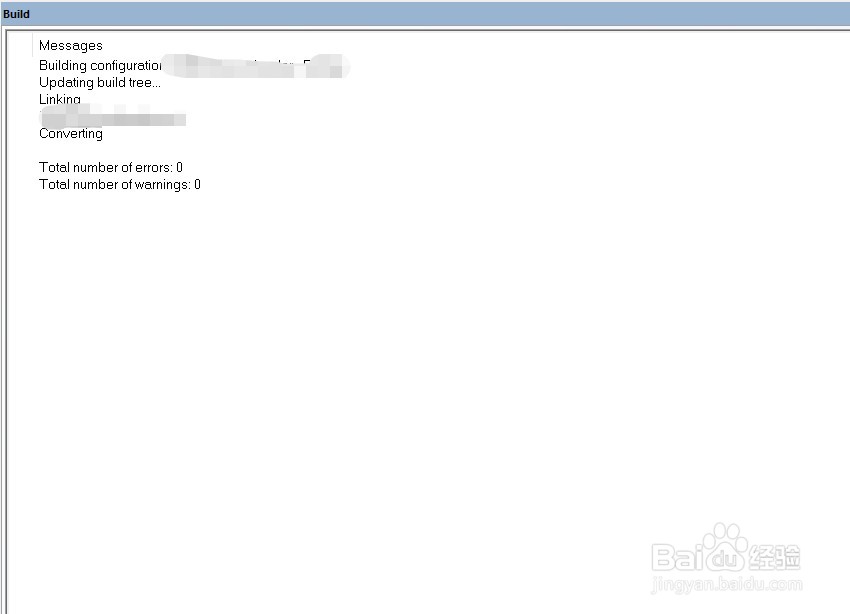
6、编译之后,我们会发现编译通过,0错误,0警告。
阅读量:72
阅读量:70
阅读量:90
阅读量:90
阅读量:180
1、如图所示问题的现象。
2、右击工作空间,点击“Options...”
3、点击“C/C++ Compiler”。
4、点击“Preprocessor”。
5、在此对话框中添加头文件的路径。
6、编译之后,我们会发现编译通过,0错误,0警告。