苹果怎么购买icloud储存空间
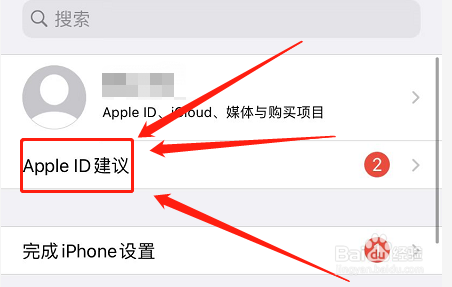
1、点击Apple ID建议按键
进入苹果设置后,选择“Apple ID建议”功能。
2、点击iCloud功能
选择“iCloud”功能。

3、点击管理储存空间功能
选择“管理储存空间”功能。

4、点击购买功能
进入后根据存储量进行购买。

阅读量:84
阅读量:187
阅读量:188
阅读量:59
阅读量:133
1、点击Apple ID建议按键
进入苹果设置后,选择“Apple ID建议”功能。
2、点击iCloud功能
选择“iCloud”功能。
3、点击管理储存空间功能
选择“管理储存空间”功能。
4、点击购买功能
进入后根据存储量进行购买。