怎么快速新建excel表格?
1、先打开电脑;
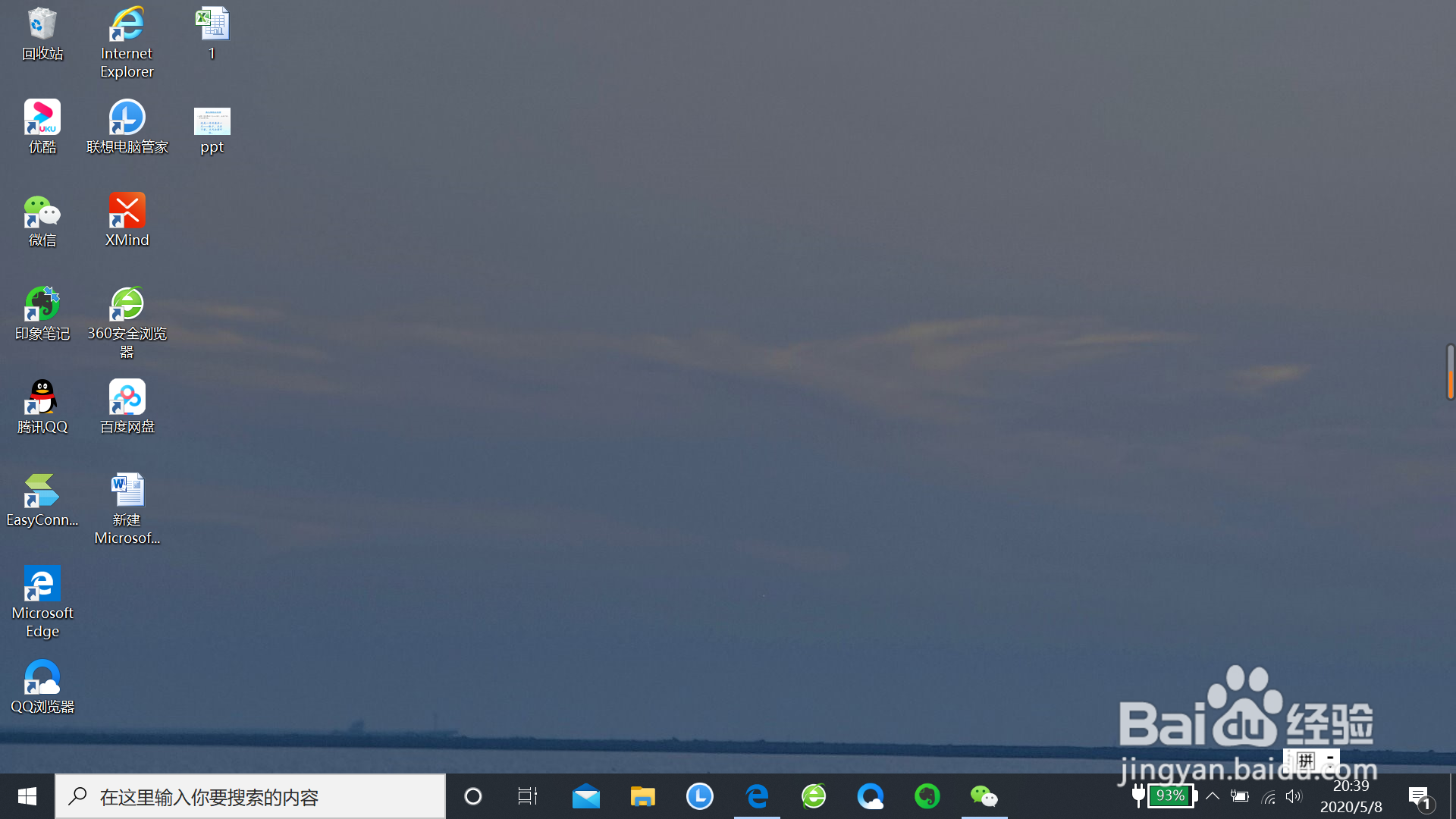
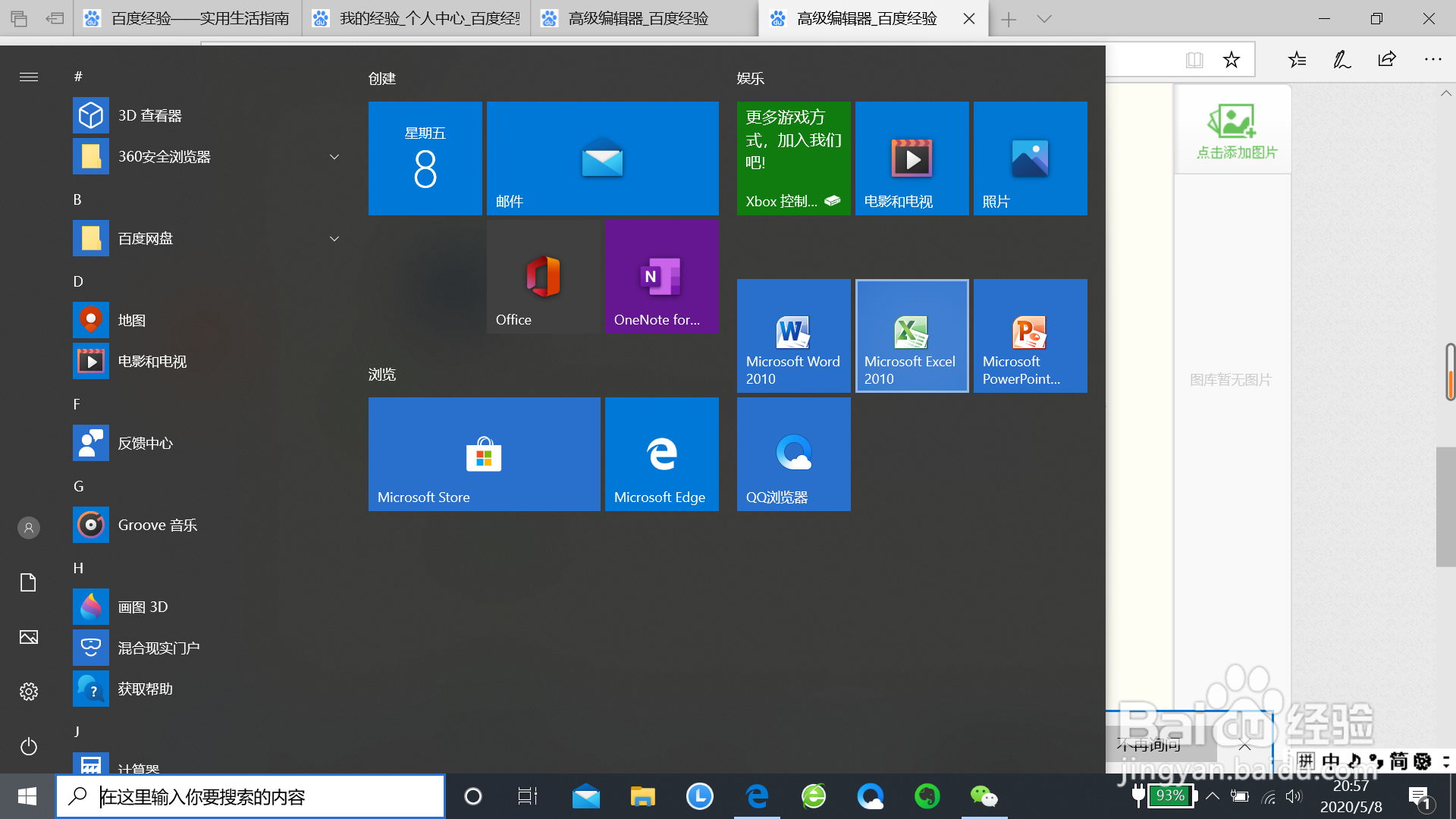
2、然后用鼠标选中桌面左侧下方的“开始”按钮;
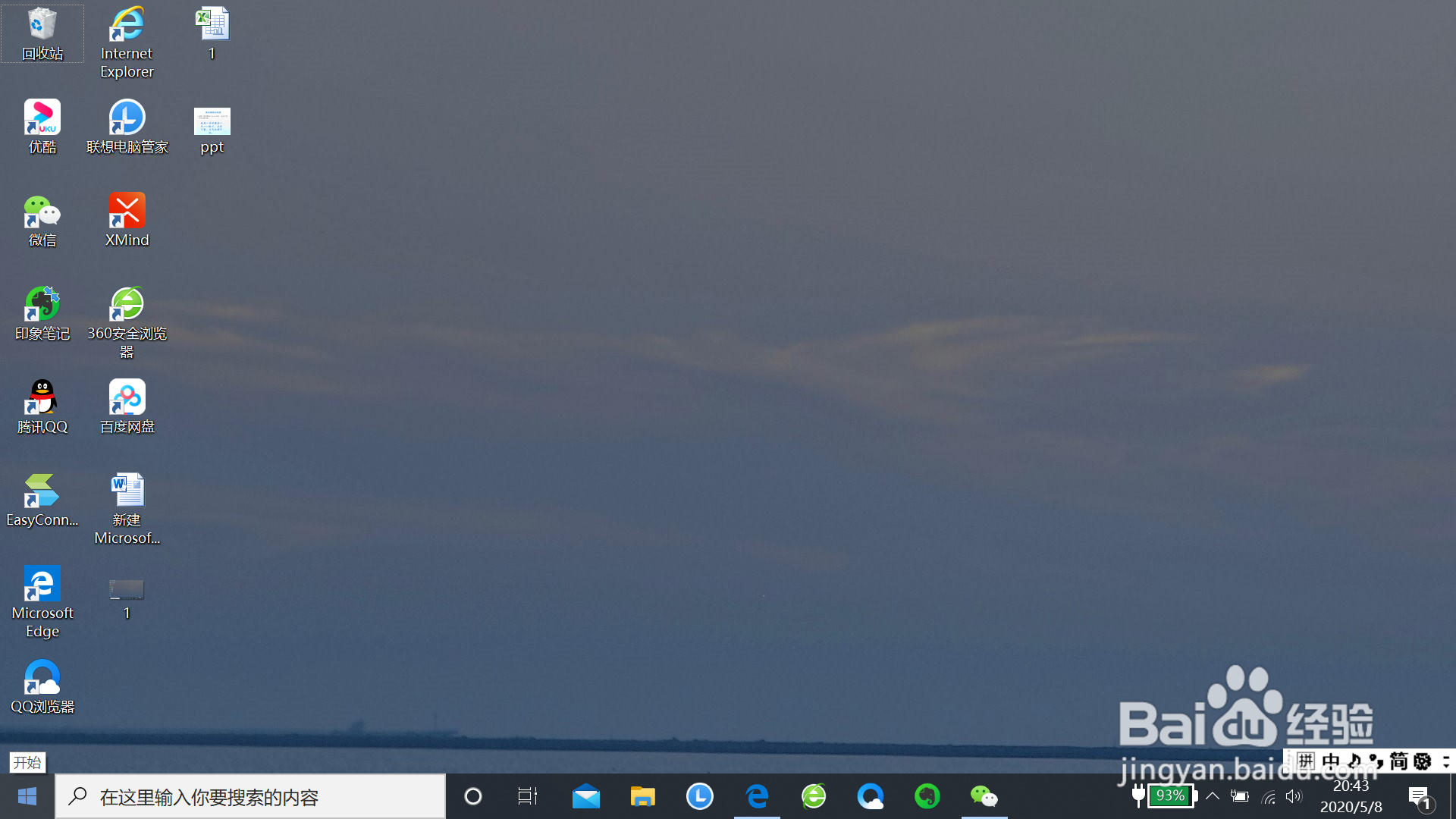
3、接着出现下面的页面;
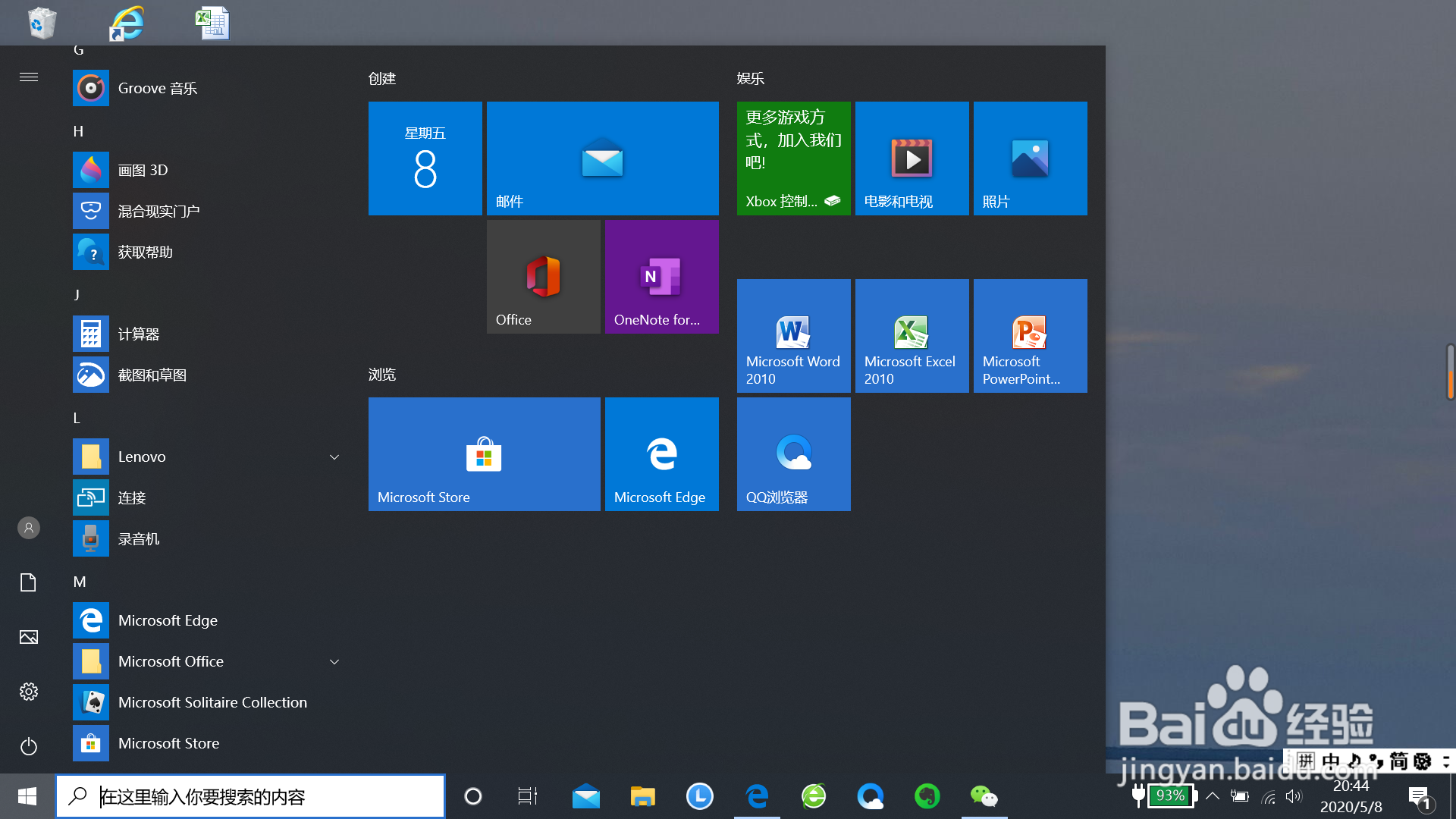
4、用鼠标选中有excel 图标字样的“Microsoft excel”;
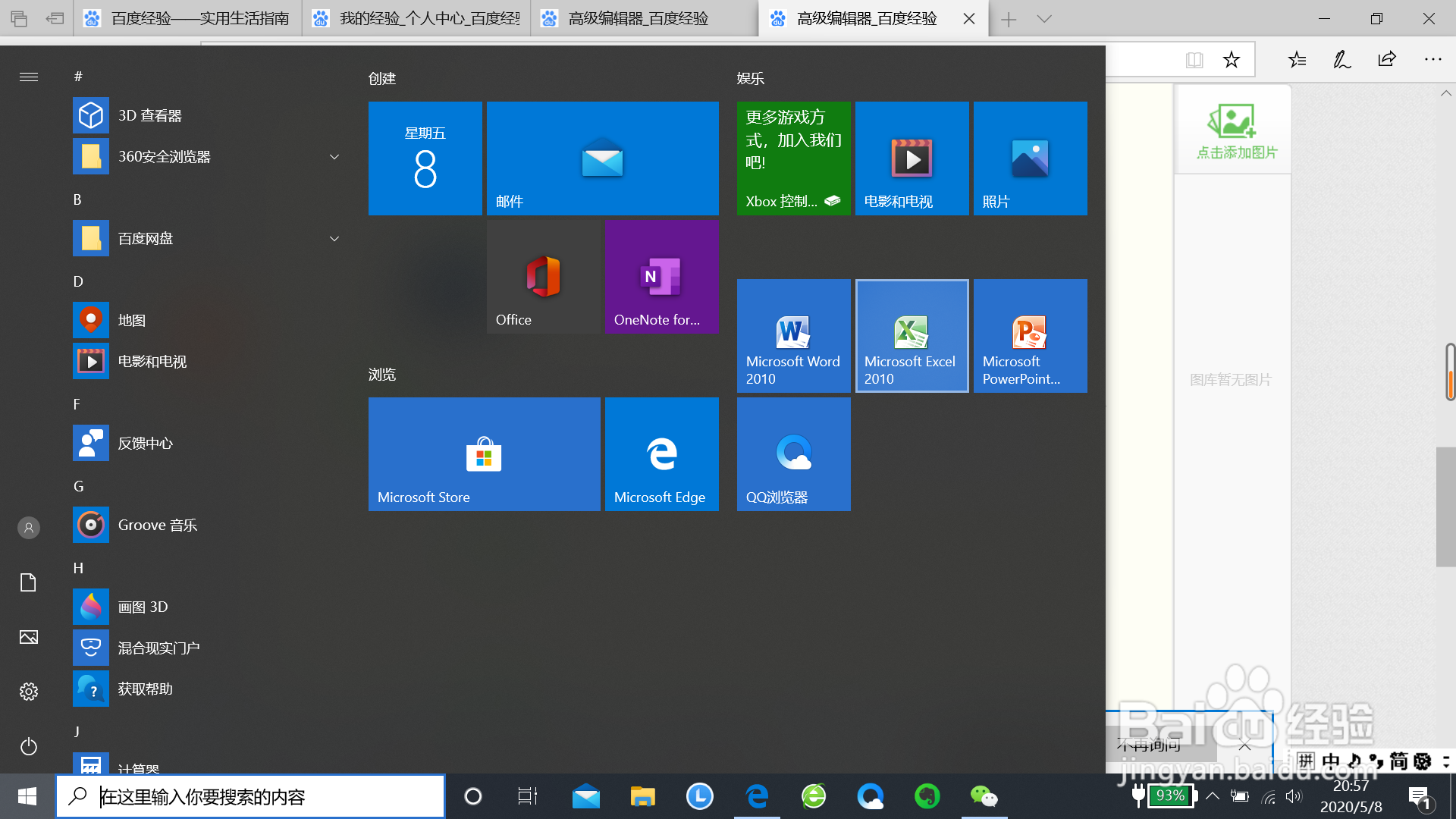
5、选中成功后,然后再单击它;
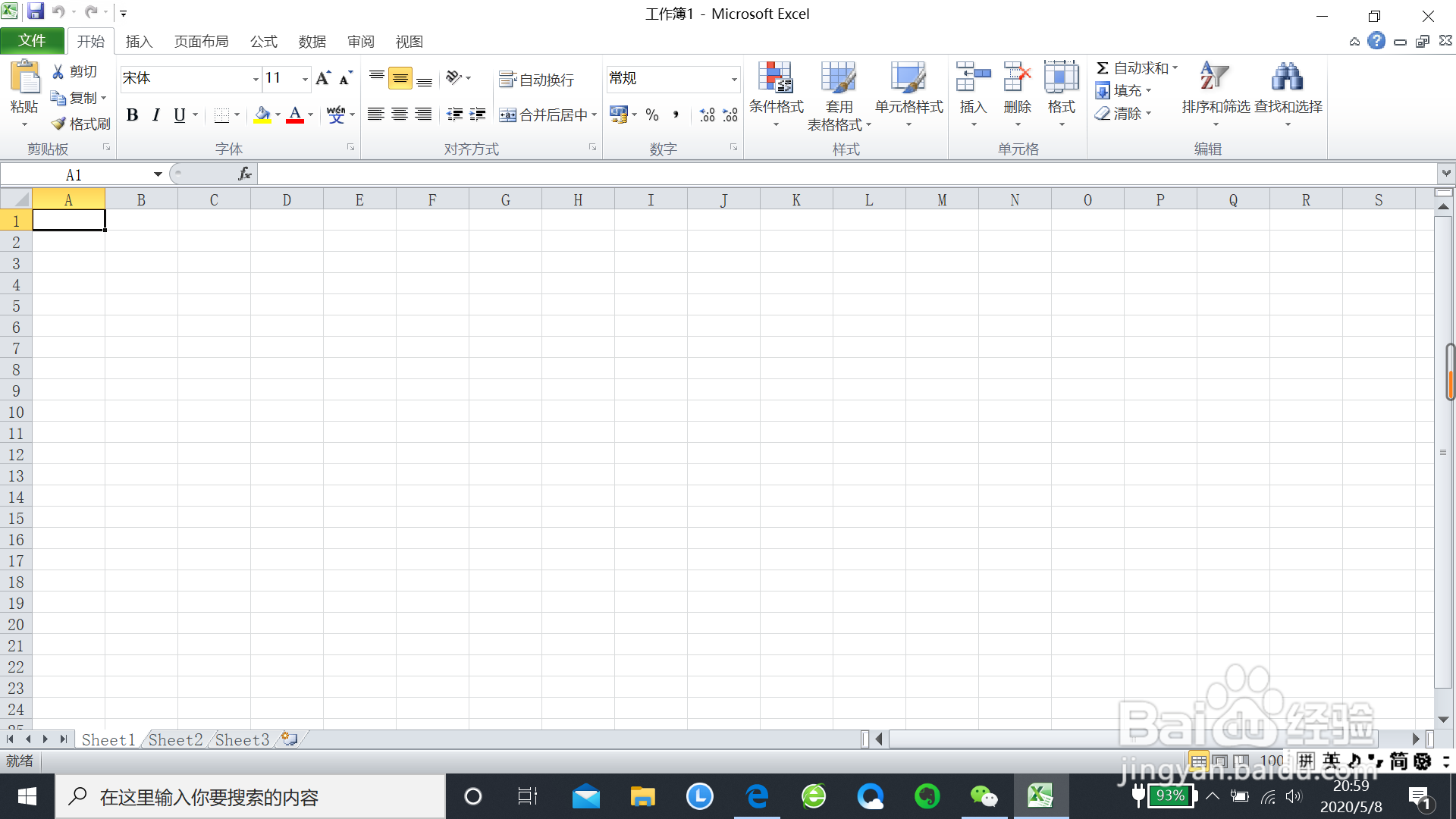
6、完成上面的步骤后,excel表格就新建成功了。
阅读量:80
阅读量:156
阅读量:45
阅读量:188
阅读量:111
1、先打开电脑;
2、然后用鼠标选中桌面左侧下方的“开始”按钮;
3、接着出现下面的页面;
4、用鼠标选中有excel 图标字样的“Microsoft excel”;
5、选中成功后,然后再单击它;
6、完成上面的步骤后,excel表格就新建成功了。