iphone5s怎么截屏
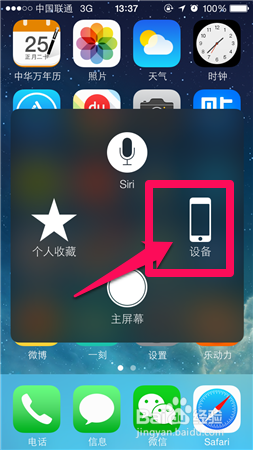
1、选择手机的小圆点。由于小圆点是透明的所以截图这里看不到。

2、在这里选择设备。
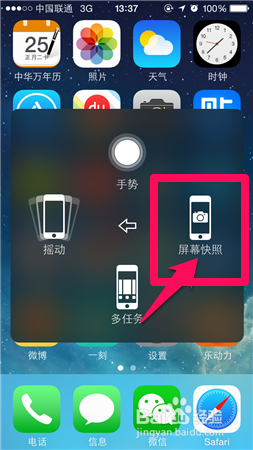
3、接着在这里选择更多。

4、然后到这里,选择屏幕快照就可以啦。
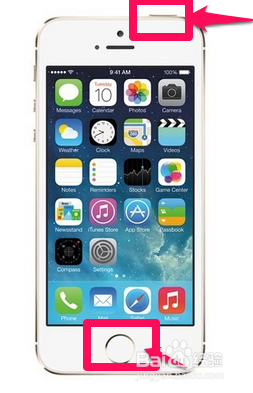
1、也可以同时按住手机HOME健和关机键就可以进行截屏。
阅读量:143
阅读量:21
阅读量:52
阅读量:169
阅读量:67
1、选择手机的小圆点。由于小圆点是透明的所以截图这里看不到。
2、在这里选择设备。
3、接着在这里选择更多。
4、然后到这里,选择屏幕快照就可以啦。
1、也可以同时按住手机HOME健和关机键就可以进行截屏。