AutoCad 2007 中,如何保存块
1、打开AutoCad 2007 ,如图。

2、绘制一个图形,用于演示,如图。

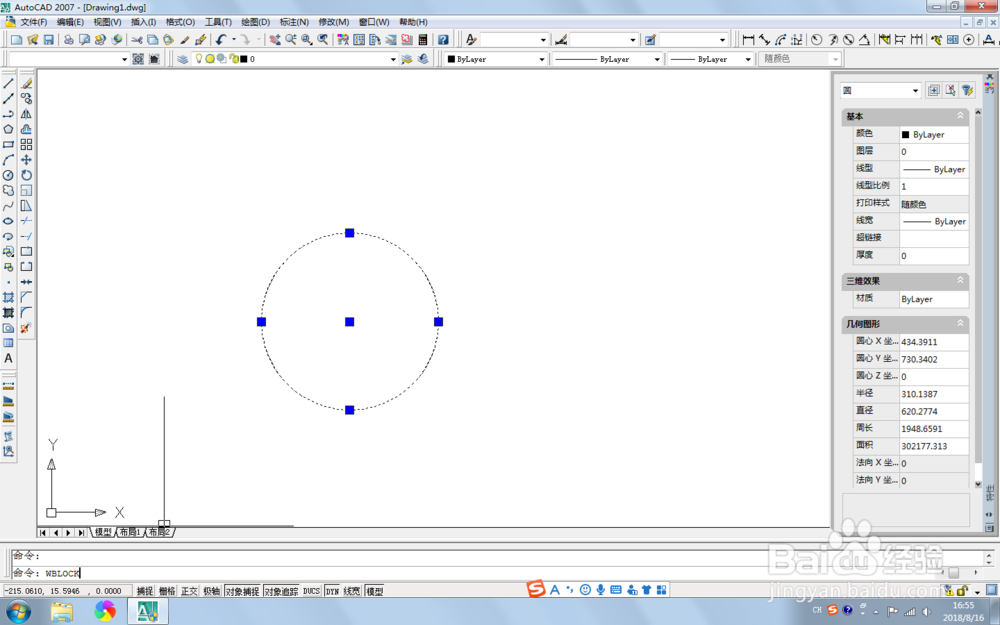
3、选中要保存块的图形,如图

4、在命令栏中输入wblock,然后回车,如图。
5、在弹出的保存块信息中,在源栏目下,选中【对象】,然后选择保存块的位置,点击确定,如图。

6、查看保存的块,如图。

1、打开AutoCad 2007 ,如图。
2、绘制一个图形,用于演示,如图。
3、选中要保存块的图形,如图
4、在命令栏中输入wblock,然后回车,如图。
5、在弹出的保存块信息中,在源栏目下,选中【对象】,然后选择保存块的位置,点击确定,如图。
6、查看保存的块,如图。