Visual Studio Code怎么设置本地端口主机为本地
1、点击菜单中的更多菜单,弹出了下拉菜单选中为settings选项

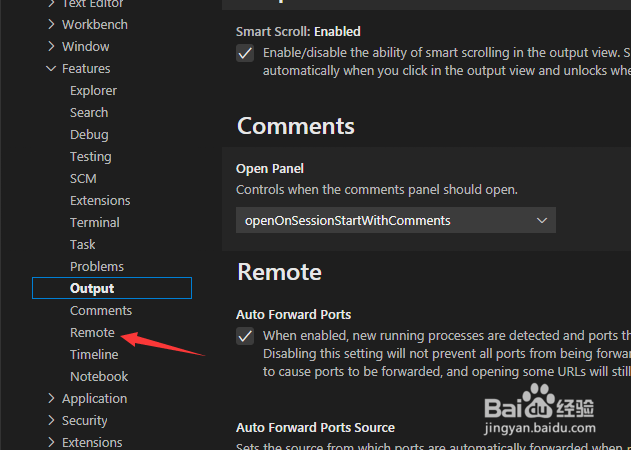
2、点击左侧中remote选项
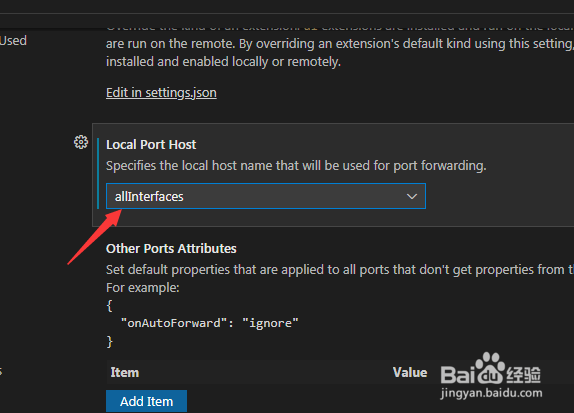
3、点击local port host选项
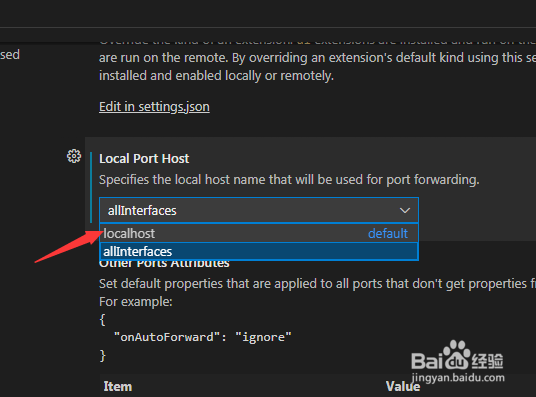
4、弹出了下拉菜单选择为localhost选项
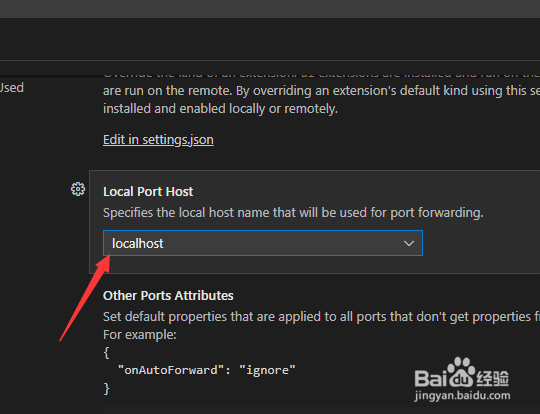
5、选择为localhost选项之后,会自动保存设置了
阅读量:69
阅读量:128
阅读量:119
阅读量:132
阅读量:97
1、点击菜单中的更多菜单,弹出了下拉菜单选中为settings选项
2、点击左侧中remote选项
3、点击local port host选项
4、弹出了下拉菜单选择为localhost选项
5、选择为localhost选项之后,会自动保存设置了